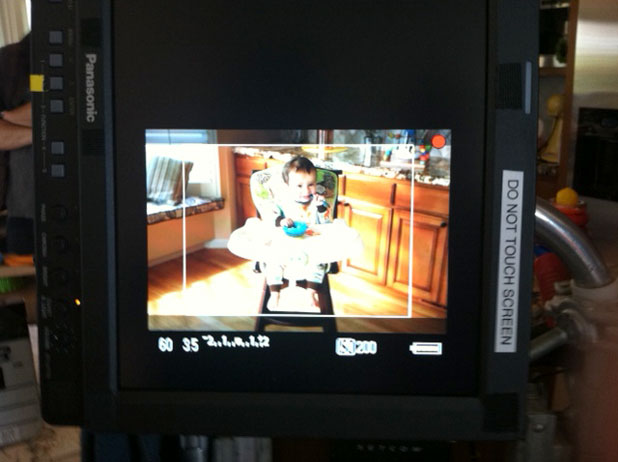

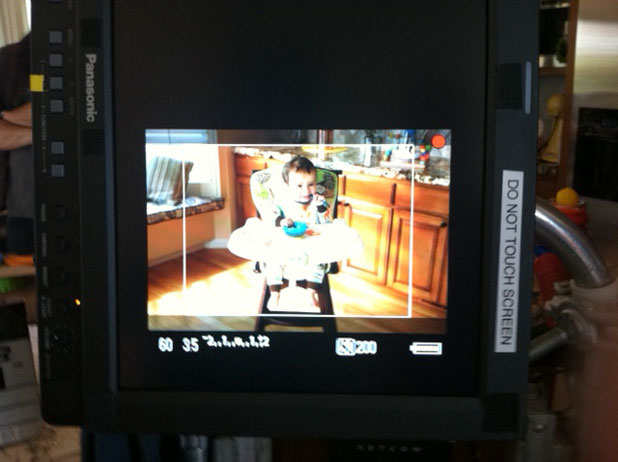
A web spot may be seen by more people than a broadcast spot, so making it pretty is more important than ever. In this case, simple but elegant lighting and custom gamma curves made this spot shine. (And when shooting kids, “simple” becomes very important.)
The idea is this: dad shoots baby video on his phone and sends it to grandma, but the video takes so long to get there that by the time grandma sees it the baby is now a toddler. Watch:
Shooting kids and animals is always exciting. The most perfectly behaved child or animal can melt down into tantrums or stubbornness at a moment’s notice. In this case the agency wanted to try two different setups: one with the baby and toddler in a high chair, and another where they sat on the floor surrounded by toys.
The trick was to shoot the baby long enough to get some action that the toddler could then repeat. That wasn’t easy.
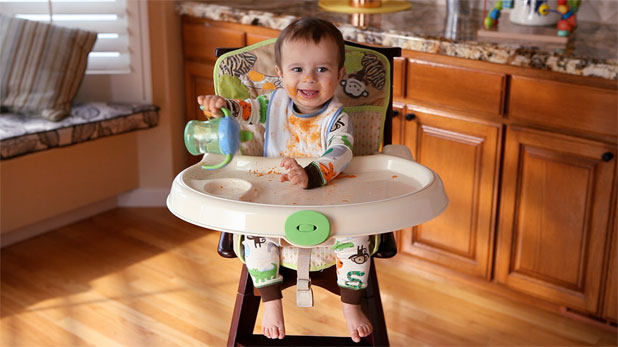
I lit this through a sliding glass door, behind and to the left of the camera (a Canon 5D rated at ISO 200). There wasn’t enough room to put the light (a 1200w PAR) in the room and give the kids some room to play so we kept it outside and put two 4’x4′ frames of Lee 216 diffusion in the doorway. The glass door added a little green to the light but this was easily corrected by white balancing. (Most commercial glass has some extra green in it, particularly car windshields.) The “sunlight” was an Arri M18 PAR, an instrument that I now LOVE. Not only is it a very punchy HMI that gets the most out of a standard U.S. 20 amp circuit, but the reflector design eliminates the oval “headlight” look and replaces it with a soft but round beam.
Most PARs are good for raw power, but the quality of the beam isn’t the prettiest unless the light is placed far away or pounded through a lot of diffusion. This light, though, created very convincing sunlight, on the floor and cabinets behind the baby, from a short distance away and without diffusion. (We blocked out the actual sun and added our own to make sure the light didn’t change over the course of the day. The background windows faced west, and we spent hours shooting the high chair and floor shots.)
My gaffer, Alan Steinheimer, had originally suggested using a 4K fresnel instead, but I worried it wasn’t going to be strong enough to create the contrast that I wanted. Alan’s rule of PARs vs. fresnels states:
“When comparing a fresnel to a PAR of the same wattage, the fresnel will put out 30% of the light that the PAR will.”
This means that HMI fresnels will create very sharp shadows, but at the cost of using a much higher wattage lamp. I opted instead to try the Arri M18, and I wasn’t sorry at all. The shadows are a little soft, but sunlight often is. Razor sharp sunlight has a very specific mood and feel to it, and sunlight with soft edges feels a bit less harsh and more friendly. This may come from my English/Irish/Scottish roots (I do tend to prefer overcast or partly cloudy days to bright sun) or it may be a matter of taste. Razor sharp sun shadows didn’t seem right for a spot with a baby in it so we went with a soft sun look instead.
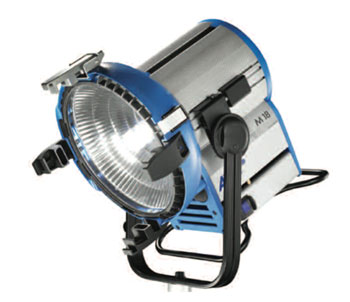
The Arri M18. Note the round textured reflector that creates a soft round beam instead of the harsh oval beam seen in conventional PARs. This is the first HMI PAR I’ve seen that doesn’t use, or need, interchangeable lenses.
The M18 was aimed through a side window which had the same green tint that the sliding door did, so white balancing to one lamp corrected both. If one had not gone through a glass window we would have had to add green to it to match the other.
The shadows are entirely created by practical window blinds.
At the time the floor highlights looked as if it they were chroma clipped on the monitor, but I knew from experience that it was going to be okay. Our on-set monitor was a 17″ Panasonic and those tend to crush highlights, plus there’s something in the 5D HDMI output signal that exaggerates chroma and luma values. Highlights that look clipped during the shoot often turn out perfectly fine in post.
I wanted some modeling on the baby but the spot didn’t call for high contrast, so we added a 4’x4′ bead board passive (not lit with a specific light) bounce off frame right.
The one window in the shot is gelled with diffusion, probably Lee 250.
As usual I used Steve Shaw’s Light Illusion gamma curves for the 5D and 7D. I much prefer these curves to any of the looks I get out of the 5D’s built-in curves. Those work in a pinch, but Steve’s curves really make the camera look its best. The camera is owned by the production company, Teak Digital, and there was simply no reason not to use it for such a simple spot.
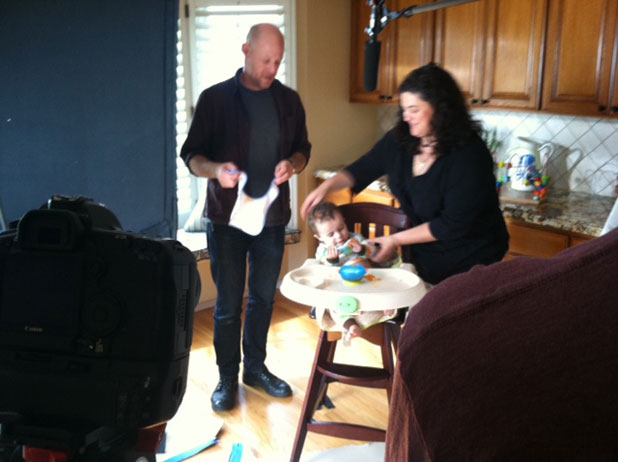
Mom and dad prep their child for action. They had twins, so if one dissolved into a weeping pile of emotion their replacement could be brought in immediately. (This is particularly handy for stunts.) (Just kidding.)
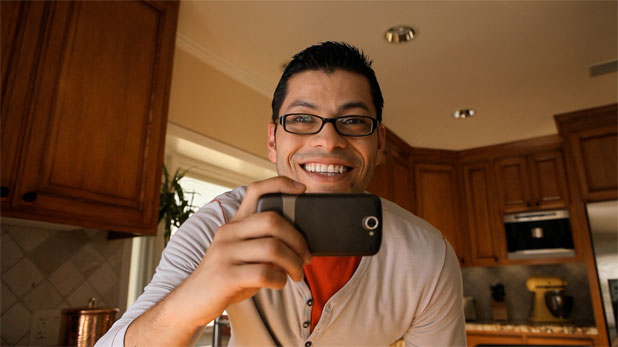
After we shot the baby and the toddler in the high chair (and on the floor, but that wasn’t used) we turned toward Dad. We cheated him a bit as a reverse angle from the baby’s perspective would have had the camera looking out a sliding glass door. This angle is shot with the camera placed near the high chair’s position looking out the right frame of the first shot.
I like bouncing light off of surfaces that color or change the light in some way so that the audience can feel the subject’s relationship to the set. In this case we built a book light, where a light is aimed into a bounce card and bounced through a piece of diffusion to further soften in, against some cabinets just to the left of dad. To carry light around the front of his face I asked for a tungsten PAR bounce from below. Ideally we would have just aimed a light at the wood floor but I didn’t want to take the chance of the floor buckling or burning from the heat. Instead we arranged some quarter apple boxes on the floor and bounced the tungsten PAR off of that.
As we were balanced for daylight the tungsten PAR appeared warm to begin with. Bouncing it off a wood surface added something more to it both in color and softness. You can see the light hitting the bottom of dad’s arm, his shirt and part of his face. It really does feel as if warm sunlight is striking the floor and lighting him from below.
The background was lit with more tungsten PARs aimed into a bounce card raised on apple boxes. It was a little too intense initially, so Alan rigged a flag that was smaller than the bounce source directly over it. This let the light out around the edges but also darkened part of the ceiling for contrast. It was a brilliant trick and one I’ve filed away for the future.
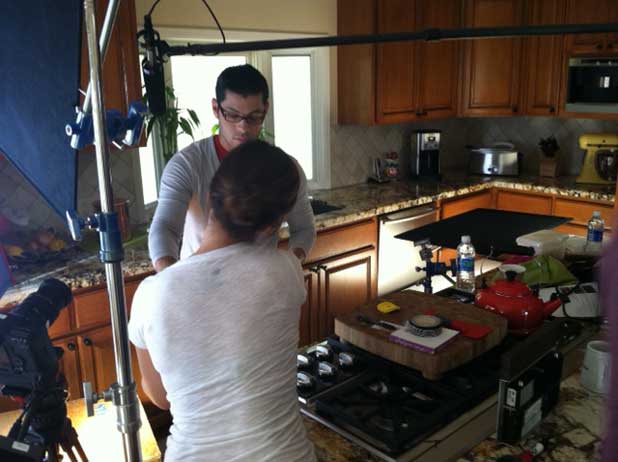
Dad gets touched up before shooting. To the right you can see the bounce/flag combo that gaffer Alan Steinheimer rigged to add some soft contrast to the ceiling. It feels very real, just as if sunlight was striking the floor and bouncing up. (The window in the background faces north and was gelled with Lee 250, not to control brightness but to prevent us seeing the blown-out hill behind the house.) The tungsten + apple box bounce is at the lower left of frame, just below the camera lens.
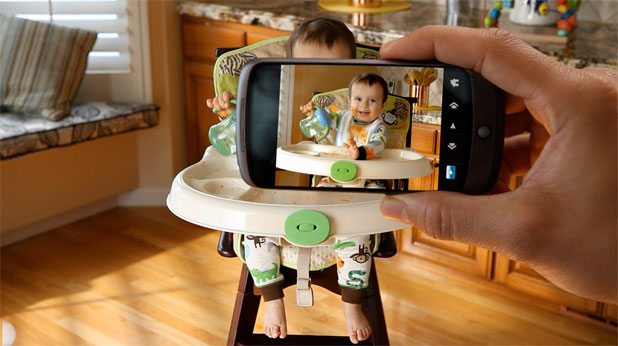
This is a green screen shot. We put a 4’x4′ frame of green screen material in front of the high chair and shot dad’s hand holding the camera. I don’t remember what we did to light this… If I had to guess I’d say I just stopped down and used the window source that was lighting the baby as a key.
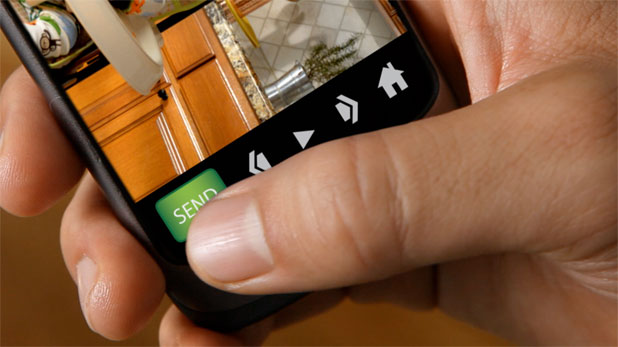
This shot is a bit different. I moved dad directly in front of the sliding glass door/soft key as I wanted a much smaller f-stop for this shot. Macro shots require a deep stop if you’re going to retain any depth of field at all, so by moving dad directly in front of the diffusion I was able to stop down to T8 or T11 easily. The screen of the phone is actually Ultimatte green masking tape, and I wanted to make sure that the edges of the tape/screen were as sharp as possible to help the compositor later on.
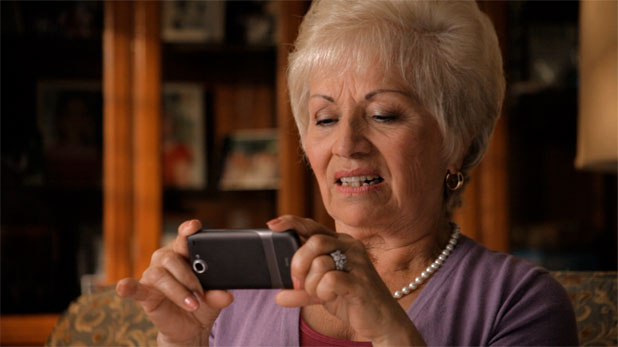
We shot this in the living room, adjacent to the kitchen. It was afternoon when we shot this, and as we wanted to give the appearance that grandma was somewhere else entirely we blacked out the room and created a sunset effect.
Grandma is lit by a daylight-balanced Kino Flo Image 80 put through diffusion, probably Le e 216. As there’s a reflective cabinet behind her the fill light had to be placed below the level of the couch and the camera, so key grip Ernie Kunze laid a 4’x4′ bead board bounce against an apple box, just below frame, and Alan lit it with an 800w Joker HMI PAR rigged from above. (The 800w was overkill, but as we’d used it for dad’s book light in the next room this saved the production company the money necessary to buy another, smaller light. We dropped some doubles in it and kept the lighting budget down a bit.) I prefer bead board to foam core as a bounce because foam core has a little bit of a shine to it, which translates into a specular hot spot; bead board isn’t reflective at all so the bounce is perfectly even and free of specularity.
The background was created by a Source 4 leko. Lekos are theatrical lights that can cast very sharp shadows, and I like to use them to create “messy light.” I almost never use them to create sharp edges; instead I prefer to start sharp and then fuzz them out to the point where the pattern feels like something that would happen in reality. Sometimes I’ll aim a Source 4 with a pattern through another pattern, like a cucoloris, and the overlaying of patterns creates very realistic and random effects with a mixture of hard and soft shadows. I also like to use Source 4’s with zoom lenses, instead of fixed lenses, because throwing the zoom lens out of focus in one direction creates red/cyan fringing around the pattern that feels like sunlight diffracting through glass.
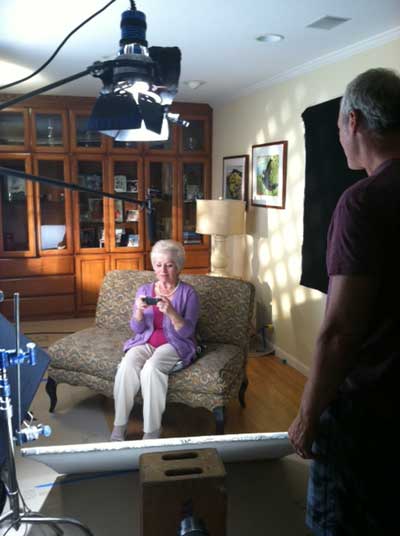
Director Greg Rowan (right) coaches Grandma through her action. The bead board fill is at the bottom of from, while the PAR that illuminates it is rigged overhead. Shooting through a beam of a light can be problematic if you’re shooting in a dusty environment as you’ll see a miniature snowstorm between you and the subject. This house was very clean and neat, so no problem there. The Source 4 is to the left rear, and you can see that I’ve picked a fairly repetitive pattern and fuzzed it out slightly. We saw some of the pattern on the lamp shade and right wall in the wide shot, but only the close shot was used in the edit.
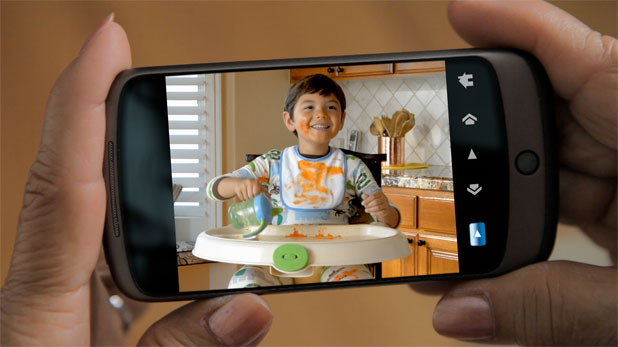
By the time mom gets the message baby has grown considerably. Once again I lit this up to increase depth of field on grandma’s hands. I think we just pulled the diffusion from in front of the Image 80 and added a bounce card just outside the left of frame. This entire spot, except for grandma’s closeup, was shot on a stock Canon 24-70 lens. Camera assistants hate pulling focus on lenses like this because the focus rings aren’t physically attached to anything mechanical: they control electronic servos instead*, which means that if you turn the focus ring past infinity or close focus the ring keeps going and your focus marks become useless. The advantage, though, is that since the elements are “floating” and controlled by electronics they can be pushed around in ways other lenses can’t. In this case the macro mode gave us plenty of room for the several macro shots required in this spot.
*I’ve been corrected by a reader who informs me that this lens employs a clutch that disengages the manual focus ring in autofocus mode and engages it in manual focus mode until the ring is turned past infinity or close focus, at which point the clutch disengages. Thanks, Stephen S.!
This shot shows off director Rowan’s prowess at directing child actors. Once we’d rolled enough footage of the baby doing random things, playback operator Andy Neddermeyer replayed the clips and Greg picked out a sequence that looked both childish and repeatable. Then, when the toddler was placed in the chair, Greg talked him through performance cues so the boy did the same things that the baby did, and in the right order. (I have to add here that all the kids we used in this spot were fantastic.)
I’m not sure where this ad is running, but it’s out there right now and it looks great. And it was a great experience overall: Teak production staff are very mellow and professional, as was my crew and the director, which made it a very pleasant shoot under what could have been trying conditions.
Miscellaneous Notes:
I shot with a 1/60th shutter as I tend to be very paranoid about HMI flicker when using cameras with rolling shutters. Read here to see why.
I didn’t shoot the T-Mobile woman at the end of the spot.
Art Adams is a DP who manifests a childish air on set, the degree of which varies depending on who you talk to. His website is at www.artadamsdp.com.


Filmtools
Filmmakers go-to destination for pre-production, production & post production equipment!
Shop Now