

Filmtools
Filmmakers go-to destination for pre-production, production & post production equipment!
Shop NowThis article accompanies my recent chapter 9 of the PsF’s missing workflow series, which offers workarounds to use PsF from AVCHD properly in Premiere Elements 10, as well as native 1080p23.976.

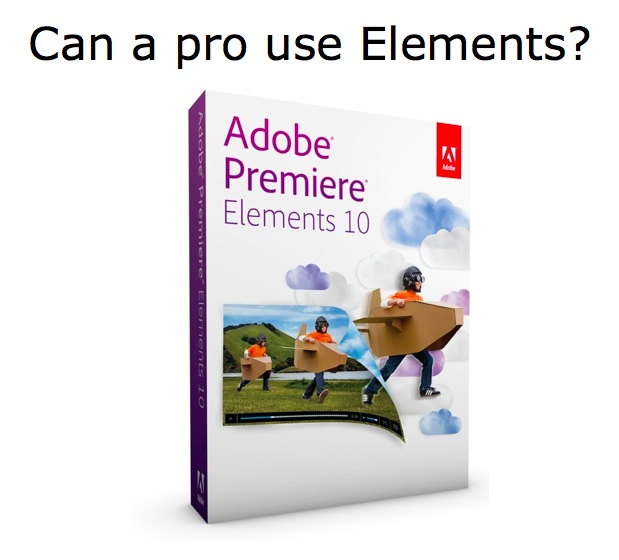
I first wrote about Premiere Elements back when version 9 was first released for the Mac. At that point, I received an NFR (Not For Resale) copy from Adobe but was so concerned about its lack of direct support for PsF in AVCHD that I delayed writing about it again while I exchanged e-mails with the Premiere Elements team. In the meantime, I kept myself quite busy covering other topics, and earlier this week, I published chapter 9 in the PsF’s missing workflow about how to get around Premiere Elements’ current lack of direct support for PsF in AVCHD, and even direct support for native 23.976p (“24p”) in AVCHD. In this article, I answer a logical question: Can a professional really use Premiere Elements? This sub-US$100 program is available for Mac or Windows. Here are the answers.
Tests and observations made for this article
The observations and tests made for this article were done using the Mac version of Adobe Premiere Elements 10. To my knowledge, all observations would be identical with the Windows version, except when noted.
Features that are surprisingly present in Premiere Elements 10
Adobe Premiere Elements 10 costs under US$100. Depending upon where and how you purchase it, it can cost substantially less than US$100. Obviously, it is a much lower priced version of Premiere than Premiere Pro CS5.5, at a fraction of the cost. I was happily surprised to see that Premiere Elements 10 includes:
- 32-bit processing (Selectable in Edit>Project Settings>Video Render>Maximum Bit Depth)
- Conform capability (i.e. to conform a 59.94p clip to 29.97p for 2x “natural” slow motion, or to 23.976p for 2.5x “natural” slow motion. In the project bin, select the clip, right click, Interpret Footage>Assume this frame rate).
- Slow motion (“artificial”) with optbrional audio pitch correction
- Character generator with animation
- Title Safe Area indication and Action Safe Area indication
- Easy chroma key
- Easy Ken Burns’ effect with face detection, together with manual programability
- AutoTone & Vibrations color correction which uses face detection and an algorithm that automatically emphasizes chroma in faces without affecting skin tone
- Optional Three Way Color Corrector for manual use
- Automatic stabilizer (which in Premiere Pro CS5.5 requires the presence of After Effects)
- Optional automatic audio ducking, similar to the one in GarageBand
- Auto edit on the beat
- Standard and exotic transitions and special effects
- Motion tracking capabilities to add graphics, text, and effects that automatically follow the subjects in scenes (or manually keyframable)
- Authoring with motion menus for Blu-ray disk, video DVD disk, and web DVD (see the caveats I pointed out in PsF’s missing workflow, part 9: Premiere Elements)
- Royalty music from SmartSound (not included in the version of Premiere Elements 10 sold by the Mac App Store)
- The Elements Organizer, which is a cataloging feature which reminds me of the one in Final Cut Pro X (not included in the version of Premiere Elements 10 sold by the Mac App Store)
On page 2 of this article…
- Features that are missing from Premiere Elements 10 that a pro might want or need
- What’s a professional anyway?
- The role of scopes (waveform and vectorscope)
- How the AB linear editing systems of the past influence our views on “professional” video editing today
- The role of a professional i/o from AJA, Blackmagic, Matrox, or MOTU
- Conclusions
Click here for page 2 of this article…
Features that are missing from Premiere Elements 10 that a pro might want or need
Of course, it wouldn’t be reasonable to expect that the consumer version would include all of the features of the Pro version. If they did, then nobody would by Premiere Pro CS5.5. Here is a list (although not necessarily a complete list), so you can begin to determine whether you (as a video professional who reads ProVideo Coalition magazine) could use Premiere Elements 10 instead of Premiere Pro CS5.5 or some other pro editing application. Everything in this list is what’s missing from Premiere Elements:
- Multiple simultaneous sequence support
- Multicam editing
- Time remapping
- Scopes (waveform and vectorscope)
- Encore for more elaborate DVD menu authoring and Blu-ray Disc authoring
- OnLocation for in-field monitoring and direct-to-disk recording, both from a camera with FireWire
- XML i/o for PluralEyes (although DualEyes will work with Premiere Elements)
- Easy direct interoperability with other Adobe professional programs like After Effects, Audition, Soundbooth, etc.
- Compatibility for full use of a professional i/o device like the ones from AJA, Blackmagic, Matrox, or MOTU
What’s a professional video producer/director/editor?
First, let’s see how Dictionary.com defines the word professional:
pro·fes·sion·al? ?[pruh–fesh–uh-nl]
adjective
- following an occupation as a means of livelihood or for gain: a professional builder.
- of, pertaining to, or connected with a profession: professional studies.
- appropriate to a profession: professional objectivity.
- engaged in one of the learned professions: A lawyer is a professional person.
- following as a business an occupation ordinarily engaged in as a pastime: a professional golfer.
- making a business or constant practice of something not properly to be regarded as a business: “A salesman,” he said,”is a professional optimist.”
- undertaken or engaged in as a means of livelihood or forgain: professional baseball.
- of or for a professional person or his or her place of business or work: a professional apartment; professional equipment.
- done by a professional; expert: professional car repairs.
noun
- a person who belongs to one of the professions, especially one of the learned professions.
- a person who earns a living in a sport or other occupation frequently engaged in by amateurs: a golf professional.
- an expert player, as of golf or tennis, serving as a teacher,consultant, performer, or contestant; pro.
- a person who is expert at his or her work: You can tell by her comments that this editor is a real professional.
According to the first definition, anyone who is paid to edit video is a professional. But then again, many of the other definitions refer to learned professions. Some people consider someone a professional in a particular field only if s/he earned a degree or diploma in it. In some countries, people only make that distinction with professionals like medical doctors and lawyers, and are much more casual about the terms with other fields. For example, most people I know that were raised in the USA will call a person a journalist because s/he works as a journalist. Most people I know who were raised in the USA won’t say: “S/he is not a journalist” just because the person did not earn a degree or diploma in that field, although many people I know from Venezuela (for example) will do that exact thing. With video professionals (or video editors), the lines are much more blurred. Some people majored in Film Production in a technical school, while others did it as a B.A. (Bachelor of Arts) or B.S. (Bachelor of Science) in a college or university. In my case, I majored in TV and Radio Production at a place called Ithaca College, with a minor in “foreign” languages. I know that the ambiguity of the term “professional” extends at least two languages, and in at least one of them, the use of it varies from country to country. I have picked up some preferences abroad. For example, I prefer the metric system and use it whenever possible. However, I consider a person who excels in journalism to be a journalist whether s/he has a degree in that field or not, as I do a self taught musician like Ilan Chester, who won a Grammy in 2010. And I know that many video professionals (and professional video editors) who excel in their profession did not necessarily get a degree in this field. I’ll go back to this issue ahead in this article.
How the AB linear editing systems of the past influence our views on “professional” video editing today
Those of us who have been involved in professional video long enough will remember that an AB roll editing system comprised of at least three professional decks (or two with pre-roll), a computerized editing controller, timecode readers on the feeder decks, a timecode generator/reader for the record deck, a sync generator, one TBC (Time Base Corrector) for each feeder, a video mixer, and scopes (a waveform monitor and a vectorscope). At that time, it was considered part of the responsibilities of the editor (or of the operator) to handle all of these things. I say “operator”, because in some situations, the editor (the one making the creative decisions) never even touched the equipment. The editor simply told the operator what s/he wanted next. Back in that era, I was involved in the design, integration, and training of those “linear” editing systems.
Today, there are people who get paid to edit video who have never used a vectorscope or waveform monitor in their software editing program, and have no idea about how to read them. I have mixed feelings about that. Back at Ithaca College in the late 1980s, we were taught the practical aspects of producing video, including scripting and budgeting. We had professional cameras (portable and studio) and we recorded and edited using 3/4” U-Matic. While I was there, there was no A/B roll editing system, but we learned how to “fake” AB when it was necessary. In the standard curriculum, we were not taught how to read a waveform monitor or vectorscope in any of our formal classes. I just called my friend Jeff Taylor from Elements Post in Connecticut (his company name is a complete coincidence, and Elements Post does not edit using Adobe Premiere Elements!) who studied with me there -and graduated the same year- to make sure my recollection was correct. As it turned out, Jeff learned it during an internship, and I learned since I had enrolled in the optional “Student Engineer” program there, where I learned how to white balance cameras manually, the old fashioned way, with a CCU (Camera Control Unit), chart, a waveform monitor, and a vectorscope. So of course, I learned what legal broadcast limits were for white level and black level, and maximum color saturation. But many people who got a degree in TV production never learned those things, and many of those may be paid nowadays to edit video. It is very likely that nowadays students at Ithaca College and other similar schools are taught how to use one of the “professional” editing programs, so it is likely that these things are now part of the curriculum, whether it be Adobe Premiere Pro, Avid Media Composer, Final Cut Pro (6, 7, or X), since all of these include scopes.
The role of a professional i/o device like the ones from AJA, Blackmagic, Matrox, or MOTU
When I first began to integrate “non-linear” video editing systems, it was with hardware from companies like DPS (Digital Processing Systems) Matrox, Truevision, and Media 100. At the beginning, it was a requirement to use this hardware for several reasons:
- To capture from analog videotape (component, Y/C, or composite) and go back out
- To capture from digital videotape (SDI) and go back out
- To carry out all of the transitions (since computer technology was not yet up to doing it on its own the way it can now)
When the DV25 formats arrived (consumer DV, JVC’s Professional DV, Sony’s DVCAM, and Panasonic’s DVCPRO25), it was the first time editors were able to capture directly via FireWire (IEEE-1394). That extended with the HDV format, and (with certain decks) with DVCPRO50 and DVCPRO-HD. At first, a FireWire card was necessary since many computers didn’t have it onboard, but later it arrived as native. I have dedicated many articles about when and how an editing system often still requires a professional interface from a company like AJA, Blackmagic, Matrox, or MOTU, even though many systems no longer require capturing from analog or SDI videotape, or printing to tape. Some of them include absolute perfect monitoring (especially for editors who still deal with interlaced video) and acceleration (although that is using the GPU more often as time passes). In addition, Matrox offers optional H.264 acceleration for final output via its MAX. Programs like iMovie and Premiere Elements cannot use these professional input/output devices completely. Even Final Cut Pro X cannot use them completely yet, although that’s expected to change very soon. Other “professional” video software editing like Adobe Premiere Pro CS5.5, Avid Media Composer, and Final Cut Pro 7 can.
Conclusions
The definition of “professional” varies immensely, but even once you have defined it, the feature and technical requirements for that defined professional use also vary immensely. Only you, the “professional” editor (or her/his manager) can determine whether Premiere Elements is enough for your “professional” application. Editing is a process that requires both creativity and technical knowledge. It should be now clear that Premiere Elements is certainly more complete than the “free” iMovie from Apple, but not as strong as other software video editing programs generally called “professional”. I hope the factors and criteria I have covered in this article help you make your determination.
Related articles
- Do you work in the broadcast industry? What does “broadcast” mean? from April 9, 2011
- PsF’s missing workflow, Part 1: BENIGN PsF versus MALIGNANT PsF from October 23, 2011
- PsF’s missing workflow, Part 2: the Canon XA10 camera from October 26, 2011
- PsF’s missing workflow, Part 3: Sony’s AVCHD & NXCAM cameras from October 31, 2011
- PsF’s missing workflow, Part 4: file-based HD video recorders from November 10, 2011
- PsF’s missing workflow, Part 5: Átomos hires a stripper! from November 11, 2011
- PsF’s missing workflow, Part 6: T©pper asks the camera manufacturers… (An open letter to all professional AVCHD camera manufacturers) from November 14, 2011
- PsF’s missing workflow, Part 7: Adobe Premiere Pro CS5.5.x from November 28, 2011
- PsF’s missing workflow, Part 8: ClipWrap to the rescue from November 30th, 2011
- PsF’s missing workflow, Part 9: Premiere Elements 10 from December 28, 2011
Allan T©pper’s books, consulting, articles, seminars, and audio programs
Contact Allan T©pper for consulting, or find a full listing of his books, articles and upcoming seminars and webinars at AllanTepper.com. Listen to his TecnoTur program, which is now available both in Castilian and in English, free of charge. Search for TecnoTur in iTunes or visit TecnoTur.us for more information.
Disclosure, to comply with the FTC’s rules
None of the manufacturers listed in this article is paying Allan T©pper or TecnoTur LLC specifically to write this article. Some of the manufacturers listed above have contracted T©pper and/or TecnoTur LLC to carry out consulting and/or translations/localizations/transcreations. Many of the manufacturers listed above have sent Allan T©pper review units, and Adobe gave him an NFR (not for resale) license of the Adobe programs described. So far, none of the manufacturers listed above is/are sponsors of the TecnoTur programs, although they are welcome to do so, and some are, may be (or may have been) sponsors of ProVideo Coalition magazine. Some links to third parties listed in this article and/or on this web page may indirectly benefit TecnoTur LLC via affiliate programs.
Copyright and use of this article
The articles contained in the TecnoTur channel in ProVideo Coalition magazine are copyright Allan T©pper/TecnoTur LLC, except where otherwise attributed. Unauthorized use is prohibited without prior approval, except for short quotes which link back to this page, which are encouraged!