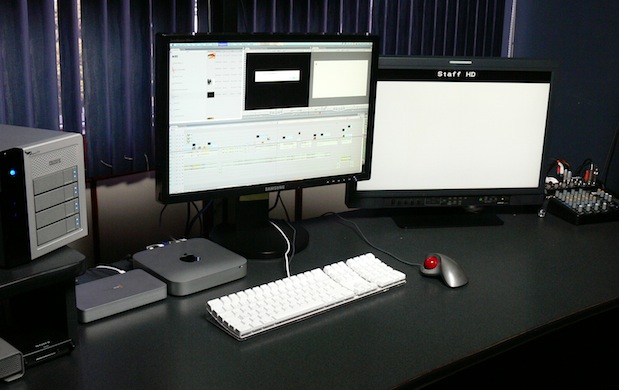
Despite gloomy predictions from the naysayers, the Mac Mini beats the MacPro tower for video editing.

Many readers of ProVideo Coalition magazine may recall my recent article Mac Mini w/Thunderbolt: preferred platform for many new editing systems. However, some of the readers had doubts, and one naysayer even dared to comment via LinkedIn: “This is hilarious garbage. No serious editor, in their right mind, would do this.” Another commenter via LinkedIn supposed that it would stand up for standard-definition video editing only, but would never work for HD 1080p editing. Fortunately, here is a detailed report from a very serious commercial production company in Guatemala, that has recently replaced two MacPro towers with Mac Mini i7 with Thunderbolt, together with a Thunderbolt RAID5 disk array, and a Thunderbolt-based professional audio/video i/o device. Here you’ll see the exact software and hardware configuration used, performance, and enthusiastic comments from the editor. On the other hand, you’ll even learn where not to use a Mac Mini.
Mac Mini configuration at Staff HDTV/Alta Definición in Guatemala
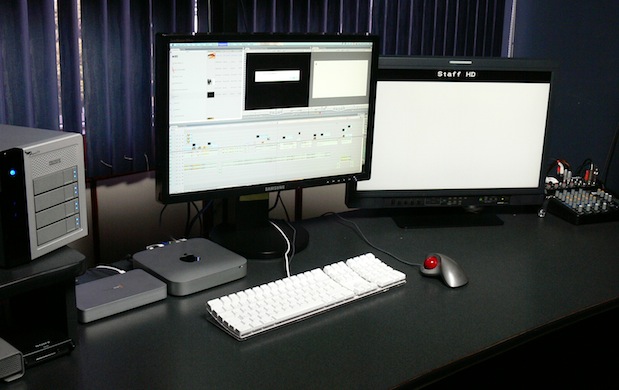
Staff HDTV/Alta Definición purchased the following configuration for two of their editing rooms:
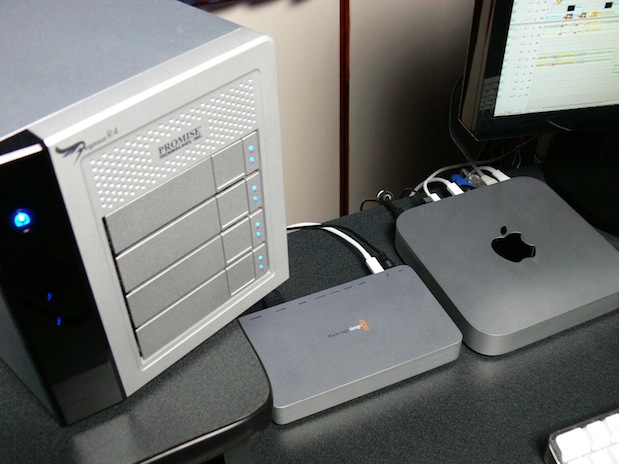
- Mac Mini i7 built-to-order with Thunderbolt and 2.7GHz processor, 500GB hard drive
- RAM upgraded to 8GB via 3rd-party upgrade kit
- PROMISE Pegasus RAID5 disk array R4 8TB (4x2TB)
- Blackmagic UltraStudio 3D audio/video i/o
- Final Cut Pro 7 (They already owned it.)
- JVC DT-V24L1 monitor connected to the UltraStudio 3D’s HDMI output (They already owned this now discontinued monitor, as well as the Samsung GUI monitor.)
All of the above is repeated in two different editing rooms. Staff HDTV/Alta Definición has decided (for now) to stay with Final Cut Pro 7 since Final Cut Pro X (as of today) cannot work completely with a professional a/v interface. Although they already owned Final Cut Pro 7 and the monitors, they needed to purchase the new Mac Minis with Thunderbolt, the disk arrays, and the professional audio/video i/o device immediately after IBC. The lack of immediate availability of Thunderbolt-based i/o devices from AJA and Matrox made their decision quite simple, and that’s why they purchased two UltraStudio 3D interfaces, which I covered in this recent article. The lack of direct compatibility with the HP DreamColor was not an issue with these editing rooms, since in these rooms they have the mentioned JVC monitors which can accept either digital RGB or digital YUV with no problem. (Staff HDTV/Alta Definición does have an HP DreamColor in their new grading suite, which I covered in this recent article DaVinci Resolve training at Staff/HDTV in Guatemala.)
Pegasus/Mac Mini performance according to Blackmagic Disk Speed Test
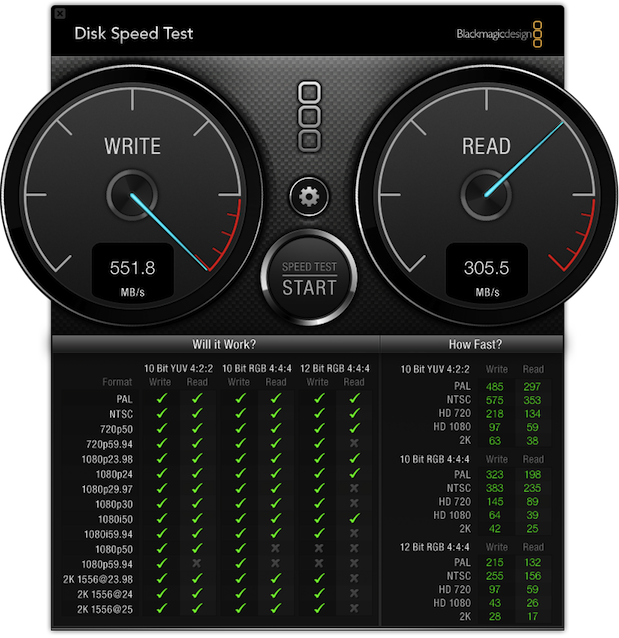
Speed test I performed when I visited Guatemala. Click here for a larger view of this report.
This disk performance beats by far the performance that Staff HDTV/Alta Definición previously got with their MacPro tower using an external eSATA-based system, despite the fact that the older one was also a 4-drive array using RAID0 (generally higher performance, although without any redundancy), and the Pegasus is configured for RAID5 (which has redundancy). The increase in performance is likely to be due to a combination of factors, including the faster magnetic drives available today, the Thunderbolt connection, and the hardware-based RAID controller in the Pegasus, as opposed to the software-based RAID they used before.
Other comments regarding FCP 7 performance with this system
Staff HDTV/Alta Definición has already been editing with the Mac Mini system for over a month, mainly with 1080p. When I asked the Staff HDTV/Alta Definición editors what other aspects of editing with Final Cut Pro 7 changed using the Mac Mini system as described above, their response was that absolutely every other aspect of editing has become much faster. I asked about possible heat, and they responded that the Mac Mini does get warm after several hours of editing, and they are considering adding a cooler base of the type sold for laptops, like this one.
When a Mac Mini is not the best choice
For the moment, the Mac Mini is not the best choice for applications that are extremely GPU-dependent, like when using DaVinci Resolve. That’s why Staff HDTV/Alta Definición used one of the MacPro towers which they retired from the editing suite for use in their new grading room, as described in my recent related article DaVinci Resolve training at Staff/HDTV in Guatemala. This may change soon, when it becomes feasible to add Thunderbolt-connected external GPUs.
Link to the original article
Here is a link to my original article Mac Mini w/Thunderbolt: preferred platform for many new editing systems.
Allan T©pper's books, consulting, articles, seminars, and audio programs
Contact Allan T©pper for consulting, or find a full listing of his books, articles and upcoming seminars and webinars at AllanTepper.com. Listen to his TecnoTur program, which is now available both in Castilian and in English, free of charge. Search for TecnoTur in iTunes or visit TecnoTur.us for more information.
Disclosure, to comply with the FTC's rules
None of the manufacturers listed in this article is paying Allan T©pper or TecnoTur LLC specifically to write this article. Some of the manufacturers listed above have contracted T©pper and/or TecnoTur LLC to carry out consulting and/or translations/localizations/transcreations. Many of the manufacturers listed above have sent Allan T©pper review units. So far, none of the manufacturers listed above is/are sponsors of the TecnoTur programs, although they are welcome to do so, and some are, may be (or may have been) sponsors of ProVideo Coalition magazine. Some links to third parties listed in this article and/or on this web page may indirectly benefit TecnoTur LLC via affiliate programs.


Filmtools
Filmmakers go-to destination for pre-production, production & post production equipment!
Shop Now









