The MXO2 family goes bi-platform and hits the sub US$450 price point

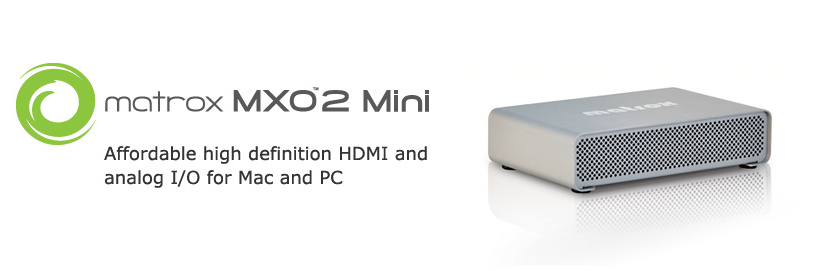
At NAB 2009, Matrox announced its new MXO2 Mini, the second spinoff based upon the MXO2, and the third in the MXO2 family. The MXO2 Mini is the smallest and least expensive in the family, and the first one to be cross-platform. (The MXO2 and MXO2 Rack are Mac-only, at least for now.) If you are familiar with the MXO2, subtract XLR balanced audio and SD and HD-SDI, add multi-platform support, and you basically have an MXO2 Mini that starts at US$449 (?338 in the UK, or €382 in other parts of Europe). If you would also like the new MAX option (which accelerates H.264 encoding when you are ready to deliver to AppleTV, Blu-ray, iPhone/iPod, WDTV, or the web), then the price is US$849 (?644 in the UK, or €758 in other parts of Europe).
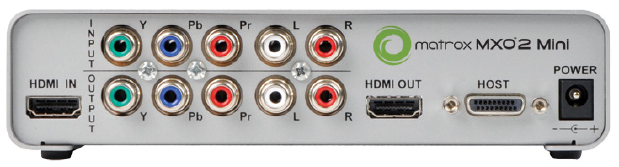
The MXO2 Mini’s rear panel
Marketed for a laptop or a tower
Like the first MXO2, the MXO2 Mini is marketed either for a laptop or for a tower. The first MXO2 comes prepared for both the ExpressCard/34 for laptops and the PCIe for tower computers (in that case, a MacPro). In the case of the new MXO2 Mini, the user must choose among those two connections, although the other will be available for sale as an option, for those who would like the flexibility of using it with both types of computers.
Some limitations with current laptops
Unlike the US$3495 IoHD from AJA, none of the MXO2 family products to date has an onboard ProRes422(HQ) hardware encoder. That’s part of the reason why the MXO2 products cost so much less than an IoHD. This isn’t really an issue when using MXO2 family products with a fast tower computer like a MacPro, since they have enough power to encode ProRes422(HQ) at HD resolutions and framerates in real time. However, this currently causes some limitations if you are expecting to be able to capture HD material directly to ProRes422(HQ) at a framerate higher than 720p23.976. In order to go beyond that, Matrox says that the computer must have at least two Dual-Core processors, or a Quad-Core at least 2.4 GHz. (At “press time”, the fastest MacBookPro laptops have a single Core 2 Duo processor.)
Of course, with a less-powered machine, Matrox says you can capture directly to the DV100 códec (aka “DVCPRO-HD”), but as many ProVideo Coalition readers know, the DV100 códec is not desirable for editing, since it is visibly lossy in multi-generations, and also subsamples. This is not an issue if you already shot your video using a camera códec and are planning to do native or hybrid editing. It is an issue if you were planning to record HD “live” to ProRes422(HQ), or if you were planning to capture an HDV tape recording directly to ProRes422(HQ) in order to do pure i-frame editing, as explained in my article about those situations.
Advantages of the lack of ProRes422(HQ) hardware códec
Although there are disadvantages of not having ProRes422(HQ) as an onboard hardware códec (specifically for today’s laptops) as explained above, the advantages are that the device works with other platforms and other applications, including Adobe’s CS4.
Blue-only function for monitor calibration
Like other MXO2 family members, the MXO2 offers a blue-only function to assist calibrating HDMI monitors which don’t have that function onboard. It also offers 1:1 pixel mapping with monitors that support it.
Onboard 10-bit hardware scaling
With a Mac, the MXO2 Mini offers real time up, down, and cross-conversion on capture and output, which is very desirable, although previously unknown with hardware at this price point. When I receive a review unit, I will report on the quality of this scaling, especially when cross-conversion from a 1080i/p source capturing to 720p, which is the most desired feature among my colleagues and clients. On Windows, the first release supports down conversion on output. Additional features will be made available in subsequent software releases at no charge.


Filmtools
Filmmakers go-to destination for pre-production, production & post production equipment!
Shop Now