
TecnoTur.us.
Wow, fascinating! Thanks for this - definitely interested to see what this may bring…
Any insight into the 1620x910 numbers? Seems an odd number to crop to especially since it is so close to full 1080p.
Posted by .(JavaScript must be enabled to view this email address) on 01/04 at 01:16 PM
Yes Scottieb,
As I just added above, If that information is correct, then for people not looking for 4:4:4, but just very good 4:2:2, it opens doors to shooting with the KiPro or nanoFlash and then upscaling to 1080p (or downscaling to 720p) later.
Allan Tépper
Posted by Allan Tépper on 01/04 at 01:26 PM
Thanks allan - makes sense, but I’m really wondering why those numbers? Seems arbitrary - just wondering if there’s a logical reason why the hdmi out would offer 1620x910 and not full 1080p - it’s not that many extra pixels in each direction, so why does the camera crop to that resolution?
Posted by .(JavaScript must be enabled to view this email address) on 01/04 at 01:39 PM
Scottieb
Assuming the number and information is correct, I don’t know why Canon didn’t make it scale to fill 1920x1080 in live mode. Perhaps Canon will answer us here!
Allan Tépper
Posted by Allan Tépper on 01/04 at 02:07 PM
I’m wondering whether the quality improvement justifies paying so much for the capture equipment and utils, plus dealing with the crazy annoyance surrounding that reconstruction. Until you shoot with really good primes, I’d guess that crappy lenses cost more in image quality than the in-camera 4:2:0 compression. Plus this is HDMI we’re talking about, which isn’t meant to have the level of reliability and mobility required for such applications. If that was HD-SDI it’d be different. Still, this product might be a must-have tool for some very specific applications.
Posted by Eugenia on 01/04 at 02:21 PM
KiPro to ProRes is a way better codec than 4:2:0 H.264. I’d cut in native captured, then crop/scale last step. But it isn’t “real” 4:4:4, there are other plugins to do chroma smoothing (Graeme Nattress’ was one of my faves when I was more into that stuff), BUT this is a good tip nonetheless! But wait, you still have crap resolution, crap aliasing, and other problems. With renting the additional kit, at what point do you say bag it and rent something else, something real? Anyway, good post though!
Posted by Mike Curtis on 01/04 at 03:27 PM
but it isn’t 4:4:4 - it is still just chroma smoothing! compare to nattress plugins…
http://nattress.com/Products/BigBox/Bigbox.htm
Posted by Mike Curtis on 01/04 at 03:28 PM
Mike,
I really appreciate your comment and have a question for you. When you say: “But wait, you still have crap resolution, crap aliasing, and other problems.” I must ask you: Is that true even if you record live to KiPro or nanoFlash (for 4:2:2) only were expecting 720p as a final product? Could 1620x910 be treated as oversampling for 1280x720? Despite YouTube’s announcement of 1080p for the web, for general use, I feel much better with 720p for the web for now.
Allan Tépper
Posted by Allan Tépper on 01/04 at 03:35 PM
Allan I don’t know but perhaps Mike is referring to the aliasing that happens in-camera, as referenced here:
http://www.dvxuser.com/articles/article.php/20
Meaning that despite the (smoothed) 4:4:4 color space the camera is still aliasing many fine details and not “really shooting” 1080p (or even 910p). Scale it up or down and the aliasing remains.
the article explains it much better than I could ever hope to of course.
Posted by .(JavaScript must be enabled to view this email address) on 01/05 at 02:05 PM
Any adaptive chroma algorithm isn’t really recovering 444 from 422, it’s just making 422 look better. But with the Canon, that’s the least of your worries - the aliasing is bad, and the horizontal resolution in 1080p is barely, if anything above the horizontal resolution of 720p anyway, so you never even had 444 to begin with. Some good examples of comparing chroma smoothing with more adaptive techniques are here: http://www.nattress.com/Products/FinalTouch/FTGChromaSharpen.htm
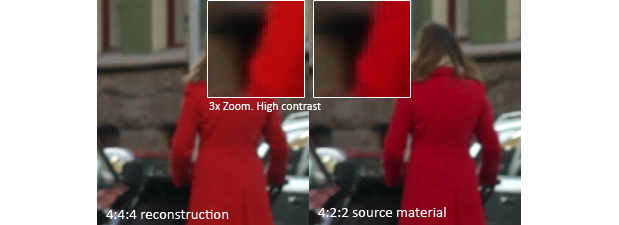
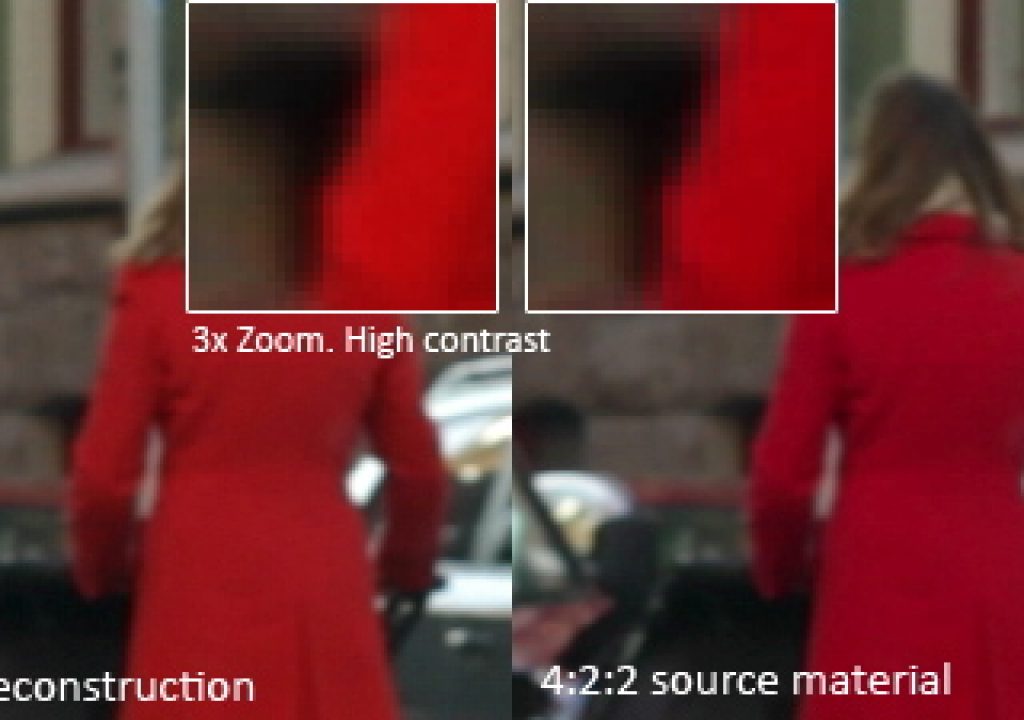
Given the above, I’d suggest that the word “recover” in the title of this article is not correct as it implies that the original 444 data can be recovered, which is something that I doubt is happening.
Posted by Graeme Nattress on 01/06 at 05:31 AM
Just to add, the word “reconstruction” you use on the picture is much more appropriate!
Posted by Graeme Nattress on 01/06 at 05:34 AM
Thank very much Graeme for your comments. I really appreciate them!
Posted by Allan Tépper on 01/06 at 05:37 AM
Thanks Allan. Chroma sub-sampling reconstruction is a fascinating topic, that I’ve spent a fair bit of time researching. It can work well for edges, which is great for keying or strong chroma colour correction, but it’s less good for the actual visual quality of the image as-is because it doesn’t usually help much with chroma texture.
Posted by Graeme Nattress on 01/06 at 05:43 AM
Yes Graeme. I know that you are a true authority in this area, and remember your G-Nicer, although I have never used it myself to date.
Posted by Allan Tépper on 01/06 at 05:48 AM
I was referring to the above referenced issues with the line skipping and aliasing issues done at/between sensor and output - the depth of field is great, but the aliasing issues are endemic to the output, regardless of compression, AFAIK.
-mike
Posted by Mike Curtis on 01/07 at 04:57 PM