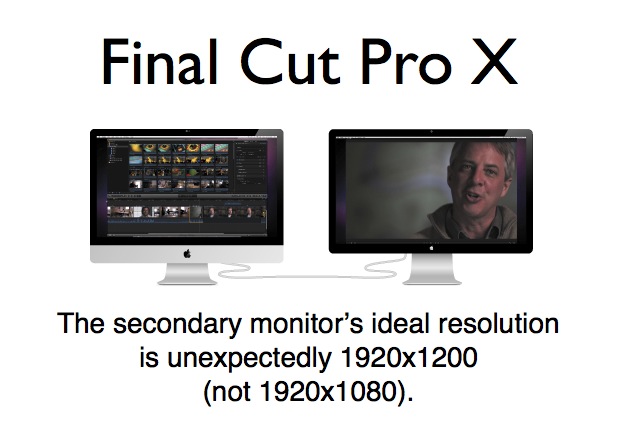
Depending upon your prior experience, you might call it a program monitor, a Canvas, or nowadays even a Viewer.

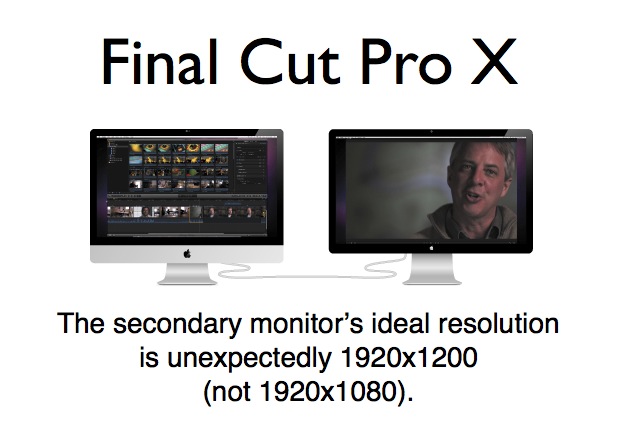
While the jury is still out as to whether we can actually trust a calibrated Rec.709 or sRGB monitor connected directly to a Mac for critical gamma and color evaluation for grading from Final Cut Pro X (the way we can do conditionally as explained in my other articles with Adobe Premiere Pro CS5 and 5.5), some editors who don’t yet demand that capability (or are awaiting complete integration between FCP X and the professional i/o devices from AJA, Blackmagic, Matrox, or MOTU) are looking to purchase a second monitor to use that feature in FCP X. Of course, I’m referring to the feature which Apple called “Digital Cinema Display” in classic FCP jargon, which displayed your “Canvas” (“program monitor” in traditional pro video jargon, plus some other functions) full screen onto a secondary monitor connected directly to your Mac computer. In FCP X, the jargon has changed, so it’s called showing your “Viewer” on a secondary monitor. In this article, I’ll explain why (even though you’re probably editing 1080p) your secondary monitor for FCP X should be 1920×1200, not 1920×1080. I’ll also recommend some monitor candidates for that.
Very brief history about viewing program video on a dedicated monitor
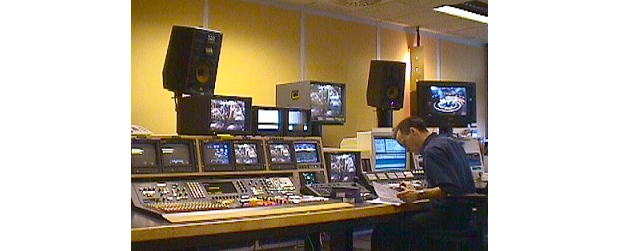
Typical “linear” video editing suite circa 1999. (Public domain photo.)
Since way back in the so-called linear video editing days, editors have often preferred to see their final video result on a dedicated full screen monitor, separate from any other source preview monitors or GUI (graphic user interface) monitor(s). Often (but not always) the program video monitor is larger than any of the other ones. As explained above, this monitor in FCP X is called a Viewer, which can sometimes show the final “program video”, and sometimes other things, depending upon the precise operation you are doing.
Show the Viewer on a second monitor in FCP X
The following abreviated instructions are quoted from the FCP X Help:
- Connect a second display (a second computer monitor connected to the PCI video card), and make sure it is connected to power and turned on.
- In Final Cut Pro, choose Window>Show Viewer on Second Display. The Viewer appears on the second display.
Why we’d traditionally prefer a 1920×1080 monitor
If we are editing 1080p, we’d traditionally prefer to view our video pixel-per-pixel (1:1) on a display that shows native 1920×1080. Normally, if you view 1080p as 1:1 on a monitor whose native resolution is 1920×1200, you’ll get some small black bars (60 pixels above and 60 below) which we tolerate when we -for other reasons- pick a monitor which is 1920×1200. For example, that has been the case with the DreamColor, so we just ignored the 60-pixel stripe above and below… until now.
Creative use of the extra 120 pixels in 1920×1200 monitors
As I explained back in my 2009 article How to connect your HD evaluation monitor to your editing system properly: Let me count the ways!, some manufacturers like JVC decided to add a data display in the extra space. In that article, you’ll see JVC’s DT-V24L1, which is now discontinued but you may already own, and is still available new from Amazon for US$2,995 (Amazon unfortunately neglects to mention that it is really a 1920×1200 monitor), and you may find available used. However that DT-V24L1 I covered back in 2009 is unfortunately not an IPS monitor, so its best result is only visible when you are front and center. The closest replacement currently offered by JVC is the newer DT-R24L41D (shown below)
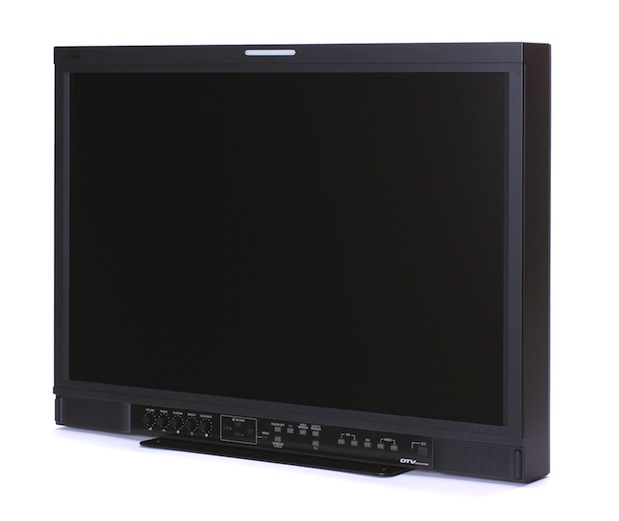
The newer JVC DT-R24L41D monitor is both matte and IPS, for high quality at various angles.
which is IPS (so it’s much better from angles) and has many additional inputs (HD-SDI in addition to its DVI input, which is also HDMI compatible). Its list price is US$3,195 and can be purchased via JVC Professional dealers, perhaps at a price close to the leftover DV-V24L1. The older DT-V24L1 can display text (entered via the monitor’s menu, like PROGRAM, PREVIEW, or your company’s name) while the newer DT-R24L41D one can even show audio levels. However, either of those original JVC data capabilities would be overridden if you use the monitor the way you might as you’ll read ahead (directly connected to your Mac as FCP X’s secondary monitor). The important thing to understand here is that via the DVI input (which is also HDMI compatible) either of these JVC monitors can display 1200 vertical pixels natively.
Final Cut Pro X’s use of a 1920×1200 monitor for its Viewer
In the process of doing my initial (but yet incomplete) studies about the FCP X color/gamma issue mentioned in the first line of the introductory sentence of this article, I discovered how and why it makes sense to use a 1920×1200 monitor with Final Cut Pro X as its secondary monitor for the Viewer. As it turns out, Apple programmed FCP X to send out a native 1080p signal (1920×1080) as part of a 1920×1200 signal with valuable data/menus above and below, as you’ll see in this picture:

Photo of still image displayed on FCP X’s secondary monitor, which in this case happens to be a 1920×1200 DreamColor, courtesy of Rub©n Abruña. The still image being displayed in the photo is from the production covered in the recent article Panasonic AF100 joins forces with Sony encoder for 25p Euro spot in Miami. It is difficult to make out those details at only 619 pixels wide, so feel free to Click here to see a larger version of this photo.
Apple’s Final Cut Pro X designers found a perfect use for the extra 120 pixels (60 above and 60 below) as you see above. That I applaud, and do recommend the use of a 1920×1200 monitor for that application with FCP X in all of the following cases:
- For FCP X users who are awaiting a better integration between FCP X and the professional i/o interfaces from AJA, Blackmagic, Matrox, and MOTU…
- For FCP X users who don’t necessarily demand complete perfection (and the extra features) that those professional interfaces can certainly deliver (but can’t yet do so perfectly or completely with FCP X).
- For those who at least hope that we’ll be able to get a completely trustable output directly (at least conditionally), as I described in my July 2010 article Does Premiere CS5 achieve the “impossible dream” for critical evaluation monitoring?
In any or all of those cases, the same monitor you may purchase today to use it this way will still be compatible with any of the latest i/o interfaces offered today.
Other 1920×1200 candidates at a lower cost than the JVC
Here are two suggestions for your secondary monitor for FCP X’s Viewer:
- Anyone who has been reading my articles for a while knows that one of my favorite monitors for critical evaluation of Rec.709, sRGB, or even DCI is the 10-bit HP LP2480ZX DreamColor monitor, which I have covered in several past articles here in ProVideo Coalition magazine.
- My second choice for this application (because it’s the best matte IPS non-DreamColor I currently know): the HP LP2475w. Unlike the LP2480ZX DreamColor monitor, the HP LP2475w is missing the DreamColor engine and does not offer Rec.709, but it does offer sRGB which is quite close. At publication time, it’s selling for US$549.39 but may have changed by the time you read this. This is close to half the price of Apple’s LED Cinema Display and it won’t glare you!
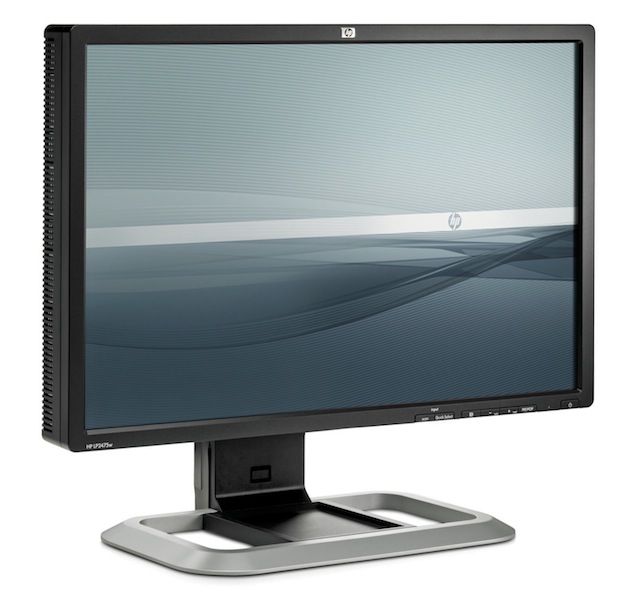
The HP LP2475w monitor is both matte and IPS, for high quality at various angles.
Request to Apple’s FCP X team
Apple FCP X team: Please either change the background color of the two 60-pixel bars/stripes that appear on the Viewer above and below on the secondary monitor to make them black, or offer an adjustment in the preferences. Their currently grey color seems to be affecting the gamma of the monitor, or at least the perceived gamma. (Although the bars/stripes look black in the photo, when you are actually there seeing the monitor, they are quite grayish.)
Allan T©pper’s policy on model nomenclature
Since I know we have an international audience and we are living in the global village (thanks Marshal McLuhan.) When I mention model numbers, I purposely omit regional suffixes when they make absolutely no difference in a product’s features or functionality worldwide. I include these suffixes only when making specific reference to differences among regional variants. So if you see a model number I mention and you are used to seeing that same model number with an “E”, “J”, “N”, “U”, or “P” suffix, what I am writing is applicable to any version, with any suffix. Those few times I do include the suffix, it’s because I am specifically describing features which are specifically added or missing from that version of the product. I encourage all journalists in all media to do the same.
)!), I am constantly researching the possible variants among model numbers in the international marketplace. Often, video equipment manufacturers restrict certain functionality in regional versions, and sometimes they use a strict regional warranty system. Sometimes the manufacturers do this to avoid grey marketing (i.e. to encourage purchasing of products in a local region, to protect local distribution), and sometimes it’s to avoid extremely high import tariffs in a specific market. When they do this, the manufacturers often add a regional suffix to the model number.
When I mention model numbers, I purposely omit regional suffixes when they make absolutely no difference in a product’s features or functionality worldwide. I include these suffixes only when making specific reference to differences among regional variants. So if you see a model number I mention and you are used to seeing that same model number with an “E”, “J”, “N”, “U”, or “P” suffix, what I am writing is applicable to any version, with any suffix. Those few times I do include the suffix, it’s because I am specifically describing features which are specifically added or missing from that version of the product. I encourage all journalists in all media to do the same.
Related articles, essential to understanding these concepts
Please consider reading the following related articles:
- Does Premiere CS5 achieve the “impossible dream” for critical evaluation monitoring? from July 1st, 2010
- Why should I care if my monitor shows ITU Rec.709? from December 8th, 2009
- Who is the ITU, and why should I care? from December 8th, 2009
- How to connect your HD evaluation monitor to your editing system properly: Let me count the ways! from May 23rd, 2009
- DreamColor from HP: an ideal tool for critical image evaluation from December 8th, 2009
- DreamColor converter boxes for non-compliant systems from December 8th, 2009
- DreamColor direct interfaces from December 8th from December 8th, 2009
- Thunderbolt in MacBook Pro: a new era for demanding video editors who prefer laptops from February 27th, 2011
- Mac Mini w/Thunderbolt: preferred platform for many new editing systems from August 8, 2011
- Apple USA unfortunately segregates Mac Mini’s keyboard options from August 8, 2011
Did you like this article?
Read Allan T©pper’s latest book
Read Allan T©pper’s latest book, Unleash GoogleVoice’s hidden power. More info about both the print version and the ebook version at books.AllanTepper.com. The ebook version is DRM-free and now available from the Amazon Kindle store, Apple iBooks store, Barnes & Noble NOOKbook store, and other popular ebook sources.
Allan T©pper’s consulting, articles, seminars, and audio programs
Contact Allan T©pper for consulting, or find a full listing of his articles and upcoming seminars and webinars at AllanTepper.com. Listen to his TecnoTur program, which is now available both in Castilian and in English, free of charge. Search for TecnoTur in iTunes or visit TecnoTur.us for more information.
Disclosure, to comply with the FTC’s rules
None of the manufacturers listed in this article is paying Allan T©pper or TecnoTur LLC specifically to write this article. Some of the manufacturers listed above have contracted T©pper and/or TecnoTur LLC to carry out consulting and/or translations/localizations/transcreations. Many of the manufacturers listed above have sent Allan T©pper review units. So far, none of the manufacturers listed above is/are sponsors of the TecnoTur programs, although they are welcome to do so, and some are, may be (or may have been) sponsors of *ProVideo Coalition *magazine. Some links to third parties listed in this article and/or on this web page may indirectly benefit TecnoTur LLC via affiliate programs.


Filmtools
Filmmakers go-to destination for pre-production, production & post production equipment!
Shop Now