

Filmtools
Filmmakers go-to destination for pre-production, production & post production equipment!
Shop NowA few ideas for how to create more interesting (yet still tastefully understated) transitions between clips.

While editing Michele Yamazaki’s upcoming book on After Effects plug-ins
This brought to mind a couple of alternatives for creating nice soft-edged wipe transitions. We have long been fans of Pixelan’s old Video Spicerack product: a collection of grayscale images that were seeds for interesting gradient wipes. Video Spicerack has since evolved into the bargain-priced SpiceMaster plug-ins for Windows versions of Adobe After Effects and Premiere Pro or Elements, Sony Vegas Pro or Movie Studio, Pinnacle Studio, Corel VideoStudio, or Avid, which contains transitions and a lot more. If you’re a Final Cut Pro user, check out the Pixelan-licensed Fusion Factory transition plug-in sold by GeeThree. And if you’re just looking for a set of 600 cool gradient maps (SD PAL resolution; scale to fit) to use as seeds for gradient wipes, compound blurs, or any of a number of related effects regardless of application, the hot tip is to buy the Pinnacle Studio version of SpiceMaster 2.5 PRO (currently $49), find someone who will let you run its installer .exe file, and extract the Pixelan/SpiceMaster 2.5/OrganicFX spices subfolder.

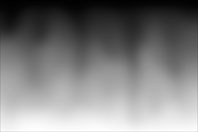
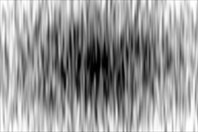



The two images at left are the A and B tracks (courtesy of Kevin Dole). The upper center and right images are examples of Pixelan “spices” for soft gradient transitions; the resulting crossfades at 50% completion are shown underneath.
A related trick we learned years ago is to use a movie with interesting animated luminance values – such as the light leaks from the end of a film reel – as a luminance matte to flicker an element on or off. The leaks contained in Artbeats’ Film Clutter library has long been a staple of our stock footage collection; recently Matt Jepsen reported that Jesse Rosten was giving away a collection of leaks he created. We recently wrote about track mattes in After Effects; here’s an example of what we mean:

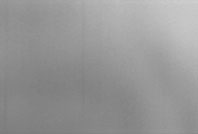




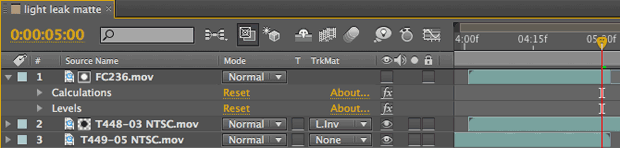
The light leak along the top is from Artbeats’ Film Clutter 2 collection, processed with Calculations to isolate the red channel and Levels to alter the midpoint grays. This clip (layer #1 below) is used as an inverted luminance matte for layer #2, which is the incoming video in our flicking transition (result illustrated above; both clips from the Artbeats Fitness collection).
The moral of this story is: Whiz-bang effects are a lot of fun, but sometimes something as simple as a gradient wipe or animated luminance matte is enough to elevate the overall production value without unduly distracting from the story itself.