(Page 1 of 1 pages for this article )

Tuesday, February 15, 2011

Filed under: GentryMedia Sister SitesProVideo CoalitionTraining

After Effects Apprentice Free Video: Editing Interactively in the Composition Panel

Chris and Trish Meyer | 02/15

A freebie from our new video training series on lynda.com.

As we mentioned earlier, we’re creating a video training series based on our popular beginner’s book After Effects Apprentice, which progresses from “I haven’t used it before” through core skills including keyframing, masking, text animation, and 3D space to advanced techniques such as motion tracking, green screen, and expressions. The second course is based on the Basic Animation section of the book, where we guide you through creating a simple project from importing sources to arranging and animating layers through rendering.

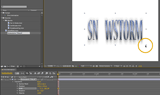
The movie above demonstrates how to edit Transform properties such as Position, Scale, and Rotation interactively in the Composition panel - this will be helpful to new users who are more comfortable with dragging objects around a stage than just entering numbers. (The movie above is the lower-quality YouTube version; a larger, higher quality version can be viewed for free on the lynda.com course page.) The complete course also includes “going deeper” movies on creating variations, better understanding keyframes, alpha channels, layered Photoshop files, and common mistakes beginners often make - but which you can now avoid.

The content contained in After Effects Apprentice - as well as the CMG Blogs and CMG Keyframes posts on ProVideoCoalition - are copyright Crish Design, except where otherwise attributed.

(Page 1 of 1 pages for this article )


You must be registered to comment. This is an effort to reduce spam. Please REGISTER HERE.

Congrats on getting the video training series!  Awesome stuff.  I look forward to watching them.  Keep up the good work guys!

Posted by gburkell  on  02/16  at  05:47 AM


Name:

Email:

Location:

URL:

Smileys

Remember my personal information

Notify me of follow-up comments?

Submit the word you see below:


After Effects Apprentice Free Video: Rendering a 4:3 Center Cut Movie from a 16:9 Composition
After Effects Apprentice Free Video: Using Parenting to Animate Layers as a Unit
After Effects Apprentice Free Video: Working with Nested 3D Compositions
After Effects Apprentice Free Video: Copying Paths from Illustrator to After Effects
After Effects CS6 Tutorial: Exporting 3D Camera Tracker Data to Cinema 4D
After Effects CS6 Tutorial: Targeting Properties in the new Ray-Traced 3D Engine
After Effects CS6 (P)Review
After Effects Apprentice Free Video: Exploring Shape Effects
After Effects Apprentice Free Video: Drawing Parametric Shapes
After Effects Apprentice Free Video: The Puppet Starch Tool
After Effects Apprentice Free Video: Eraser Tool Modes
After Effects Apprentice Free Video: Tracking with mochaAE
After Effects Apprentice Free Video: Performing a Motion Track
After Effects Apprentice Free Video: Creating 3D Objects using Adobe Repoussé
After Effects Apprentice Free Video: Understanding Axis Modes
Using After Effects as an Advanced Titler for Premiere Pro
After Effects Apprentice Free Video: Creating an Orbit Camera Rig
CMG Hidden Gems: Chapter 45 – What’s Your Preference?
CMG Hidden Gems: Chapter 44 – Prerendering and Proxies
CMG Hidden Gems: Chapter 43 – Advanced Rendering
CMG Hidden Gems: Chapter 42 – Render Queue
CMG Hidden Gems: Chapter 41 – Video Issues
CMG Hidden Gems: Chapter 40B – 3D Channel Effects
CMG Hidden Gems: Chapter 40 – Integrating with 3D Applications
CMG Hidden Gems: Chapter 39 – Integration 101
After Effects Apprentice Free Video: Multiple Playback Speeds
CMG Hidden Gems: Chapter 38 – Import and Interpret
CMG Hidden Gems: Chapter 37B and 37C – Expressions and Scripting Bonus Chapters
CMG Hidden Gems: Chapter 37 – Expressions
CMG Hidden Gems: Chapter 36B – Audio Effects


After Effects Apprentice Free Video: Working with Nested 3D Compositions

Chris and Trish Meyer | 05/07

How you can be two places at once inside After Effects

As we mentioned awhile back, we’ve been busy the past year and a half creating an extensive, multi-course video training…

Expression Shorts - loop

David Torno | 05/06

Learn how the loop expressions work.

image

Looping is a very common task in our industry and is mostly associated with video footage of some…

After Effects Apprentice Free Video: Copying Paths from Illustrator to After Effects

Chris and Trish Meyer | 05/01

Revealing Illustrator paths requires a few intermediate steps, involving After Effects masks and effects.

Buried in the shuffle over the announcement of After Effects CS6 is that we concluded the video training series for our book After…

After Effects CS6 Tutorial: Exporting 3D Camera Tracker Data to Cinema 4D

Chris and Trish Meyer | 04/27

You can export the results of the new 3D Camera Tracker to any application that has a way to accept AE keyframe data.

One of the major new features in After Effect CS6 (which we previously previewed here) is a built-in 3D Camera Tracker. Rather than track a specific…

To be considered for listing, contact pr (at) provideocoalition (dot) com


Copyright © 2012, HD Expo, LLC a division of Diversified Business Communications. DBA Createasphere

All rights reserved. HD EXPO, High Def EXPO, Createasphere, E-Tech, Entertainment Technology Exposition, 3D Production Workshop, VariCamp, P2 Camp, ColorCamp 101, and Lighting, Filters & Gels for HD are all trademarks of HD Expo, LLC.

Terms of Use  |  Privacy Policy

Check PageRank