(Page 1 of 1 pages for this article )

Tuesday, May 10, 2011

Filed under: GentryMedia Sister SitesProVideo CoalitionTipsTraining

After Effects Apprentice Free Video: Track Matte Render Order Tips

Chris and Trish Meyer | 05/10

Workarounds for when effects aren’t working the way you expect with Track Mattes.

As we mentioned earlier, we’re creating a video training series based on our popular beginner’s book After Effects Apprentice, which progresses from “I haven’t used it before” through core skills including keyframing, masking, text animation, and 3D space to advanced techniques such as motion tracking, green screen, and expressions. Each course has a selection of movies that are free for all to view; we’re re-posting those videos here on PVC to make sure you don’t miss them. This one demonstrates a common problem encoutered when trying to combine Track Mattes with effects, and provides a few different ways to get the desired result.

The fifth Apprentice course focuses on ways to create transparency for layers, either to draw attention to a specific area of the frame or to reveal layers underneath. The primary focus of the course is masking - including different ways to create, combine, and animate masks - plus the lesser-known Track Matte feature.

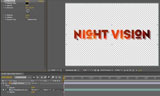
Ever use a logo or text as a Track Matte for a fill layer - then couldn’t figure out how to add a drop shadow to the combination? Then the movie above is for you. We start by reviewing how Track Mattes work, then dive into the difference between applying effects to the matte versus the “fill” layer, including demonstrating the most common points of confusion. We then explore a few ways to re-work the order in which the steps are calculated, using nested compositions and Adjustment Layers.

This is an example of one of the “sidebars” we often add to the After Effects Apprentice video courses that dives into subjects in more detail than a normal linear course might allow. This course also includes a nice selection of “Quizzler” challenges and Idea Corner extensions.

The content contained in After Effects Apprentice - as well as the CMG Blogs and CMG Keyframes posts on ProVideoCoalition - are copyright Crish Design, except where otherwise attributed.

(Page 1 of 1 pages for this article )


You must be registered to comment. This is an effort to reduce spam. Please REGISTER HERE.

Name:

Email:

Location:

URL:

Smileys

Remember my personal information

Notify me of follow-up comments?

Submit the word you see below:


After Effects Apprentice Free Video: Rendering a 4:3 Center Cut Movie from a 16:9 Composition
After Effects Apprentice Free Video: Using Parenting to Animate Layers as a Unit
After Effects Apprentice Free Video: Working with Nested 3D Compositions
After Effects Apprentice Free Video: Copying Paths from Illustrator to After Effects
After Effects CS6 Tutorial: Exporting 3D Camera Tracker Data to Cinema 4D
After Effects CS6 Tutorial: Targeting Properties in the new Ray-Traced 3D Engine
After Effects CS6 (P)Review
After Effects Apprentice Free Video: Exploring Shape Effects
After Effects Apprentice Free Video: Drawing Parametric Shapes
After Effects Apprentice Free Video: The Puppet Starch Tool
After Effects Apprentice Free Video: Eraser Tool Modes
After Effects Apprentice Free Video: Tracking with mochaAE
After Effects Apprentice Free Video: Performing a Motion Track
After Effects Apprentice Free Video: Creating 3D Objects using Adobe Repoussé
After Effects Apprentice Free Video: Understanding Axis Modes
Using After Effects as an Advanced Titler for Premiere Pro
After Effects Apprentice Free Video: Creating an Orbit Camera Rig
CMG Hidden Gems: Chapter 45 – What’s Your Preference?
CMG Hidden Gems: Chapter 44 – Prerendering and Proxies
CMG Hidden Gems: Chapter 43 – Advanced Rendering
CMG Hidden Gems: Chapter 42 – Render Queue
CMG Hidden Gems: Chapter 41 – Video Issues
CMG Hidden Gems: Chapter 40B – 3D Channel Effects
CMG Hidden Gems: Chapter 40 – Integrating with 3D Applications
CMG Hidden Gems: Chapter 39 – Integration 101
After Effects Apprentice Free Video: Multiple Playback Speeds
CMG Hidden Gems: Chapter 38 – Import and Interpret
CMG Hidden Gems: Chapter 37B and 37C – Expressions and Scripting Bonus Chapters
CMG Hidden Gems: Chapter 37 – Expressions
CMG Hidden Gems: Chapter 36B – Audio Effects


After Effects Apprentice Free Video: Working with Nested 3D Compositions

Chris and Trish Meyer | 05/07

How you can be two places at once inside After Effects

As we mentioned awhile back, we’ve been busy the past year and a half creating an extensive, multi-course video training…

Expression Shorts - loop

David Torno | 05/06

Learn how the loop expressions work.

image

Looping is a very common task in our industry and is mostly associated with video footage of some…

After Effects Apprentice Free Video: Copying Paths from Illustrator to After Effects

Chris and Trish Meyer | 05/01

Revealing Illustrator paths requires a few intermediate steps, involving After Effects masks and effects.

Buried in the shuffle over the announcement of After Effects CS6 is that we concluded the video training series for our book After…

After Effects CS6 Tutorial: Exporting 3D Camera Tracker Data to Cinema 4D

Chris and Trish Meyer | 04/27

You can export the results of the new 3D Camera Tracker to any application that has a way to accept AE keyframe data.

One of the major new features in After Effect CS6 (which we previously previewed here) is a built-in 3D Camera Tracker. Rather than track a specific…

To be considered for listing, contact pr (at) provideocoalition (dot) com


Copyright © 2012, HD Expo, LLC a division of Diversified Business Communications. DBA Createasphere

All rights reserved. HD EXPO, High Def EXPO, Createasphere, E-Tech, Entertainment Technology Exposition, 3D Production Workshop, VariCamp, P2 Camp, ColorCamp 101, and Lighting, Filters & Gels for HD are all trademarks of HD Expo, LLC.

Terms of Use  |  Privacy Policy

Check PageRank