This time, a collection of resources on expressions and scripting – including a PDF of Bonus Chapter 37C on scripting.

We’re going through our book Creating Motion Graphics with After Effects 5th Edition (CMG5) and pulling out a few “hidden gems” from each chapter. These will include essential advice for new users, plus timesaving tips that experienced users may not be aware of.
In addition to the book’s introductory chapter on expressions that we covered last week, the dual-layer DVD-ROM that comes with CMG5 includes bonus chapters on both expressions and scripting. Rather than try to boil down nearly 70 pages of PDFs into our customary handful of gems, this week we thought we’d share a set of resources on scripting and expressions – including Bonus Chapter 37C itself, written by Dan Ebberts of MotionScript.com.
Introduction to Expressions
 In addition to Creating Motion Graphics, we have a more introductory tutorial-based book called After Effects Apprentice. Its DVD-ROM included several video introductions to key concepts, including expressions. Click here to view that introductory video.
The above video was recorded using After Effects CS4. Since then, we have been creating a video course based on the After Effects Apprentice book. Here is a blurb for the installment on expressions, including a video overview of the course. Earlier this month we also shared a free video on how to use the versatile “wiggle” expression.
Deeper Modes of Expression
 Bonus Chapter 37B is called Deeper Modes of Expression, and contains 64 pages of more advanced explanations of everything from useful math expressions (such as how to round off numbers or move in circles) to arrays and space conversions to managing time to making decisions to random numbers (and far, far more).
We reproduced each section of this bonus chapter as a series of articles here on ProVideoCoalition; click here for the index to Deeper Modes of Expression.
Books on Expressions and JavaScript


Web Sites on Expressions and Scripts
As mentioned above, Dan Ebberts – who wrote CMG5’s bonus chapter on scripting, as well as edited the bonus chapter on expressions – runs the MotionScript.com site dedicated to helping people learn about expressions and scripting. If you’re more into crowd sourcing knowledge on expressions and scripting, then check out the AEnhancers forums.
 If you’d rather just use finished, polished scripts than learn to write them, then your one-stop shop is AEScripts.com. Some scripts request or require a donation, but I haven’t seen a single one that wasn’t worth several times more than the modest fee being asked.
If you want help navigating the long list of scripts available on AEScripts.com, then I suggest you follow Mark Christiansen’s series After Effects Script of the Week series on his blog on ProVideoCoalition.com.
And of course, one should never overlook the online version of the Help file for After Effects; it goes beyond being just a manual and often includes links to external resources. Here are the direct links for expressions help and scripting help.
Introductory Bonus Chapter on Scripting
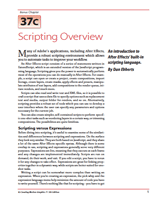 And finally, as promised, click here to download Dan Ebberts’ Bonus Chapter 37C: Scripting Overview from CMG5. It includes a comparison between scripting and expressions, and then quickly moves onto constructing a couple of simple example scripts you can write yourself. At the end, Dan includes his own list of favorite resources. Enjoy!
Trish and Chris Meyer share seventeen-plus years of real-world film and video production experience inside their now-classic book Creating Motion Graphics with After Effects (CMG).
The 5th edition has been thoroughly revised to reflect the new features introduced in both After Effects CS4 and CS5 (click here for free bonus videos of features introduced in CS5.5). New chapters cover the new Roto Brush feature, as well as mocha and mocha shape. The 3D section has been expanded to include working with 3D effects such as Digieffects FreeForm plus workflows including Adobe Repouss©, Vanishing Point Exchange, and 3D model import using Adobe Photoshop Extended. The print version is also accompanied by a DVD that contains project files (CS5-only) and source materials for all the techniques demonstrated in the book, as well as over 160 pages of bonus chapters on subjects such as expressions, scripting, and effects.
We will be pulling a few “hidden gems” out of each chapter to share on ProVideoCoalition.com roughly every week. These will give you a taste for the multitude of time-saving tips, not-obvious features, little gotchas, and other insider knowledge you will find in CMG.
The content contained in our books, videos, blogs, and articles for other sites are all copyright Crish Design, except where otherwise attributed.


Filmtools
Filmmakers go-to destination for pre-production, production & post production equipment!
Shop Now