


Filmtools
Filmmakers go-to destination for pre-production, production & post production equipment!
Shop NowA linked list of the 12 installments in our series on Expressions in After Effects.

This year we’ve been taking the Bonus Chapter on Expressions from our book Creating Motion Graphics with After Effects and serializing as a set of 12 articles. Now that all 12 parts have been posted, we though it would be useful to provide a central index to the whole series:
 Other Useful Math Expressions – including rounding, absolute value, clamping, modulus, and sine and cosine (for moving in circles), plus a sidebar on converting between radians and degrees.
 Interpolation Methods – a useful method for matching different ranges of values.
 Deeper into Arrays – including a review of arrays and dimensions, more advanced vector and array math, plus the length and lookAt expressions.
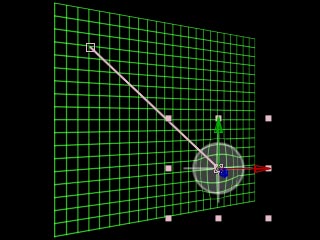 Space Conversions – how to translate position values between layer, comp, and world spaces, which are especially useful for mixing parenting and expressions.
 Comp, Footage, and Layer Attributes – techniques for automatically finding the size and frame rate of comps and layers, plus time conversions.
 Managing Time – setting up delayed animations using valueAtTime, using indexing to change a layer’s values based on its index in the Timeline, finding the rate at which a value changes, and triggering animations based on markers.
 Making Decisions – our most complex subject, including if/then/else statements for animation decisions and error checking, do/while loops to create “simulation” animations, and sidebars on equivalence tests, accumulating values inside loops, and formatting expressions.
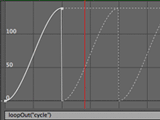 Going for a Loop – causing animations or footage to loop by repeating already-placed keyframes or segments of time.
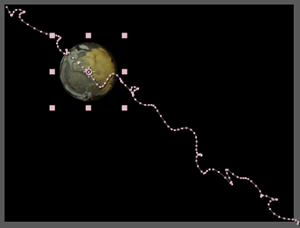 Wiggly World – exploring the wonderful wiggle expression method in detail, including how to control the amount of wiggle.
 Random Numbers – creating random values, including the differences between random, gaussRandom, and noise, changing seed values, and freezing animations.
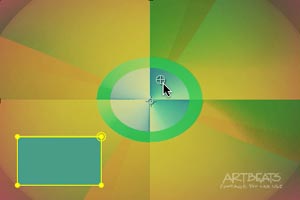 Dreaming in Color – including tricky RGB-to-HSL conversions, and some ideas for controlling master colors across entire projects.
 Expressive Text – using expressions to control Source Text, plus explaining the text engine’s Expression Selector. We end with some suggestions for other resources including books on Expressions and JavaScript.
The content contained in Creating Motion Graphics with After Effects – as well as the CMG Blogs and CMG Keyframes posts on ProVideoCoalition – are copyright Crish Design, except where otherwise attributed.