
(Page 1 of 1 pages for this article )

Tuesday, December 08, 2009

Filed under: Motion Graphics

On Artbeats.com: Blending Ideas

Chris and Trish Meyer | 12/08

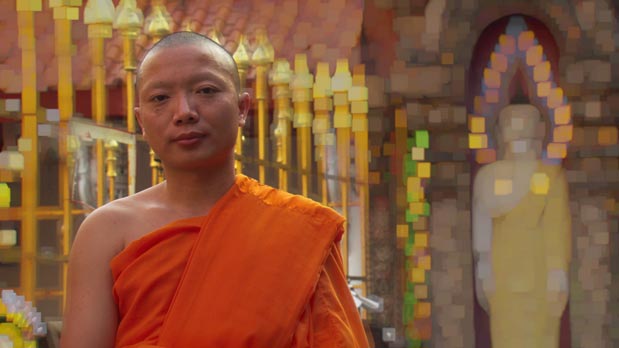
Extending standard vignette techniques to introduce new treatments to your footage.

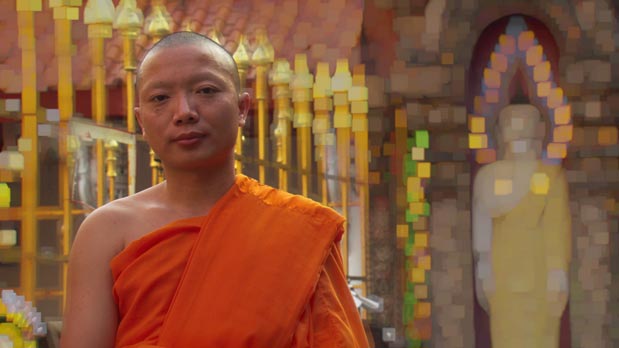
In our previous article on vignettes on Artbeats.com, we discussed ways to mask or matte a black layer to create a falloff in brightness across a piece of underlying footage. The same basic techniques used to create that matte may also be used to treat footage in more creative ways, including the use of blending modes, adjustments layers, effects, and compositing a clip over a different background shot. Ideas are presented using both Adobe After Effects and Apple Motion.

Click here to download the PDF of “Blending Ideas” from Arbeats.com.

The content contained in our books, videos, blogs, and articles for other sites are all copyright Crish Design, except where otherwise attributed.

(Page 1 of 1 pages for this article )


You must be registered to comment. This is an effort to reduce spam. Please REGISTER HERE.

Name:

Email:

Location:

URL:

Smileys

Remember my personal information

Notify me of follow-up comments?

Submit the word you see below:


After Effects Apprentice Free Video: Exploring Shape Effects
After Effects Apprentice Free Video: Drawing Parametric Shapes
After Effects Apprentice Free Video: The Puppet Starch Tool
After Effects Apprentice Free Video: Eraser Tool Modes
After Effects Apprentice Free Video: Tracking with mochaAE
After Effects Apprentice Free Video: Performing a Motion Track
After Effects Apprentice Free Video: Creating 3D Objects using Adobe Repoussé
After Effects Apprentice Free Video: Understanding Axis Modes
Using After Effects as an Advanced Titler for Premiere Pro
After Effects Apprentice Free Video: Creating an Orbit Camera Rig
CMG Hidden Gems: Chapter 45 – What’s Your Preference?
CMG Hidden Gems: Chapter 44 – Prerendering and Proxies
CMG Hidden Gems: Chapter 43 – Advanced Rendering
CMG Hidden Gems: Chapter 42 – Render Queue
CMG Hidden Gems: Chapter 41 – Video Issues
CMG Hidden Gems: Chapter 40B – 3D Channel Effects
CMG Hidden Gems: Chapter 40 – Integrating with 3D Applications
CMG Hidden Gems: Chapter 39 – Integration 101
After Effects Apprentice Free Video: Multiple Playback Speeds
CMG Hidden Gems: Chapter 38 – Import and Interpret
CMG Hidden Gems: Chapter 37B and 37C – Expressions and Scripting Bonus Chapters
CMG Hidden Gems: Chapter 37 – Expressions
CMG Hidden Gems: Chapter 36B – Audio Effects
CMG Hidden Gems: Chapter 36 – Working With Audio
Upgrading to After Effects CS5.5?
CMG Hidden Gems: Chapter 35 – The Puppet Tools
After Effects Apprentice Free Video: The Wiggle Expression
CMG Hidden Gems: Chapter 34 – Roto Brush
CMG Hidden Gems: Chapter 33 – Paint and Clone
After Effects Apprentice Free Video: What Could Go Wrong?


After Effects Apprentice Free Video: Using Masks to Create Vignettes

Chris and Trish Meyer | 05/03

This “shortcoming” exhibited by some lens and films can help focus the viewer’s attention and add class to a composition.

As we mentioned earlier, we’re creating a video training series based on our popular beginner’s book After…

After Effects Apprentice: Layer Control

Chris and Trish Meyer | 02/23

Our latest video training course is live.

As we mentioned earlier, we’re creating a video training series from our book After Effects Apprentice and distributing it…

CMG Hidden Gems: Chapter 12 – Stencils and the “T”

Chris and Trish Meyer | 02/18

A selection of “hidden gems” from Chapter 12 of Creating Motion Graphics with After Effects.

As you are aware by now, we’re going through our book Creating Motion Graphics with After Effects 5th Edition (“CMG5” for short) and pulling…

CMG Hidden Gems: Chapter 9 – Blending Modes

Chris and Trish Meyer | 01/28

A selection of “hidden gems” from Chapter 8 of Creating Motion Graphics with After Effects.

As you are probably aware by now, we’re going through our book Creating Motion Graphics with After Effects 5th Edition (“CMG5” for short)…

To be considered for listing, contact pr (at) provideocoalition (dot) com


Copyright © 2011, HD Expo, LLC a division of Diversified Business Communications. DBA Createasphere

All rights reserved. HD EXPO, High Def EXPO, Createasphere, E-Tech, Entertainment Technology Exposition, 3D Production Workshop, VariCamp, P2 Camp, ColorCamp 101, and Lighting, Filters & Gels for HD are all trademarks of HD Expo, LLC.

Terms of Use  |  Privacy Policy

Check PageRank