

Filmtools
Filmmakers go-to destination for pre-production, production & post production equipment!
Shop Now(2009 release)

My wife will tell you that I am a creature of habit. That definitely can be said about the breakfast cereal that I eat, and the type of video games I like to play, but it is also true of computer hardware as well. To be perfectly honest, I was an Avid purist for many years, until I had a very strict budget to work with, and I decided to purchase a Final Cut System. Now, I have both, and use the one that suits the job I'm working on the best. Well, that is also true of video capture cards. Since I started using Final Cut Pro, I have been an AJA user (Kona 3/IoHD), but one of the benefits of being a writer is that I can tread out into uncharted waters (for me) and look at new products, that will hopefully, change my opinion of them. I thought for this article I would look at Blackmagic's DeckLink HD Extreme (2009 release).
WHAT YOU GET & INSTALLATION
As I stated in the introduction, Blackmagic's DeckLink HD Extreme (DLHDE) is a capture card, but to say that it is just a capture card would be an understatement. What you are getting is an SD/HD/2K capture card that can handle just about any job that is thrown at it. Obviously, the most important feature when choosing a capture card is the formats available for you to work in, and the DLHDE handles all the formats you will come up against in your daily editorial work including:
- 2K- 2048 x 1556 at 24fps and 23.98fps capture and playback via SDI.
- HD- 1080PsF23.98/24, 1080i48, 1080i50, 1080i59.94, 720p59.94, 720p60 and 720p50.
- SD- 625/25 PAL, 525/29.97 NTSC and 525/23.98 NTSC.
Now, obviously, within these formats you also have a wide range of options as to what codec you want to use, such as Uncompressed 8 & 10-bit, ProRes, DVCPro HD and HDV to name a few. As for connections to the card, it has two SD/HD-SDI I/O's, as the card supports Dual Link 4:4:4 capture and playback (for HD-Cam SR and 2K), as well as HDMI I/O and a breakout cable with RS-422 deck control, analog audio I/O, AES/EBU audio I/O, analog video I/O (Composite/S-Video and Component) and finally a reference input for syncing your system to house reference. As you can see, you have just about any type of connection for any job you might be working on.
As well as the I/O's the DLHDE has some other great features that can't be overlooked. First, the card supports real-time Up/Down and Cross Conversion. Unless you are working in Dual-Link mode, the card is hardwired to always output SD on SDI-2 when outputting HD on SDI-1 which is very handy. You also have control over whether you want an anamorphic, letterboxed or edge cropped SD image while downconverting you footage to SD. The DLHDE also supports real-time cross conversion from 720HD to 1080HD as well as SD to 720HD or 1080HD. Secondly, the card features brand new 3Gb/second SDI connections. What does that mean you ask? Well, it allows 4:4:4 RGB and 2K film connection with a single BNC connection. No Dual-Link needed! Very handy to have, and finally, the card can be used on both Windows (XP and Vista) as well as Mac OS X, and it supports many of the applications you use on a daily basis including Final Cut Pro, Adobe's Premiere Pro, Adobe's After Effects and Adobe's Photoshop. So now that we've covered what you are getting, let's take a look at how you install the card.
The first, and probably the most important thing that you need to keep in mind is that the DLHDE is a PCI-E based capture card. What does that mean if you just purchased a brand new Mac Pro? Nothing really, as you have the card slot needed to install the card, but for users of older Mac's (and even PC's), you need to make sure that your computer has a PCI-E card slot, and not a PCI-X card slot, and how you can tell is that if your computer is a G5 Dual-Core, your computer should have a PCI-E card slot(s), if it is a Dual-Processor, you are unfortunately out of luck. Now, believe it or not, this was one of the easiest card installation's I have ever done, and in all, it took me longer to put the screws in to hold the card in place, than it did to install the card itself. There are two connections on the inside tip of the card that you will take the included HDMI I/O cables, and attach them to an included metal bracket so that the DLHDE and the HDMI I/O connections sit beside each other. I installed the card into slot one, with the HDMI I/O bracket in slot two, and in about two minutes, I was plugging my computer back in and getting it ready to fire back up. So, let's see what we get!
HOW IT WORKS
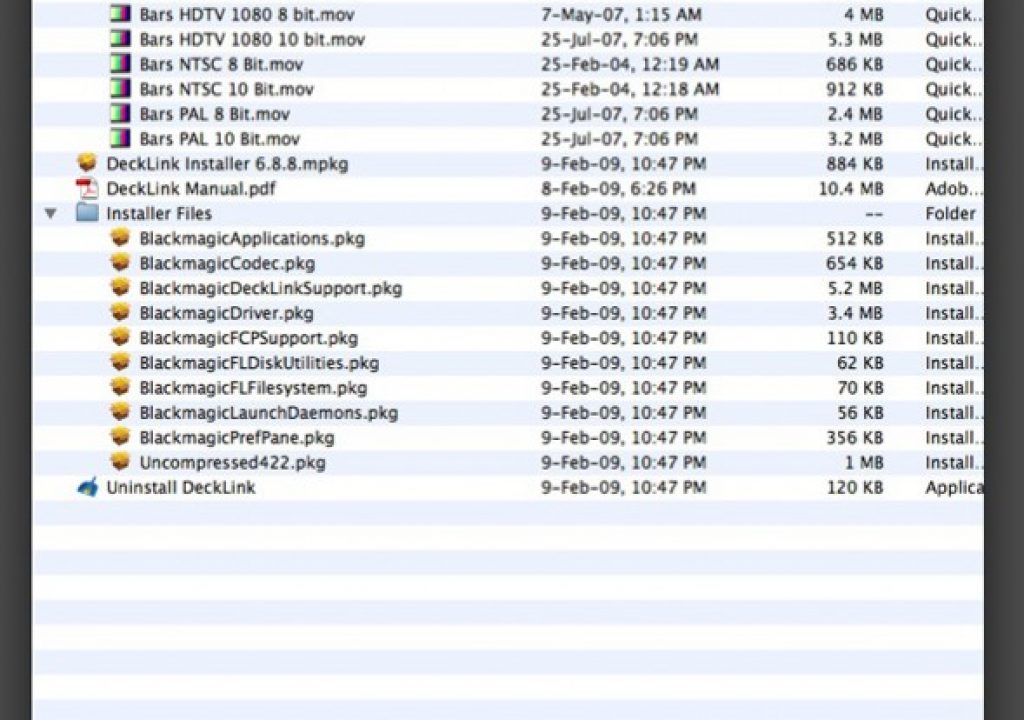
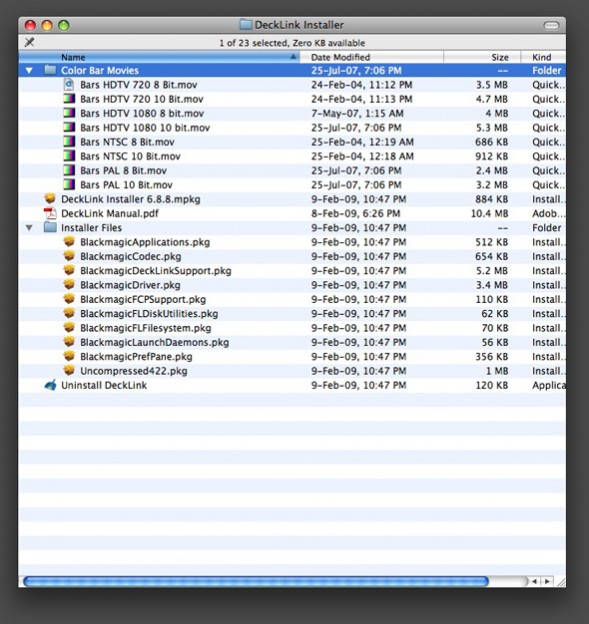
Once you have the card installed, you can fire up your machine, but before you can get to capturing and outputting, you need to install the included Blackmagic CD to make sure you have the drivers and other goodies in place. It's also a good idea to always check their website, as their may be firmware or driver updates that have been released for any one of their products you might be using. Installed from the CD are the:
Blackmagic DeckLink drivers
- Blackmagic Deck Control application
- Blackmagic System Preference
- Blackmagic QuickTime codecs
- Final Cut Pro Easy Setups, presets and enablers
- Blackmagic Disk Speed Test
- Blackmagic FrameLink
- DeckLink Utility
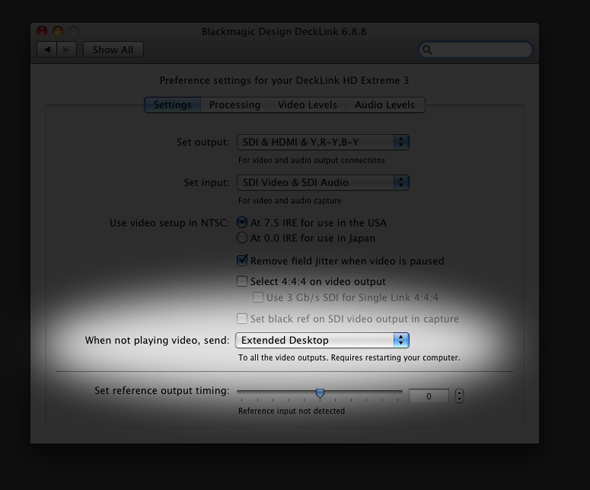
I'm going to assume, for the sake of this article, that you are editing in Final Cut Pro, so there are really only a two tools that you will primarily focus on which are the FCP Easy Setups and the Deck Control Application. One thing I want to mention before I go on is that once you have installed the Blackmagic CD, you will notice that your desktop now extends past the edge of the monitor on the right side, and inside your System Preferences (OS X), you will see that you have two displays (even though you might only have one monitor). The size of the “second” display will vary based on which card you have installed. What this feature basically does is set the “second” display to send your computer's extended desktop to the DLHDE. Why would you want this? Well, this is how you can edit on your computer monitor, and send your full frame timeline video to the “secondary” display for real-time monitoring. If you don't want or like this feature (like I do), you can simply turn it off by sending black to it, and restarting your computer.
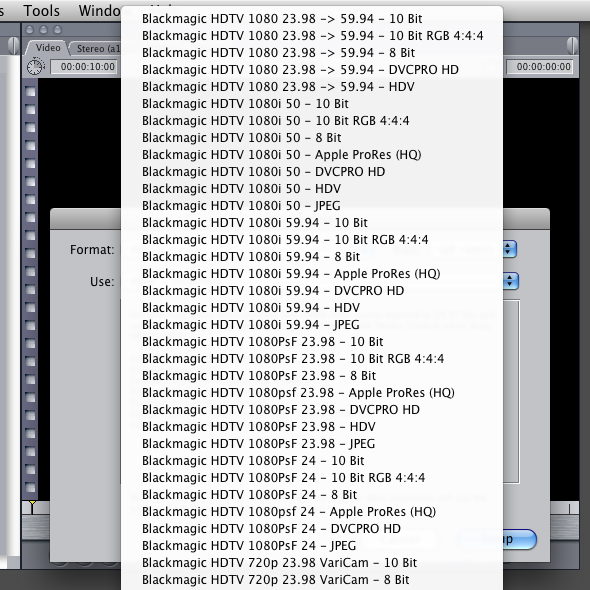
Once you launch Final Cut Pro, you will be able to navigate to your Easy Setup, and you will now notice that you have access to all the Blackmagic easy setups you could possibly need for SD, HD and 2K workflows. I really like the fact that they have included up/down/cross conversions in the Easy Setups as well. Very handy!
To be perfectly honest, once the card is installed, you will really not even notice that it's there, as I didn't have any problems with dropped frames (capturing from an HDCam VTR 1080i and 1080 23.98psF to DVCPro HD on external FW800 drives) or anything like that at all. It was smooth sailing, except for one small problem that really bothered me. One feature I do NOT like about Final Cut Pro is that it does not support SDI timecode. Not a big issue, as Kona cards do. Sometimes I just want to plug a deck in quick (rentals), and simply connect the power and HD-SDI and start capturing, and I can do that with the Kona 3 and the AJA VTR Exchange. I cannot, unfortunately, do that with the Blackmagic Deck Control application (BDCA). The BDCA is a little capture application that saves you the hassle of going into Final Cut Pro to do all your digitizing. It also let's you buy multiple cards for capture stations, and having one main system that will do your editing (great workflow idea…….I'll give that one out for free). It would just be so useful to have the capability to capture timecode without having the RS-422 cable. Oh well, maybe for version 2.0 of the software! Anyways, like I said, the BDCA is the other main tool you will be using to save yourself time, as you can do all your logging and capturing without even having to go into your editing application (FCP, Premiere Pro, ect). The tough part about writing an article like this is that there is just so much a card like this can do, you can only really scratch the surface. Needless to say, this card is a real powerhouse, and wait until you see how much you are going to pay for it!
VALUE FOR YOUR DOLLAR
This is a no brainer, as the card, with all it's features, formats and extras sells for an unbelievable low price of $995 US, which is an awesome deal, considering the Kona 3 from AJA retails for $2999 US.
PROS
- Simple to install, simple to use
- Handles all the formats and connections you could possibly need
- Excellent support across multiple applications
- Can't go wrong for $995
CONS
- No SDI Timecode support
- Breakout cable is about 6 inches long (12-18 inches would have been helpful)
Final Say – Even with no SDI T/C, it's still a great capture card for the price
Whether you are a long time pro, or someone new to the world of post production, Blackmagic Design's Decklink HD Extreme (2009 release) is a capture card that you shouldn't overlook, and like I said earlier, I can really only scratch the surface, and you really should head over to Blackmagic's website, and check out all the details on this excellent capture card. For more details, or to find out where you can purchase one near you, check it out at www.blackmagic-design.com .