

Filmtools
Filmmakers go-to destination for pre-production, production & post production equipment!
Shop Now
It’s only been a year since After Effects CS5 was released, which brought the application to 64-bit and introduced Rotobrush. With the announcement today of After Effects CS5.5 we are looking at the most rapid upgrade since Adobe unified all of its applications into one dancing,kicking line of graphical chorus girls known as the Creative Suite.
What did the After Effects team manage to accomplish in a year? Maybe that isn’t entirely a fair or accurate question, since there are often features that are in development, or even most finished, before a given development cycle begins. Nonetheless, for many artists version CS5.5 of After Effects may constitute more of a “must-have” than the previous couple of releases, if features alone are the gauge.
Smooth Camera Moves
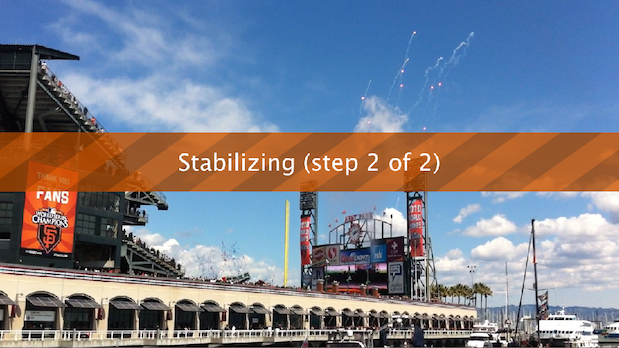
The Hot New Thing of this release is probably Warp Stabilizer, which builds in camera stabilization based on automatic scene analysis. With the era of DSLR video has come the beautifully resolved, unusable shot – any given frame might look filmic in a shot that is overall so wobbly as to appear amateurish. Unless you’ve added equipment for the express purpose of stabilizing the camera, you can virtually guarantee that a handheld HDSLR video clip contains unwanted extra motion, because of the unbearable lightness and narrow pivot of that camera.
Warp Stabilizer is applied automatically – you do nothing – and requires somewhere between seconds and minutes (depending on clip length and motion complexity) to deliver a shot that, by default, preserves any camera ove while removing high frequency jitter and lower frequency wobble. It can seriously look like you had a dolly that day.
Alternatively, you can use it to lock off a shot completely, so if you were doing your best to hold the camera still doing that quick interview with Brian Wilson after running into him at a bar. Either Brian Wilson.
It’s not quite a black box, although the result can seem kind of magical, in that you just let it do its work and somehow the shot is smoother, without any visible data to tweak. There are no keyframes created by the automatic stabilization process, which is both uncomplicated and a little bit inflexible, if you have use for that stabilization data. More on that in a moment.
You do have leeway to tune the shot according to the amount of smoothness you want. The trade-off is generally that the smoother the shot, the greater the amount of scaling, unless the equally magical Synthesize Edges
effect works on your particular shot. This added effect will fill in the gaps around the borders with image data from adjacent frames. You can imagine that there are many cases in which it’s not suitable – for example that time you got to ride in the back of the squad car during a hot pursuit and pointed the camera out the passenger window while speeding across town at 80 miles an hour. With not enough data to compare, or too much variation in the background, there’s not enough to be synthesized, and even with less extreme situations, you wouldn’t necessarily mistake the filled-in areas for the source. But sometimes it’s a complete gift.
If there’s a flaw to Warp Stabilizer, and this is certainly not a fatal one, it’s that there is no usable motion data generated by the effect. It’s more like someone made you a whole new shot; there’s no potential to, say, lock off the moving image, composite in a bunch of static layers and reapply the motion.
Also, it’s still necessary to hold the camera steady enough to avoid excessive scaling or, worst of all, motion blur. Here the magic hits its limits; one day a set of smart algorithms will no doubt be released to guess how an image should look without blur, but for now that tool is not known publicly to exist (if you know otherwise, and won’t be fired from a research lab for saying so, by all means share that please).
Finally, although there are settings in the effect to reduce the “jello cam” look of rolling shutter artifacts, results will sometimes look wobbly with Subspace Warp – the option that actually changes pixel data – in an odd enough way that you just don’t want
Realistic Lighting & Bokeh Blur
The absolute must-have features of After Effects CS5.5 may actually be the combination of falloff lighting and camera blur, which includes a major upgrade to the depth of field options with the After Effects camera.
It’s like this. Any After Effects 3D scene with lighting and shallow depth of field – the two most cinematic additions you can make to any scene, whether for motion graphics of visual effects – has been, to put it bluntly, crude. Any variation you’ve seen in light levels is due only to angle, not lighting range, and if you’ve used the camera depth of field, what you get in the out of focus areas is a simple blur that makes the highlights gray and the image muddy.
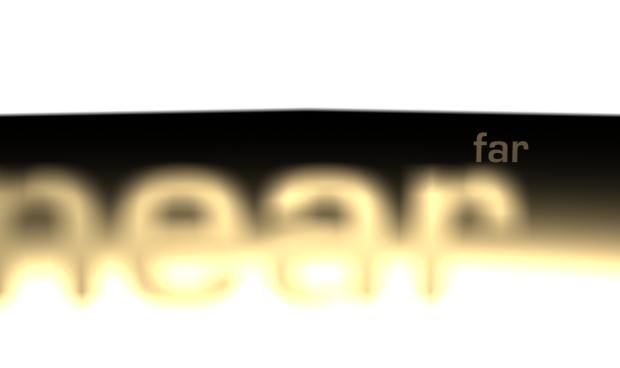
Now you get bokeh, which can completely transform a scene by giving it the characteristics that you get from an actual camera lens. Instead of looking like they had a cheap Guassian blur applied to them, out-of-focus areas of the shot, and in particular any highlight areas, bloom and take on the shape of the camera iris.
A real camera lens creates bokeh artifacts, particularly in the highlights. Think of a night-time street scene behind a close-up shot – there are pools of light, and the out of focus lights themselves create circles of confusion, those lovely discs of light.
And, it doesn’t require the After Effects camera to get some of the camera blur love – in fact, a more popular option for compositors will be to use the Camera Lens Blur plugin, which can even create a rack focus using a depth matte.
Computers don’t do this stuff naturally. It requires modeling the laws of nature and optics to the image calculations, and that’s exactly what After Effects CS5.5 has done. Defocus the After Effects camera and bokeh blur appears, with a number of tunable options. Light an element with inverse square lighting and defocus it, and you’re on your way to become a virtual director of photography.
A real light falls off according to the inverse-square law:it’s one-quarter as bright at twice the distance. You can also simply set linear falloff of a light to control its range precisely. You specify the light’s radius, which you can also think of as its size, and its falloff distance, in pixels.

3D Moviemaking
Artists have used After Effects to produce stereo images for the better part of two decades doing all of the stereo rigging themselves; Adobe is now offering a leg up to anyone with a 3D scene created in After Effects in a couple of ways.
First, all you do is select the camera from a composition and choose the new Create Stereo Rig option. Immediately, 3 other comps are created downstream from the source: one for each eye, containing a camera whose
movement is linked to the source but offset left and right, and a preview composition containing both of those views along with controls for convergence and interaxial separation.
How do you make adjustments in the preview comp? The upgraded 3D Glasses effect takes the two source channels and converts them to whatever stereo format you prefer. If you are on the cheap with anaglyph
red/blue glasses, you can use those, or you can output side-by-side, top/bottom or interlaced channels for use with dedicated stereo preview hardware.
When you’re done, you can render out the left and right eye if working professionally, or just that anaglyph preview if that’s your final viewing format. If you want to render the original monoscopic view as well, it remains untouched by the process.
Incorporating stereo source footage and 3D graphics from outside applications remains a little tricky, as none of these new features address that challenge directly. This is not to say that it’s difficult to start with footage, only that it’s not automated, and that it helps to know a little bit of expressions setup to get the same control over imported stereo elements as you have with the ones you create in After Effects.
And Many More Additions
Timecode is supported in After Effects CS5.5, for the formats that embed it (including QuickTime and DPX sequences, among many others). For those who care about this, that is practically all you need to know, other than that the Timecode effect itself has also been updated to take advantage of this change.
Disk caching works very well in this release, leading to many reports of radically improved preview and render speeds. If anyone reading this has benchmarks to share, please post them in the comments. There are even
Layer Cache indicators, showing that individual layers are buffered into memory and preserved as you manipulate surrounding layers.
You can save an After Effects CS5.5 project as a CS5 copy, allowing you to work with the same project in either version. This is a huge boon to studios that might hesitate to upgrade due to worries about incompatibility; even if you have to send a project to a freelancer who hasn’t yet upgraded from CS5, you are un-stuck.
Summary
For those of you who think of the world in the American public school grading system, my condolences; despite misgivings, here is one take on an After Effects CS5.5 “report card”: I awoke this morning and thought better of issuing grades, since they’re implied anyhow.
Warp Stabilizer
What it does: raises the production values of shaky source
footage by smoothing its motion. If these features were rated by technological
sophistication only, this one is the champion.
The Best: Can add production value to compromised and even
unusable shots by removing unwanted camera jitter.
Could Be Even Better: There’s no data output to be used for some
of the other clever things that can be done with a motion stabilization, such
as removing and reapplying camera motion for the purpose of compositing. DSLR
shots may still
contain significant rolling shutter artifacts, which may be better handled with
the Rolling Shutter plug-in from The Foundry.
Light Falloff
What It Does: transforms 3D lighting in After Effects,
offering both naturalism (with inverse square falloff) and complete control
(linear falloff).
The Best: Lighting in motion graphics animations is going to
be looking very sexy this year.
Could Be Even Better: For other oft-requested lighting features
such as visible source and volumetric lighting, stick with Trapcode
Lux.
Lens Blur
What It Does: Completely transforms depth of field in After
Effects. No longer do you need to rely on bland kernel blurs and slow
third-party effects to get the full effects of bokeh,
either with the After Effects camera or via an effect.
The Best: It’s optimized to work efficiently on contemporary
systems and the results can be gorgeous.
Could Be Even Better:Try matching a defocused shot exactly with
the same shot taken in focus with the effect applied;
the saturation doesn’t quite hold up, but you can still produce an amazing
look.
Stereoscopic 3D
What It Does: Adds first-ever direct support for creation of
3D stereo output, upgrades the dated 3D Glasses effect.
The Best: Easy to implement with a pure After Effects 3D
scene, it just works.
Could Be Even Better: A bunch more features are required to make
it easy just to incorporate outside 3D footage, let alone bring this toolset into
the range that Nuke has made the standard for compositing apps.
Other Features
What They Do: Essential additions include
timecode support, better performance due to more robust
disk caching, the first-ever ability to save a project in an older version of
After Effects, fully functional RED import settings, a series of features to
set or even lock camera depth-of-field to a layer or orbit the camera around an
object, and more.
The Best: Every new version of After Effects has some new
“little” features that come to seem indispensible as soon as you get used to
them, and this is no exception. Included are a few things that had previously
seemed highly useful yet impossible, such as prior-version support and
timecode.
Overall
It’s hard not to think of After Effects CS5.5 as a
compelling upgrade that will appeal to just about everyone who uses the
application and finds the overall upgrade price acceptable. Compatibility with
the prior version actually makes the switch something of a no-brainer.
But if there’s one thing we know about After Effects
artists, it’s that they have brains. If that sounds like you, you’ll like this
new version. For many After Effects artists, the new additions to this version
will make a bigger difference to how their actual shots look than any recent
upgrade.