

Filmtools
Filmmakers go-to destination for pre-production, production & post production equipment!
Shop NowCan’t find that hidden effect? pt_EffectSearch to the rescue.


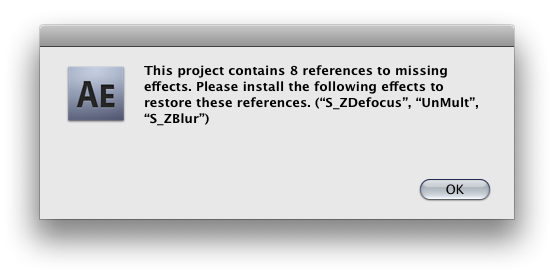
So you’ve opened someone’s After Effects project – or maybe even your own – and an error comes up that there are missing plug-ins. You get a list in the warning dialog, but it doesn’t tell you where the missing plug-ins are (and if the list of missing is too long, you don’t even get a complete list).
If you’re missing footage, in the Project panel you can just type “missing” in the search field and locate the files that can’t find their source. However, there’s no equivalent at the project level for effects – except with a script.
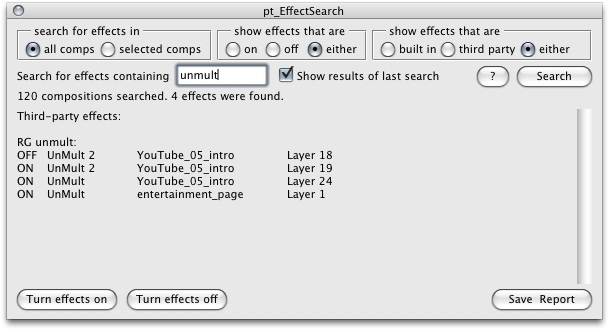
Paul Tuersley has been posting scripts to aenhancers.com practically since scripts existed in After Effects, and his pt_EffectSearch is the solution to this problem.
This one is in the super-elegant category of scripts; it has a UI that is modest-sized for search, which expands out to display results.

You even get several options. You can ignore effects that are off, search only for third-party effects, and sub-search only in selected comps (if you’re really dealing with a disaster, these options help).
I found this plug-in helpful recently to search on an effect that I had installed, but which nonetheless wasn’t recognized. I was able to reinstate all instances of this effect rather than simply wait until I noticed something that looked broken.
Because we all know those can have a way of hiding until the worst possible moment.