

Filmtools
Filmmakers go-to destination for pre-production, production & post production equipment!
Shop Now

Here’s another week of some of the latest news on After Effects tutorials, plug-ins, scripts and more. It was a bit slower last week, but there was plenty of news, tools, and tutorials for the restless.
Red Giant TV Live featured Episode 6: VFX for Indie Film with Seth Worley, Gun Muzzle Flashes with Trapcode Particular. The muzzle flashes are available as presets on Red Giant People. See also Advanced Muzzle Flashes! from Film Riot and Realistic Muzzle Flare Tutorial & Muzzle flash tutorials in After Effects at AE Portal archive.
Todd Kopriva notes AJA Kona software updates that improve performance and stability with CS5.5.
Todd also noted a mention of AE in the post production discussion ‘The Girl With the Dragon Tattoo‘ by Daniel Restuccio.
FilmmakingWebinars is hosting Nuke for After Effects Users with Steve Wright November 17, 2011. For more on Nuke, see Pete O’Connell’s Nuke – An Introduction for After Effects Users and the After Effects to Nuke Workflow video by Jarrod Nichols. The Foundry provides a free Personal Learning Edition of this compositing powerhouse and basic training videos, including some from FxPhD, which itself has tons more training. Similar enticements for Eyeon Fusion were offered in Node-based compositing for After Effects users. Here’s the preview for the upcoming Nuke webinar:
MotionRevolver posted Creating a Seamlessly Looping Animation with After Effects, and Evan Abrams posted Get Loopy with LoopOut. Both are embedded below. Earlier, In The Loop – A Killer Expression by Matthew Tompkins demonstrated the uses of the loop expression in After Effects, examining the loopOut(), loopIn(), loopInDuration(), loopOutDuration() commands and their “ping pong”, “cycle” and “continue” modes. See also Chris and Trish Meyer’s Deeper Modes of Expression, Part 8: Going for a Loop and a gaggle of resources in Adobe Community Help. For ease of use there’s also pt_AutoExpress by Paul Tuersley and The LoopMaker is an AE script by Lloyd Alvarez, which loops any layers, footage or comps with one click, added “cycle” and “Ping-Pong” loop types. Here’s MotionRevolver and Evan Abrams:
Flying Paint – Simulating liquids with AE particles is a three part video tutorial series using CC Particle World and CC Vector blur to simulate liquid particles within After Effects. The first 2 parts are available. A few years ago Mark Christiansen posted a video tutorial on simulating fluids with Mettle Freeform:
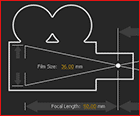 Chris and Trish Meyer have a free video from the new video series After Effects Apprentice 11: 3D Space, After Effects Apprentice Free Video: Creating an Orbit Camera Rig. Along with the video on techniques to make your camera move in a perfect arc, they link to addition free resources. For even more, see Camera Difficulties and Rigs in After Effects.
Motionworks posted After Effects: Advanced type fade, which looks more graceful than a feathered Linear Wipe with a fade.
Also looking at AE text was Chris Meyer, who posted Using After Effects as an Advanced Titler for Premiere Pro, which shows how tight integration might allow you to extend the feature set of the AE into Premiere. That’s certainly true even if editors won’t find AE geeky text fun or easy-to-use, and if they have enough RAM to run AE in the background (rather than say background encoding with Adobe Media Encoder). Most of the action in this article is in a link to a series of seven short videos that break down and demonstrate steps. Also useful is a reminder on Using Text Animation Presets by Maxim Jago:
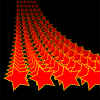 Andrew Devis continued his series on AE Shapes with two tutorials: AE Basics 22: Shape Layers Part 6 – Pucker & Bloat and AE Basics 23: Shape Layers Part 7 – The Repeater Operand. Also, Rob Mize posted The Beauty of AE Shapes: Top 10 Features Countdown. For more ideas see Use Brainstorm to experiment and explore settings and Alter shapes with path operations in AE Help, and related resources at AE Portal archive, especially the mini-roundup Shape Layers in After Effects.
Anne Benne posted Whip (swish) pan transition – Premiere Pro a few weeks ago. Other options were mentioned in Whip Pan & Transporter tutorials for AE at AE Portal archive.
Lens Flares in After Effects is a new mini-roundup at PVC. It features a refresh of an older tutorial by VinhSon Nguyen that aims to Breathe Life Back Into After Effects Lens Flares:
Premiere Pro news
Lowering Resolution for Previews from After Effects & Premiere Pro Performance Workshop reminds us of a few performance tips:
In Mapping and Importing Audio in Premiere Pro 5.5 Colin Smith shows “you how do take control of all your imported audio and how to change and remap the output setting for each clip in your project. He’ll also show you the difference between Track keyframes and Clip keyframes and hot to use fader automation to create them.”
NLE Ninja Effects Tutorial (PPro CS5.5): Media Player Animation by Kes Akalaonu shows how to use the title tool for custom shapes and mattes for filters. You can also download the project for this and other tutorials.
Todd Kopriva links to breaks down the Richard Harrington seminar on mastering Adobe Premiere Pro Timeline panel. Track patching seams to be a sticking point for many (and perhaps needs to be rethought to cut extra clicking); here’s Maxim Jago:
There’s an update to an intro by Jason Levine, Moving to Adobe Premiere Pro – Quick-Start DSLR Editing Workflow for Final Cut Users/Switchers (updated for CS5.5!):
Miscellaneous news
 Adobe ‘Restructures,’ Eliminates 750 Jobs In North America And Europe and no one in video talked about it too much. Some comments on Adobe blogs were collected in one communique, and changes in qualification for upgrade pricing was mentioned in another. Nieman Journalism Lab has some insightful comments on Flash and ads. Amazon is also moving Kindle e-books to HTML5, but that won’t necessarily mean that InDesign will be so useful for e-books. See also Export After Effects to iPhone, HTML5 + sneak peeks.
Tao of Color made 2 two lessons available from the Tao of Color DaVinci Resolve 8 MasterClass, DaVinci Resolve 8: Specialty Nodes and DaVinci Resolve 8: Versions, Sessions, and the Media Pool.
RHED Pixel tours Camera Raw in Mastering Camera Raw. You can use Camera RAW in AE, though it can get slow; see Use JPEG files in Camera RAW at AE Portal archive. There’s more on using RAW files in After Effects Help; things will work smoother if app versions are in sync. On an AdobeAE Facebook post, Chris Meyer commented that the Raw dialog cuts off the high and low color values at the import stage and noted a workaround to recover missing highlights. Note also that you can convert CMYK, since Camera Raw converts CMYK images to RGB upon opening (h/t Brendon Bolles). Here’s RHED:
Michael König reworked media for Earth | Time Lapse View from Space | Fly Over | Nasa, ISS. He refurbished, smoothed, retimed, denoised, deflickered, cut, etc. time lapse sequences of photographs taken with a special low-light 4K-camera by the crew of expedition 28 & 29 onboard the International Space Station from August to October, 2011.