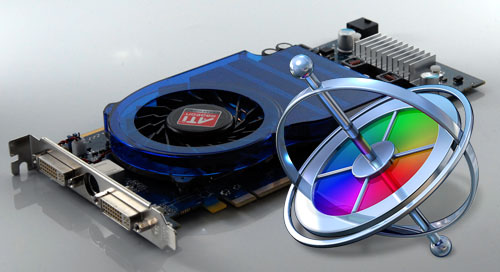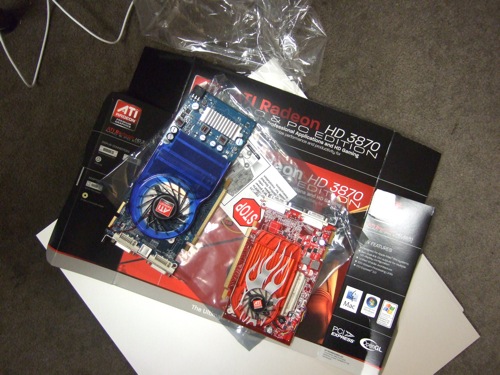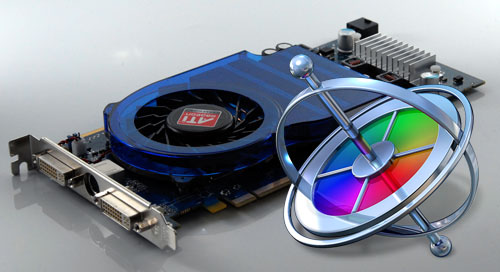

Motion is a GPU-based application, which means that the graphics card you choose makes all the difference in the world: the better the card, the better Motion’s realtime performance. There are a myriad of cards on the market, but if you have a Mac Pro, your choice is a simple one: you want the Radeon HD 3870. It’s quite simply the best card out there right now for Motion on a Mac Pro, it works on all Mac Pro models, and it’s surprisingly inexpensive at about $200.
Now, you may be wondering about the NVIDIA GeForce 8800 GT 512MB card that is available when you configure a new Mac Pro on the Apple store. Well, due to driver issues, we just haven’t seen the level of performance that card is capable of - in fact, some have found it slower than the stock Radeon HD 2600 XT. And on top of that, folks who recently upgraded their OS from 10.5.4 to 10.5.5 saw a performance decrease with that card! Here’s some test results:
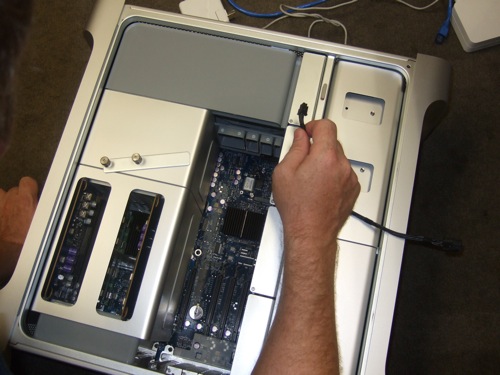
I was recently working on a project at dvGarage where we upgraded three brand new Mac Pros to the 3870. The combination of the card upgrade and increasing the stock 2GB of RAM to 10GB had a huge impact on Motion’s responsiveness, playback frame rate, rendering, and exporting.
Just got a new tower from Silverado Systems and had them install the 3870 card and 10GB of RAM. Works like a charm. Huge boost in performance in Motion. Highly recommend it.
Posted by .(JavaScript must be enabled to view this email address) on 10/17 at 02:08 PM
Install drivers before card!
Posted by .(JavaScript must be enabled to view this email address) on 10/19 at 02:02 AM
I have a G5 and I haven’t had any luck with Motion on it. Any card recommendations for me or is it just time to upgrade?
Posted by .(JavaScript must be enabled to view this email address) on 10/22 at 12:53 PM
Here you go:
http://ati.amd.com/products/radeonx1900/RadeonX1900G5/index.html
Posted by Mark Spencer on 10/22 at 10:26 PM
Good article. Several questions:
1. Do you think similar fast results would be achieved with this card if using Adobe After Effects on a Mac or a PC?
2. Any thoughts about the just announced quadro CX especially designed for CS4?
Posted by .(JavaScript must be enabled to view this email address) on 10/27 at 10:19 AM
No - Motion is unique in how it utilizes the GPU. As to the CX, my only thought right now is that it’s very expensive.
Posted by Mark Spencer on 10/27 at 10:34 AM
scaryinternetguy - that link from Mark is for the final generation of G5’s with PCI Express, if you have a PCI-X based G5 - look out for a X800XT - although you’ll be having a harder time finding one now adays.
The sad reality is my MBP C2D 2.5Ghz renders quicker than our Dual 2.7Ghz G5 - a sign of how much a difference switching to Intel will truely brought Macs.
Posted by lotech on 10/27 at 08:26 PM
Yeah, I noticed that the card mentioned wasn’t easy to find. I have been running Motion pretty successfully from my MBP as well. We do use a quad Mac Pro for live capture of analog HD. Maybe I’ll switch them out.
It’s great how fast the technology gains speed, but it is sad to see my once prized G5 becoming outdated.
Posted by .(JavaScript must be enabled to view this email address) on 10/27 at 09:13 PM
I have an older PowerMac G5 (non-Intell), dual 1.8G processors, 4G RAM and Motion constantly jams up my system if I have almost anything else open beyond Final Cut Pro. What is my best bang for the buck in helping speed up Motion?
Posted by .(JavaScript must be enabled to view this email address) on 11/05 at 04:05 PM
The Radeon 800XT or the NVIDIA 6800, if you can find either one. The 800XT is limited to 2K resolution and can only drive one monitor, but it only fills one slot. The 6800 is 4K and can drive two monitors, but it takes up 2 slots due to the large heat sink.
Posted by Mark Spencer on 11/05 at 04:08 PM
By ‘one monitor on the X800XT’ you mean only one 30” - you can easily hang 2x 24’s. But yeah good luck finding one - ATI sold a whole batch that were faulty right near the end of the cards life and I bet the replacements gobbled up most of the stock left after that.
I had a quick look on OWC and only the very low end cards are left available - you’ve got what you’ve got until you upgrade your whole G5 to a MacPro.
Posted by lotech on 11/05 at 04:22 PM
I guess I’m getting all I can get then because I forgot to mention, I upgraded the card to the 6800 from the original stock card about a year ago. It does work better and there are less lockup’s but still not great. I’ll keep dreaming about a MacPro… thanks
Posted by .(JavaScript must be enabled to view this email address) on 11/05 at 05:06 PM
Very nice article! I have this question for you:
I have a MacPro 3,1 (early2008) with a 8800 GT card 8GB ram, and 2 monitors at 1920x1200.
>Can I add a 3870 using together my 8800?
I would like to use the second card to monitor on HD monitor/TV.
>What do you suggest could be my Primary and Secondary card? And into which slots?
Thanks a lot for your time!
mark
Posted by twr_mark on 12/27 at 11:49 AM
You could I suppose. I’d use the 3870 for the Canvas. I haven’t tested this config but it should work.
Posted by Mark Spencer on 12/28 at 08:09 PM
Three months after publishing this very helpful article, is the Radeon HD 3870 still your top choice?
I am about to buy a second video card for my MacPro so I don’t have to split the VRAM between my two monitors. I currently have a Radeon X1900, that I want to keep to use for the second monitor.
Posted by Tracy on 01/21 at 11:43 AM
Yes.
Posted by Mark Spencer on 01/21 at 12:22 PM
Mark,
Have you tried to put 2 Radeons 3870 (ATI said configuration with 2 cards inside MacPro is supported) and use it with FCP, Motion?
I would like to have full 512MB of video RAM for each of my 30inch ACD…
regards
arti
Posted by arti on 02/12 at 06:03 PM
Have not tried it. Let us know how it goes!
Posted by Mark Spencer on 02/12 at 09:41 PM
Hi Mark!
I’ve just order 2x3870…
planning to use one for canvas and another for Matrox MXO.
I’ll report resoults next week
regards
arti
Posted by arti on 02/12 at 09:45 PM
Is it possible to install the HD3870 and still use the X1900 also?
Posted by Tracy on 02/12 at 09:47 PM
Back in the 2006 I was testing mixed cards X1900 and GF7300 on my system and the problem was with rendering some of the more advanced plugins, but it was the only one side effect:) Not to bad. So anyway it’s good idea to stay with one brand.
I would be very intersting to check 2x3870 (on my 1st gen MacPro 4x3Ghz)
regards
arti
Posted by arti on 02/12 at 09:54 PM
Dear All,
I have 8800GT on slot1 and HD3870 on slot2.
Frankly I’m pretty disappointed about the HD3870:
tried different config. with 2 monitors on one card(s) and 1 monitor on each card(s).
Here some points about HD3870:
>No correct V-sync on Y-C MiniDin output (Playing interlaced footage is not correctly displayed)
>Ugly PAL/NTSC quality (tested on SONY b’cast monitor)
>“Tentative” ATI web support (you should read their responses…)
Last but not least AdobeCS4 on Macs is more “NVIDIA oriented”, just discovered that: if HD3870 is present on my Mac Photoshop 3D HW acceleration is OFF and cannot be turned on.
see:
http://kb.adobe.com/selfservice/viewContent.do?externalId=kb405445#h3
Hope this will help a little.
Keep testing here…
Posted by twr_mark on 02/13 at 01:28 AM
Bad news while testing 2x ATI 3870.
You can’t really help to get each monitor 512MB VRAM the system is slowing down.
BTW you can’t put two cards in in 16x slot because the best case is 16x and 8x in slot 1 and 4. You can’t use crossfire anyway on Mac OSX but it’s also imposibble to connect the cards by the ribbon becuse it’s to short to connect cards between 1st and 4th slot:)
FCP can’t render many filters with 2 video cards.
Also with 2 cards the fans are so loud like a small jet…
The card is a little faster than X1900.
So remember to disconnect your second monitor while editing is actually the best method to speed up previews and of course use medium resolution or dynaamic reamerate in FCP.
hope it helps
regards
arti
Posted by arti on 02/26 at 06:42 PM
Makes sense - thanks for posting your results!!
Posted by Mark Spencer on 02/26 at 09:52 PM
I’m not reading any comment on Adobe link…
Posted by twr_mark on 02/27 at 11:30 AM
Update! Today Apple announced the new Mac Pro, and an upgrade option for the new ATI Radeon HD 4870 512MB GDDR5, which looks to be a killer card - see the (very limited) performance info here: http://www.apple.com/macpro/performance.html
(scroll to the bottom and click the Motion 3.0.2 tab)
Posted by Mark Spencer on 03/03 at 02:01 PM
Waiting so long for the new fast great Mac Pro since 2006 ...
I’m disappointed to see average 20% video speed up upgrade based on their (as always biased) tests.
They don’t want to share information about GPU used in the tests, it’s so funny:)
Overall I really don’t hold my breath and stay in line to buy the new great 2009 Mac Pro, rather I’m really feel good with my power user setup of 2006 4x3GHz Mac Pro with ATI 3870 (and passive - sweet silent cooling)
regards
arti
Posted by arti on 03/03 at 07:59 PM
Will the new ATI 4870 work on an older Mac Pro?
Posted by .(JavaScript must be enabled to view this email address) on 03/24 at 02:20 PM
Yes, in MacPro 2008… http://www.barefeats.com/images09/neh06_mot.gif
regards
arti
Posted by arti on 03/24 at 02:31 PM
Just make sure you install drivers before you plug anything in - as with all devices!
Management Training
Posted by Precision Engineering on 12/17 at 06:40 AM