An updated interface, 64 bit and more 3rd party hardware support are among the highlights

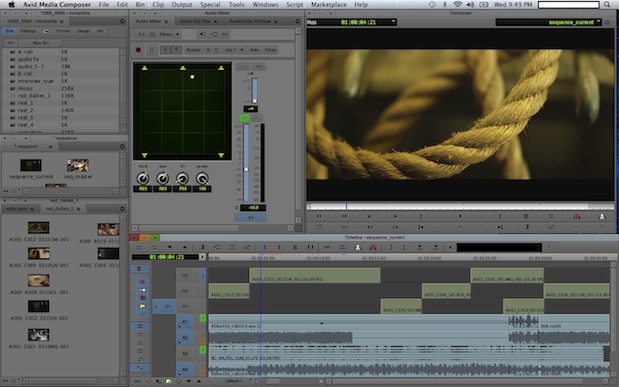
Today was the day for the Avid webcast where they announced a new version of Media Composer. Version 6 will ship on November 15 and may be one of the most important releases of Media Composer since … well version 5.0. Version 5 ushered in the big change that is the Smart Tools and caused quite a ruckus amongst old timers. Version 6 will see an updated interface. That interface is a surface change but there’s a lot of under-the-hood changes as well. In fact, I think it could be said that Media Composer 6.0 is sort of like a reboot, or maybe a reset as I heard one person say. The last time we heard the term reboot when talking about an NLE was Final Cut Pro going to version X. Avid’s reboot is much more subtle. It’s the kind of reboot that is needed, mostly under-the-hood that builds a platform to move forward into the future without sacrificing the features we’ve come to use and rely on.
If you haven’t read all the coverage of the Media Composer 6 announcement then here’s some good links. Shane Ross has written a great review from working with his beta versions. Michael Kammes has answered a number of questions in his great post on the software. If you’d like to read the 172 page What’s New pdf from Avid then this pdf link is the place to go. And Avid has updated their own site with MC6 as well.
I haven’t used Media Composer 6 as of yet nor have I seen a live, detailed demo. I’ve only seen smaller demos and had a number of detailed conversations with a number of Avid folks about this release. It would seem obvious that an article about a new software version would begin by pointing out all the new features. But I’m going to begin by pointing out the opposite, a couple of things that are missing from Media Composer 6. This is mainly just a listing of some of the specs I found interesting. I hope to be pounding a copy of Media Composer 6 very soon to try it out for myself.
What’s missing?
This new version doesn’t have background rendering. It won’t allow you to do things like moving and scrolling the timeline while playing back. In fact most things will still halt playback. As far as I know there’s no batch exporting of sequences or exporting in the background.
But all those things are now going to be possible as Media Composer 6 is the first MC release that will be true 64-bit. This reboot / reset lays the foundation for a more modern Media Composer in the coming years. We heard the same things about Final Cut Pro X. FCPX is an application that will do things like background rendering and allows more interactive playback. But where the FCPX reboot allowed for these things it totally changed the familiar NLE paradigm that editors had come to know and trust. Whether a magnetic timeline, single editing window and a single open Events bin is a better way to work is open for debate but there’s no denying there’s some real horsepower underlying FCPX.
Avid has taken the opposite approach. In rewriting MC6 as a 64-bit application, a job that took two years to complete, Avid has kept the familiar way of working. They appear to have only skinned Media Composer with a more modern look while leaving basic functionality intact. Avid couldn’t afford to do a radical, FCPX like change (the Smart Tools were too radical for some) but nor did they need to as the Media Composer basic editing toolset is very, very good. It just needed a bit of modernizing.
My understanding is that the initial benefits we’ll see out of 64 bit are things like annoying out of memory errors gone. The ability to address more RAM should mean a better ability to handle large bins and large projects with ease, something FCP7 was never able to do very well and something FCPX doesn’t even seem to be designed for. But the future with 64 bit should bring things like background rendering and that playback interactivity which, from what I understand, is one of the most requested Media Composer features. So two years to get a 64 bit rewrite. Maybe two more years to get a lot of these features? Time will tell.
New features?
3rd party hardware support
I think the biggest addition is the new open I/O initiative for 3rd party hardware products. Avid has created an SDK that allows any hardware vendor to write support for 3rd party hardware in Media Composer. This was mentioned a few years ago and now were seeing the fruits of that labor. Where we have only had Matrox MXO2 Mini and AJA Io Express as an option we’ll now have much more AJA support (including Kona cards), Blackmagic, Matrox, MOTU and others … at least these have been announced as partners so we’ll see who is working when MC6 ships. I’ve spoken with several beta testers who have been trying out AJA Kona support and they say it’s very good for both playback and tape capture.
New pricing for Avid hardware
Along with more 3rd party options Avid has greatly reduced the price on their own hardware. Try a Mojo DX for $3,000. That’s half the price of what is used to be. The Nitris DX has been greatly reduced in price as well and you can add in up to two hardware cards (DNxHD or AVC-Intra) for things like 3D workflows and 444. There will also be a Symphony software only version that can take advantage of the new 3rd party hardware support.
Advanced stereoscopic 3D editing
I don’t do any 3D work so this doesn’t excite me but from what I’ve heard the advanced stereo tools in MC6 coupled with a ease of use means Media Composer will be about the only real choice for 3D. I heard one comment that the new 3D editing works a bit like grouping clips though I haven’t seen that for myself.
New codecs
There will be additional codec support including the new DNxHD 444. Also included is full ProRes support that includes ProRes encode on the Macintosh. That should mean a Fast Import rewrap for ProRes if you don’t want to use AMA.
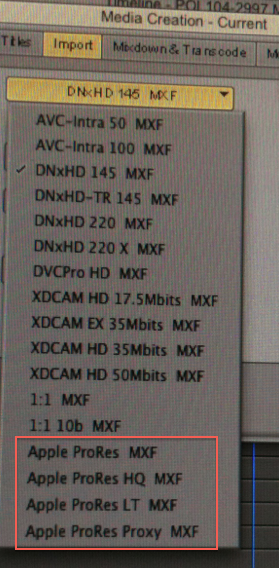
ProRes will now be a codec option from within Media Composer if you’re on a Macintosh.
A built in Avid Marketplace
Imagine being able to audition and download stock footage right from within your editing application. Avid has partnered with Thought Equity to do just that. Browse and download low rez stock footage then purchase and replace it will full rez version when you’re ready to lock picture. You’ll even be able to shop for plug-ins.
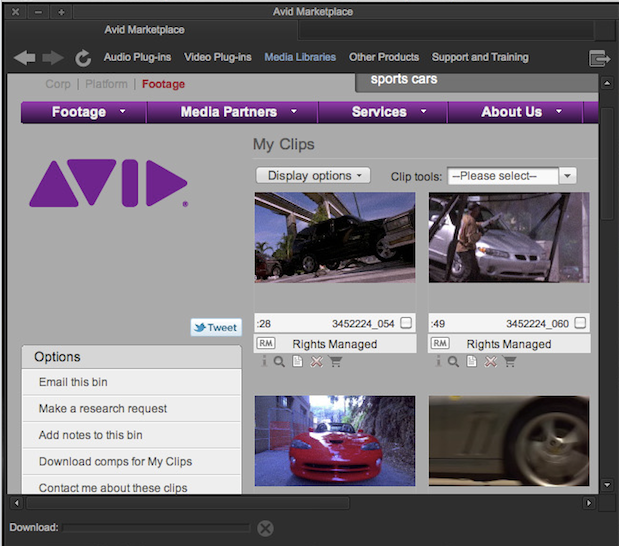
The Avid Marketplace is like a little store right in the application. It has its own menu item.
Avid Artist Color series control surface support
With this release Avid is supporting their own Artist Color control surface for color grading. I saw a demo of this and it looks to be a nice implementation with the ability to do a lot of driving of the color correction mode right from the panel, including mouse based things. You’ll even be able to manipulate curves with the surface. This will be the best implementation of a color control surface in an NLE (there aren’t that many).
Surround sound mixing
Avid is a bit late to the party on this one (we just got true stereo tracks in 5.5 I believe) but 5.1 mixing will now be a possibility. Considering the RTAS support that came in version 5.0 the audio mix capabilities are quite strong. Add an Artist Mix console and you can really get a lot of audio work done.
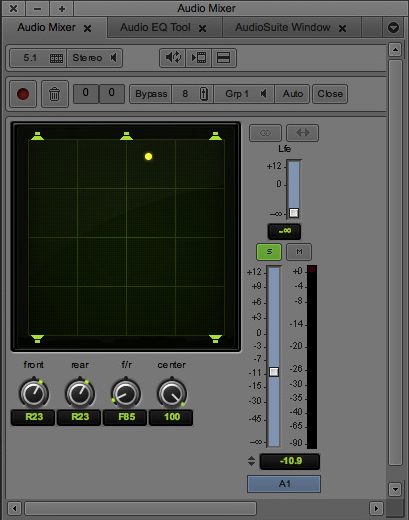
Surround sound mixing is now possible in the Audio Mixer.
And finally there’s the new interface
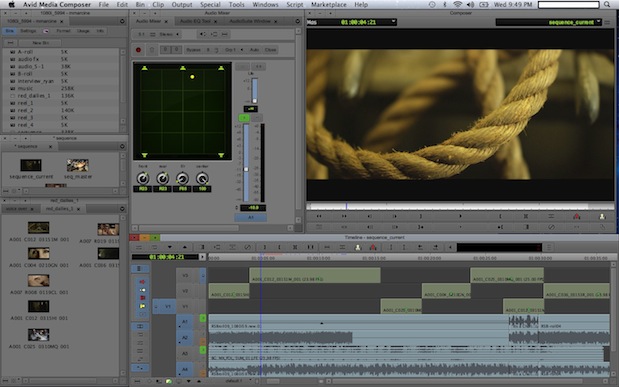
The biggest change we’ll all notice right from boot is the new, modernized interface. Software interface is such a subjective thing as one person’s love of a design is another one’s hate. I have heard a lot of comments in recent years that the Media Composer interface was looking old. The MC6 update looks to keep the buttons, toggles and switches in mostly the same places but with a sleeker, more modern overall look. The pictures I’ve seen look pretty easy on the eyes. I like the screen shots but judgement will have to be reserved until I work in it for 10 hours straight for a couple of weeks.
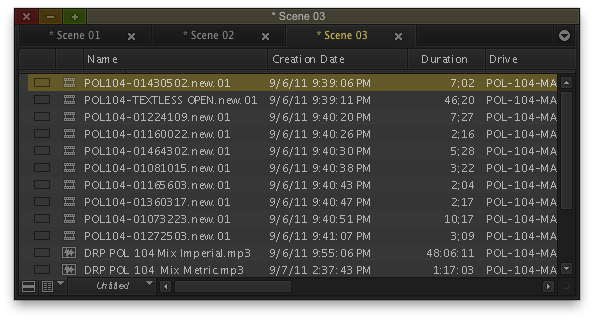
The tabbed interface for bin is a very welcome addition (no more need for the clunky SuperBin!). Sadly reports are we you can’t tab the timeline for multiple timelines in the timeline window.
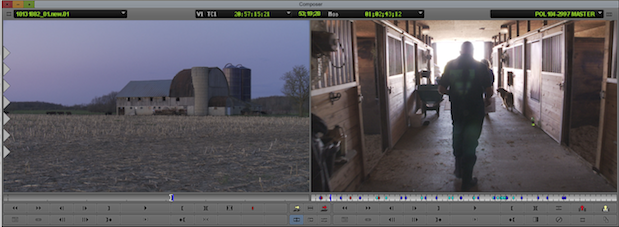
The new Composer window is familiar yet modernized with the new interface.
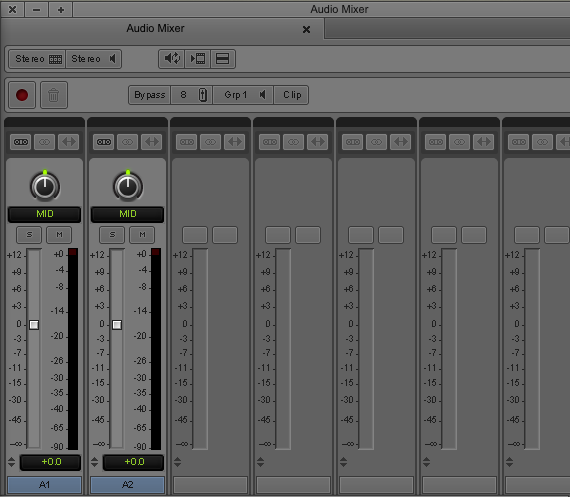
The Audio Mixer give another good look at the new interface.
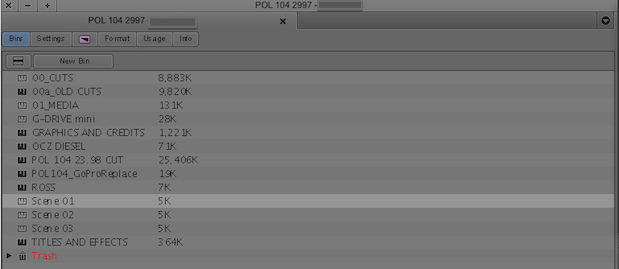
The good old Project window looks pretty much like it always has. I’ve seen both very dark and very light versions of this new interface so there must be a setting to adjust that.
That’s a little bit of what we know about Avid Media Composer 6.0 thus far. It should be shipping in just over a week and then we can all kick the tires further.


Filmtools
Filmmakers go-to destination for pre-production, production & post production equipment!
Shop Now