

Filmtools
Filmmakers go-to destination for pre-production, production & post production equipment!
Shop NowA backup utility beyond Final Cut Pro’s Autosave Vault

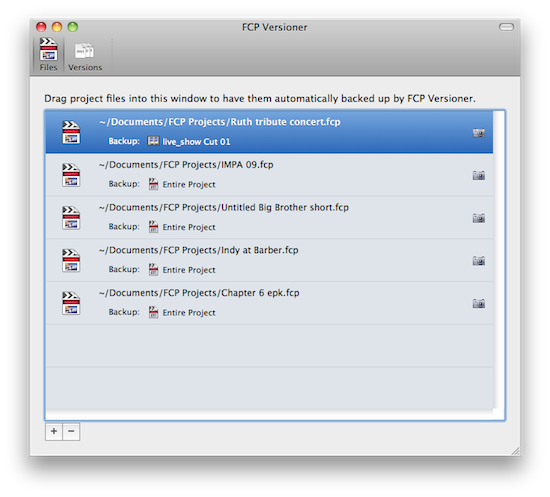
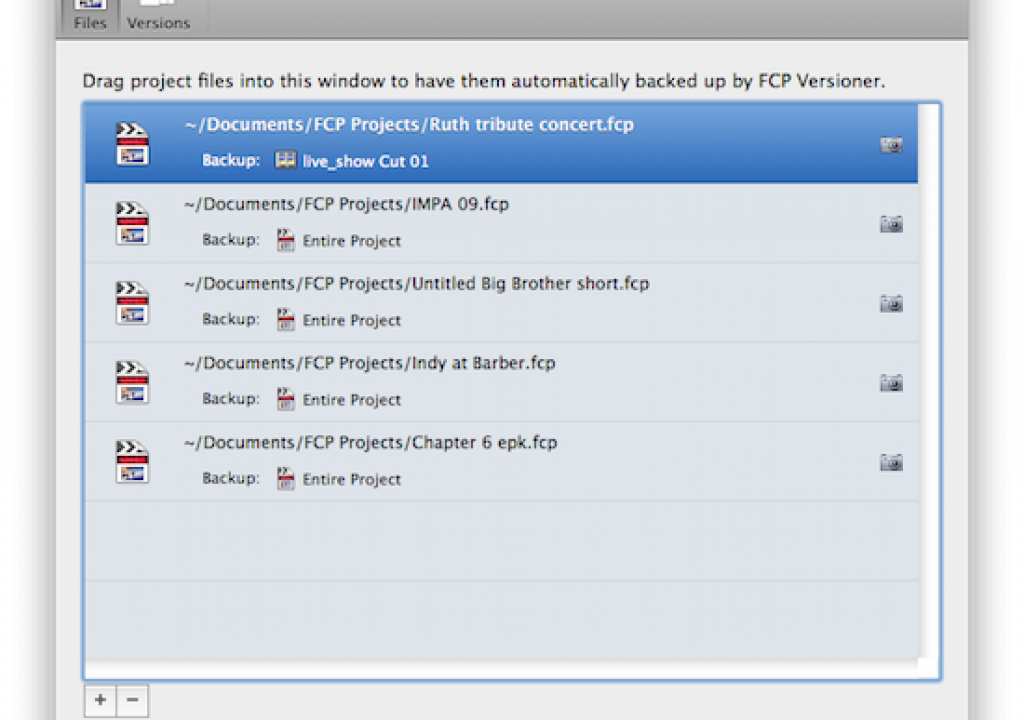
The guys over at Digital Rebellion have recently had a steady stream of good utilities that support Final Cut Pro and the entire Final Cut Studio. One that first comes to mind is a utility that I hope I never have to use, FCS Remover. That little app filled a need in the market for when you have to reinstall any of the FCS applications by yanking certain applications or the entire Studio install off your hard drive. They recently release FCP Versioner, a $59 “backup and versioning utility” for Final Cut Pro that takes the behind the scenes action of saving backups a step beyond FCP’s built-in autosave.
One of FCP Versioner’s main selling points is that it can create project backups as an XML file. XML, for those that don’t know, is in essence a text file that is written in some crazy computer-speak language that looks like Greek to many but glorious, manipulatible code to others. XML is incredibly powerful in that it is just text and has many more uses and much more potential than just your basic FCP project file. Those that are smart and understand the XML language can extract a lot of data from that XML file. They are used, for example, as the file format to move between FCP and Color. You can use an XML to export an edit sequence and move from a newer version of FCP to an older version of the software. There are hacks where an editor can generate an XML and use the Find and Replace command of a text editor to change the font of all the text items in an edit sequence. Philip Hodgetts wrote a great article called What do to with Final Cut Pro XML that is great reading for any user.
XML: The Good
XMLs are used extensively in 3rd party utilities that interface with FCP … like Versioner. The core of Versioner’s functionality is it’s ability to create these XML backups. Backups are great for safety. Safety is great for piece of mind. FCP does have an automated backup process in the form of Autosave. The interval is set under the User Preferences and location in the System Settings so when FCP autosaves it creates a new project in a designated location. Since FCP has somewhat bloated project file sizes the autosave vault can become quite the behemoth if not cleaned regularly. One selling point of backing up via an XML is, according to the FCP Versioner website, XML has “durability and compatibility advantages over FCP project files.” If you’ve ever had an FCP project become corrupt (and you’ll know if you have as corrupt project files won’t open and often makes the editor very, very mad) then the durability claim is a good one. That goes back to the XML being a text file so it would seem there’s much less chance of corruption. I have never seen an issue with an XML file becoming corrupt though in fairness to Apple it seems to have fixed some of the project corruption problems that earlier versions of FCP had. The other claim of XML compatibility advantages are evident if you’ve ever tried to open a newer FCP project file with an older version of FCP. It ain’t gonna happen though you can almost always import an XML created from a newer FCP version.
XML: The Bad
The downside of the XML export process is that to actually, successfully export one it takes time and Final Cut Pro stops all other work while that happens. A small, less complex sequence may export very quickly. A longer, more complex edit will take more time. There lies the Catch-22 of this type of XML backup. It takes more time to export a more complex edit yet the more complex an edit becomes the more need for a backup, at least in my mind.
Enter FCP Versioner into the workflow
I’ve been using FCP Versioner for several weeks now and this stoppage of work while it exports an XML brought up the dilemma: Is it worth the pause (or stoppage) while editing to allow FCP Versioner to do it’s job and export an XML? With version 1.0 of the product that answer was probably not for most people. If you are working on a project and timeline of any real size it was quite a long pause as the XML exported. You can hit the cancel button once the window pops up and stop the process but it is still an interruption. A post about this very issue on FreshDV illustrates that point as well. The application’s creator Jon Chappel responded to the comments on the FreshDV post so it’s good to know the creator of the application is listening. With the version 1.1 update he added a feature that makes FCP Versioner much more useful. You now have the ability to select a specific edit sequence in a project for the backup. This can greatly speed up the export process and make it much less of an interruption. You’ll just have to determine if the time it might take to the application to export the XML is worth the backup safety it provides. I use it on some jobs and not on others.
You can also initiate a manual backup as well by clicking the little camera icon on the main FCP Versioner window. This is the snapshot button and it will generate an XML or a backup FCP project file depending on your settings. Since you can set the destination of the backups you could (and should) set FCP Versioner’s save path to a different location than than the FCP Autosave vault. Extra security.
If you are running FCP 7 then FCP Versioner will do an autosave for you. If you look into the preferences you’ll see a toggle for this option as well as tons of customization as to how FCP Versioner will save your backups and how it will or will not remove them. By setting the preferences to NOT create a backup every time your project is saved and only generate backups for a single selected sequence then the pause while FCP generates the XML can be kept to a minimum.
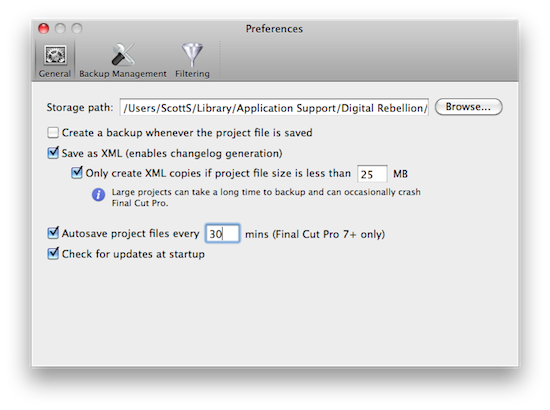
FCP Versioner’s General preferences
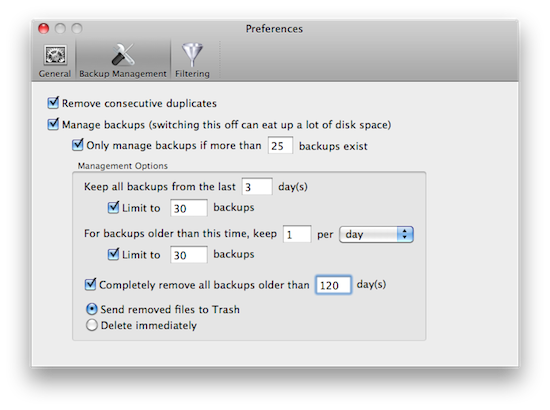
The Backup Management preference lets you control many aspects of how backups are stored
A Handy Changelog Feature
One interesting feature that FCP Versioner also includes is the ability to generate a changelog from the different versions of an XML. While this is something that you might not ever use I remember being asked once, at the end of an edit for a corporate video, by a corporate legal department for a list of changes through several versions of an edit. There was absolutely no obvious use for this other than to justify some lawyer’s employment but since they asked I had to provide a list that included a detail of the changes. It would have saved a lot of time to use FCP Versioner on a project like that. Plus you can filter exactly what is included in a changelog like turning off IN and OUT points. That can make for a very long changelog when those are included.
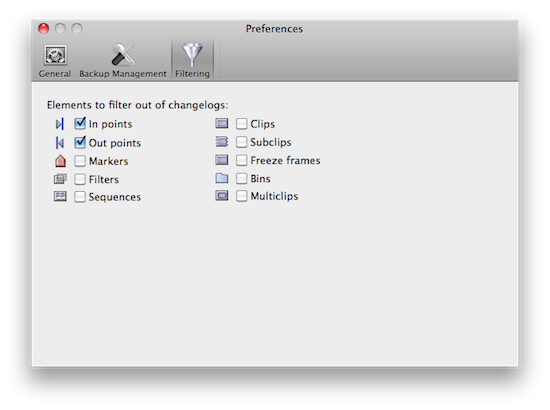
Changelog filtering preferences
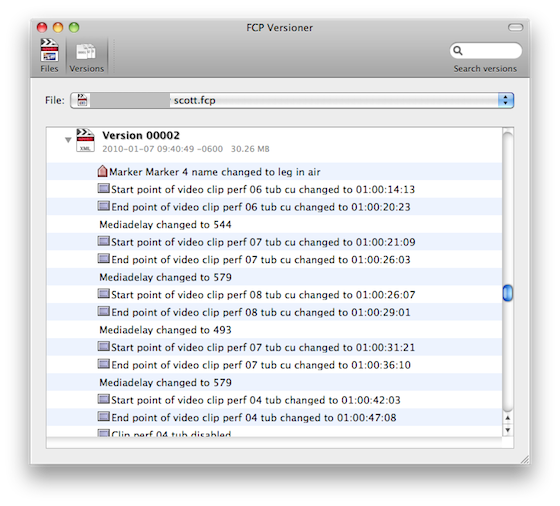
Changelog example (not sure what the Mediadelay change means)
As with all good software, there’s a free demo available. This is a 15 day trial. With the way this app operates it’s important to give the demo a try and see if it’s right for you and if you have any issues with time FCP takes in the creation of the XML files. If you’re an obsessive backup-hound then $59 is a fair price to pay to add an entire second layer to FCP’s autosave functionality. That second layer FCP Versioner will add gives the editor much more flexibility than FCP’s autosave feature alone. And even if you’re not an obsessive backup-hound one project loss or one day of editing down the drain due to a corrupt file or drive crash might make that $59 worth spending.
Pros: A second layer of backup safety above and beyond FCP’s Autosave vault; The ability to generate a Changelog from the saved XML files
Cons: FCP can be slow to generate XML files depending on size of project or timeline and work stops while FCP generates the XML
I’d download the 15 day trial and test FCP Versioner’s capabilities extensively before purchasing. While $59 isn’t terribly expensive the XML generation that is required for FCP Versioner to work best might be frustrating for some editors since FCP can’t export the XML in the background. This is one case where’s it’s up to the user to decide if the +’s outweigh the -‘s.