From the Editblog archives: October 08

When you talk about media management in Final Cut Pro it’s often not a big issue to many as you digitize a few tapes or import some P2 media, add graphics, music and you’re done. FCP’s bad media management never rears its ugly head. But when you start working with many different clips across a lot of hard drives then the frustration can grow. And let’s not even talk about multiple editors working on the same job in different locations. Say you are cutting for a director that has an exact copy of your media on his computer and all he wants to do is open the project file, watch the edit, make notes and then send it back… you must both go through the reconnection dance each time you open the modified project. It’s a pain and a waste of time.
The reconnection dance is a step that an editor really shouldn’t have to go through when they are opening an edit where the location of the media hasn’t change since the last time the project was open. If you are working on a job with another editor in a different location or an editor using the same media on different drives then the reconnection dance will be familiar to you. Let’s think about why this happens. Final Cut Pro looks to a specific path for the location of media:
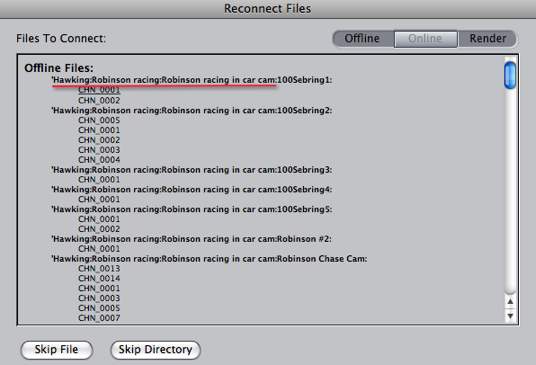
In this example it’s looking for the drive Hawking > folder Robinson Racing > subfolder Robinson racing in car cam and then other specific subfolders for the media. If I was to give another editor an exact copy of the media for this project then the folder structure would remain mostly the same except for the top level name of the hard drive. In this case Hawking would be replaced with a different drive name and possibly one more subfolder. So when the other editor went to open this project for the first time they would be confronted with the reconnection warning:
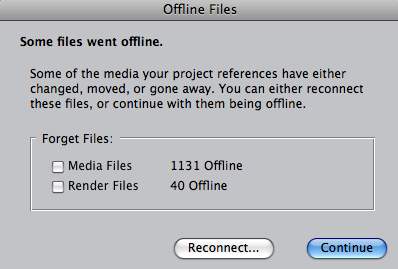
That’s not totally unwarranted since FCP doesn’t use any kind of central database to track its files. Since the path where it found the media on longer exists you have to point FCP to the location of the media files for it to be able to reconnect them. It doesn’t have to be a completely manual process as FCP can scan your drive to look for clips that have the same file name:
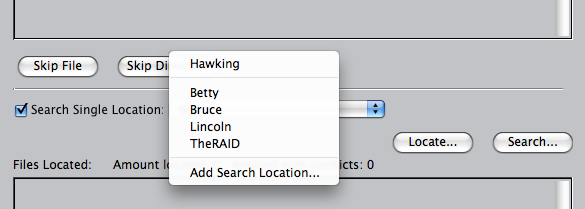
This helps somewhat but if you have a lot of files scattered over a lot of drives then it can be a pain. Clicking the Search button will scan all the drives and can take time with lots of large drives attached. The Locate button will give you a dialog box to manually find the clip. While FCP will automatically find other files in the same directory that it needs you still have to point it to the first clip it is asking for. Again it can be a long process with many clips on different hard drives. It’s understandable to have to do this once when opening a project for the first time but if you are handing edits off to another editor on a regular basis then this process of always having to reconnect the media gets old … fast. There needs to be a better way.
Avid has always been known for its rock solid media management. Once a piece of media is in the Avid it always knows where that media is, come hell or high water. When passing off an edit to another editor he/she only needs to rebuild the Avid database once and then Avid will always know where all the media for that edit is located. It does this by building a dedicated media database for all of its media drives:
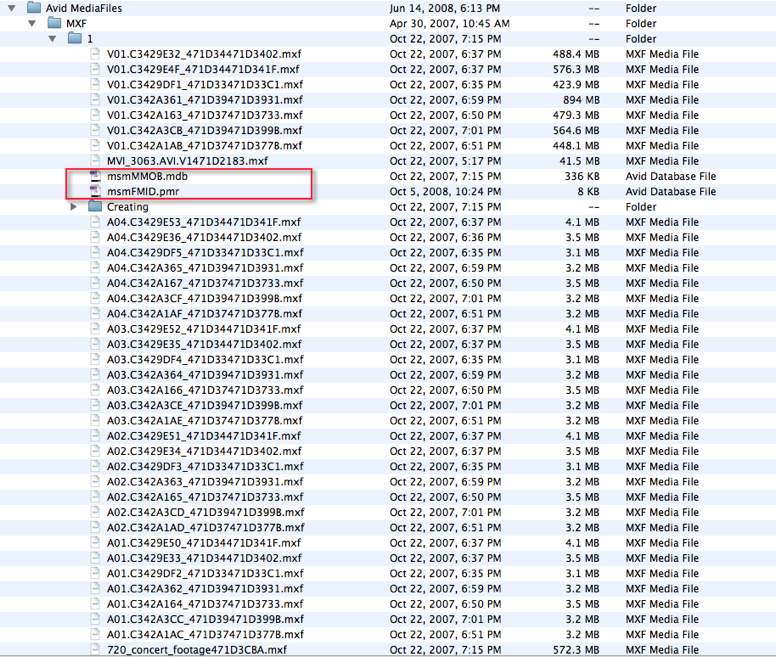
But one thing the Avid has to do that FCP does not is to copy any imported media into its Avid MediaFiles folder (it’s called the OMFI Media folder on omf based Avids). [NOTE: This article was originally written before Avid introduced the Avid Media Access architecture.] By doing this it has to create new media in the supported Avid format in that folder. This could be seen as a disadvantage if you had lots of music or a tons of graphics already taking up space on a hard drive. It all depends on perspective I guess as the advantage of Avid’s great media management means you have to use more drive space on occasion. An Avid edit is an amazingly organized thing with the Avid project file usually on the system drive and all media on a few media drives in the Avid MediaFiles folder. Often a Final Cut Pro edit is an incredibly messy pile-of-dung with media, graphics and music scattered from the user’s iTunes folder to the desktop to one firewire drive after another. Try to collect that to send to another editor and you usually forget something. If I had a dime for every FCP project that I’ve opened over the years with missing media from the previous desktop or user’s iTunes folder I’d hire software engineers to write my own personal NLE application! But this totally depends on the organization of the editor to begin with. An organized edit shouldn’t have media scattered here to there as the editor knows what they are doing and how to properly organize and track their media. This goes back to the debate of the younger FCP editor who hasn’t learned proper media management skills. But that’s another debate that has already been debated.
What Final Cut Pro needs is its own database tracking ability to keep track of all imported/captured/digitized media. The best of both worlds between FCP’s easy access of drag-and-drop, no-wait importing and Avid’s database than can recognize when you are opening a previously opened project where the media is on the edit system.
If you think about it, non-linear editing applications are themselves just database managers (at their most basic level) as they look to media on hard drives and play it back in a specifically arranged order that the editor has instructed from the timeline. FCP needs to take this one step further. If it could build a project specific database for each piece of media imported, captured or dragged into the browser and then compare that with its associated project each time it is opened then, at least in theory, that could save the reconnect dance when opening a project that had been changed by another editor. This seems especially do-able when the name of the project hasn’t changed. Since FCP projects can often balloon in size what you might find yourself doing is creating a new project with only one edit sequence. This obviously wouldn’t match the name of the original project so in that case I could see FCP allowing the user to point to a specific database to be associated with that project. While the project name has changed the media file names and attributes of the clips in the edit would not have changed so pointing that project to the proper database could make reconnection automatic.
Next Page: Loader as a media management alternative and it’s still happening today

One way to lend a hand to FCP’s media management is with a new application from Digital Heaven called Loader that specifically address part of the problem. Loader allows the editor to drag media into the Loader interface and then Loader will copy (and in certain instances convert) the media to a designated media folder for that particular project, be it graphics, audio, etc. At first you might think that this workflow defeats the purpose of FCP being Quicktime based since you don’t want to have to make a copy of every piece of media you bring into FCP, that’s what Avid has to do after all, but this step that Loader takes is a crucial step to making FCP be much more organized in its media management. It puts part of the responsibility of good media management on the software and not the editor. While this may be a bad thing in some people’s minds, an app like Loader can help take even the experienced editor’s mind off the media management task if only for a minute. It’s a must have application if you use FCP, IMHO. But while it gets that media to a more centralized location and can make the reconnection dance a bit less time consuming Final Cut Pro still needs some type of database-based solution to always track its media. Project to project. Version to version. Editor to editor.
Ben at Buttonpusher.tv has posted his own tips and techniques for avoiding the reconnection dance. They are great ideas if you can plan to name the media drives with the same names and paths as those you are sharing the drives with. It may not be possible with permanent, networked drives at a facility but with a little pre-planning his advice is well worth the effort in the time it could save.
At its most simple implementation, a type of FCP project-based database could make the reconnection dance a thing of the past. But at its most advanced maybe it could be smart enough to make the attribute mismatches that often occur when you move clips from one drive to another a thing of the past as well. It could allow for more accurate media manager tasks and remove the stigma of the “media mangler.” And how about if it was smart enough to track all aspects of the timeline, specifically renders in the timeline so you could disable and enable clips and tracks without losing renders. This type of advanced media management would open the eyes of a whole generation of FCP editors who don’t know the joys of rock-solid media management. It’s sad that 6 versions into Final Cut Pro we don’t have something so useful. This new version of FCP, whatever it may be and whenever it may come needs to be a real doozy!
UPDATE: Things aren’t much better today with FCP version 7
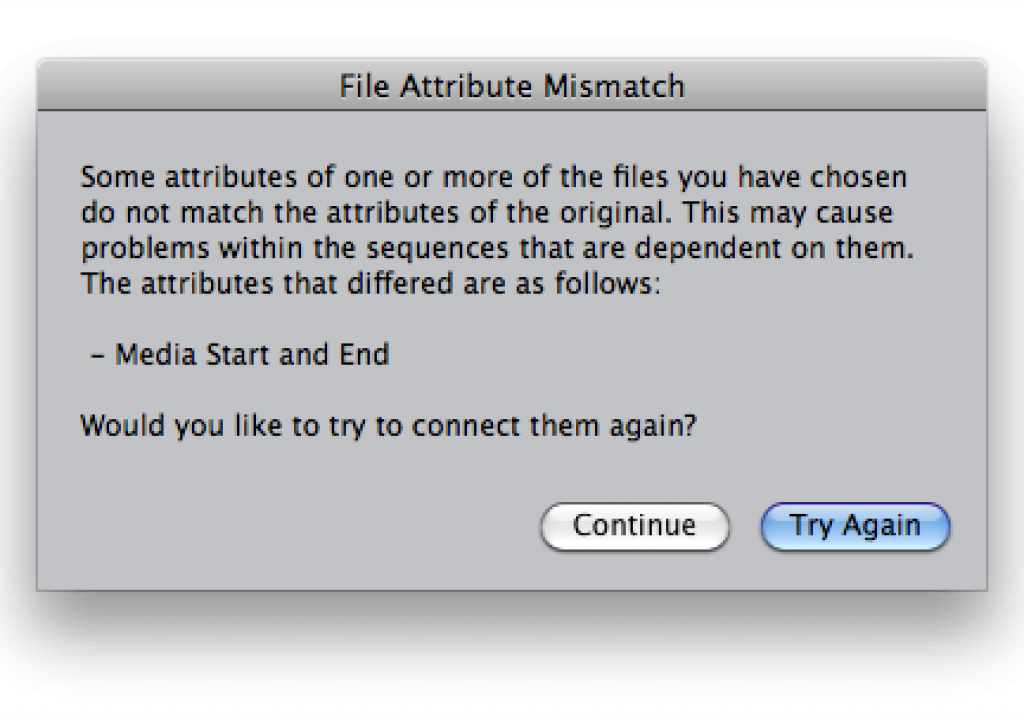
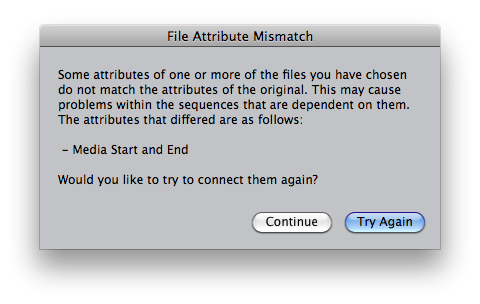
Here we are today with version 7 of Final Cut Pro. There was some touted “Improved render management” in FCP 7 but nothing in the way of improved media management in general. If you’ve ever had to move media via the Finder you might have been faced with a File Attribute Mismatch error:
This has plagued FCP for years. Sometimes it might be the Media Start and End that is an issue, sometimes it might be a Reel name. But it makes no sense when you are working with cloned media that, as an editor, you know for a fact is the exact same media that is on a different drive and you still get this error. It becomes even more disconcerting when you click Continue, connect the media and then get this message:
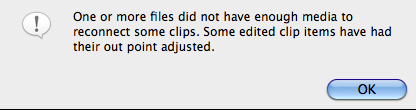
That pretty much says that something in your edit might have changed. It’s usually fine and nothing will have adjusted unless you have used Merged clips, then all hell can break loose. They can cause problems. But it’s just incomprehensible that 7 versions and a decade into this product that we call Final Cut Pro that these error messages would even still exist. It’s possible to avoid these errors if you do your moving of a project from within FCP using the Media Manager as that process will reconnect the media internally in a new FCP project. But that’s not always possible, especially if you don’t have control over how the media is moved; say if you are sent a drive to complete and edit.
If you are using an exact duplicate of the media then these errors should not happen … but they often do. This is the world that we live in.


Filmtools
Filmmakers go-to destination for pre-production, production & post production equipment!
Shop Now