Euphonix finally ships its control surface for Apple Color

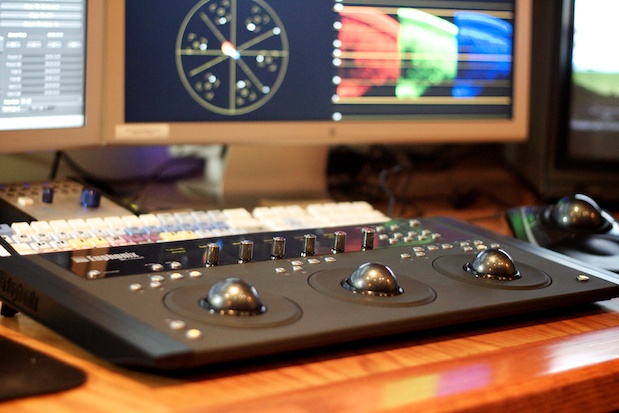
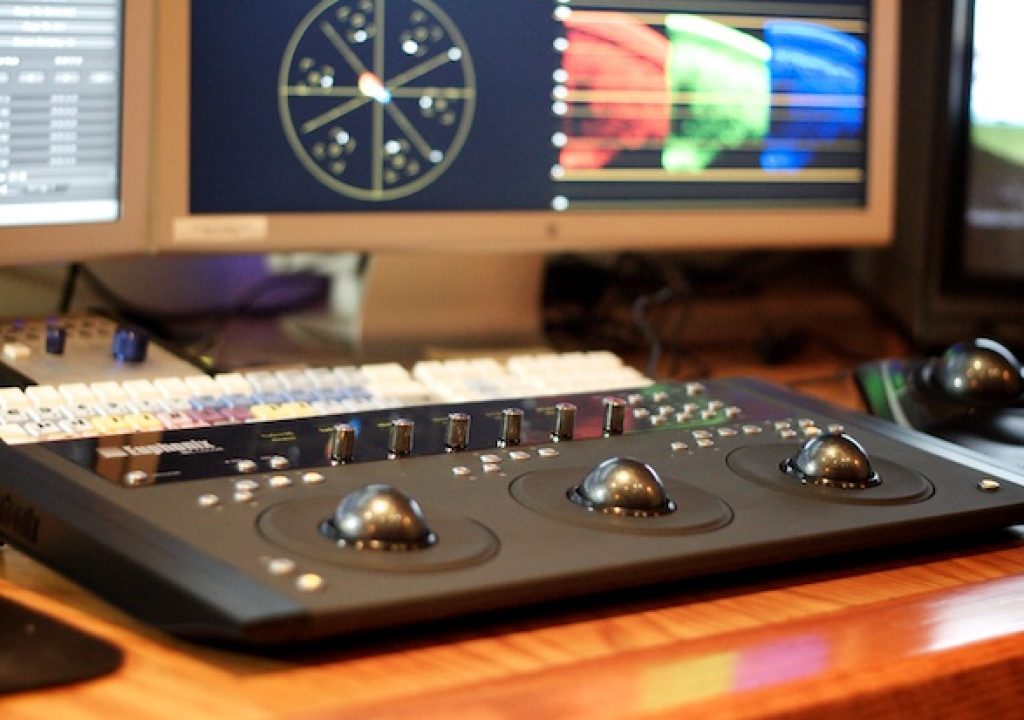
The delivery guy walked in the door just over a week ago with a box containing a sparking, new, fresh off the assembly line MC Color control surface from Euphonix. For those who aren’t familiar with this unit, it’s a brand new entry into the affordable (relatively speaking at $1,499) trackball based hardware support for Apple Color. The Euphonix unit has the Tangent Wave square in its sights with a similar price point and similar functionality. In fact it’s hard to talk about one without comparing it to the other, which is inevitable. This first impressions article is a short summary of early reactions to the MC Color and less, at this point, about a direct comparison to the Wave. It will take a lot more time to dig deep into the features and get really comfortable with the MC Color, but like I did with the Tangent Wave, I wanted to write down a few first impressions. I’ll be doing a full review after I’ve used it for a few more weeks.
Unboxing the MC Color
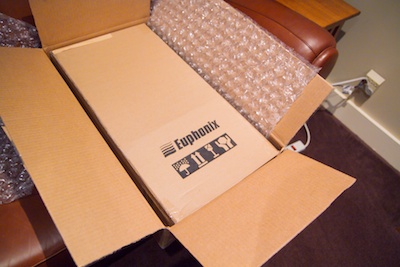
Why is unboxing new gear so much fun?
Unboxing the MC Color you’re presented with the unit itself wrapped in a plastic sleeve. There’s a thin membrane protecting the display surface to be peeled away as well. The three trackballs have to be removed from the packaging and placed in their sockets. There’s no bevel or tabs to hold the tracks balls in place so be careful once the unit is setup on a desk, say when you might turn the unit over to fold out two support legs that can raise it up like a keyboard or all four support legs to raise the entire unit. Since the MC Color doesn’t draw power for a USB connection the unit has to be plugged in with the supplied AC adapter.
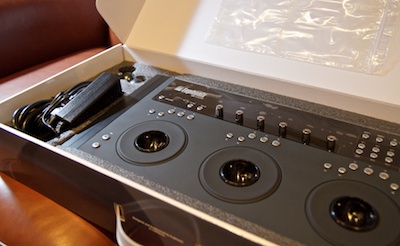
The trackballs just sit in their socket as opposed to snapping in.
Under the foam packaging there’s also a supplied Ethernet cable as well as two risers that can be snapped to the bottom of the MC Color to raise the entire unit up a bit. Like the Tangent Wave, the box has a handle and the smaller size might make MC Color more friendly for the traveling colorist though I would probably get a more sturdy travel case if using it on the go a lot. But the Ethernet connection (you can’t connect the MC Color via USB) might require a bit more thought into the setup if you were taking the MC Color to a facility where you couldn’t get easy access to the CPU’s network port. The unit can also be plugged into a router, which is necessary if using the MC Color in conjunction with other Euphonix products. That’s one place that Euphonix excels over some of the competition: while the MC Color is a wholly self-contained unit there’s other Euphonix products that can be added like an audio mixing interface or a dedicated transport control as well, depending on what application you are using.
Size
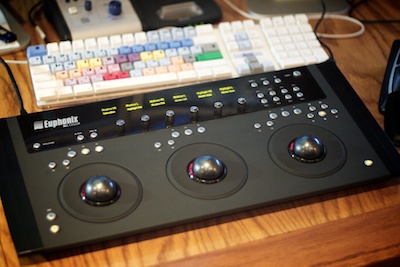
The MC Color is quite a bit smaller overall than the Tangent Wave.
In comparison to the Wave, the MC Color is a much smaller surface and takes up considerably less desk space. According to the Euphonix website the unit is 20 inches long and 9.5 inches deep. At an inch and a half high, it’s a quite slim console. As mentioned, you can further elevate and angle the MC Color by attaching the two supplied riser brackets to the bottom.
Look
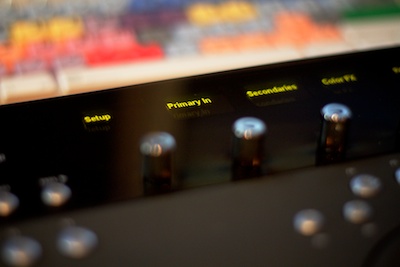
The displays are very sharp and easy to read.
The OLED displays are very bright and crisp and easy to read. They display the name of the parameter they are reflecting until you begin to change that parameter, then they show the numeric value. An exception to this would be for the six silver rotary knobs. They are touch sensitive and will show the numeric value just by touching them. Since there’s not two lines of display info to show you the name and values at the same time this is a nice feature. It took me a bit of time to figure out how the two display lines correspond to the controls. The bottom line of the display reflects the rotary knobs. The top line reflects the trackballs and trackwheels. It would almost make more sense if the bottom line of the display were set lower, closer to the rotary knobs to make the distinction but I bet that pretty much any variation on the design (especially those involving the OLED displays) would have affected the overall cost. There’s also no visual indicator as to which of the two reset buttons corresponds to the ball or wheel. Sure all you have to do is try it out to determine some of this but a kind of MC Color for Dummies diagram would be nice to glance over before you begin working.
The optical trackballs have the faint red glow of the tracking laser that shines underneath as well. All of the buttons include an orangeish toggle light that might illuminate when you press the button or when you’ve toggled a certain feature on. For example, if you enter shift mode by pressing the Shift key it will light up to let you know you are accessing Shift. Or if you have copied a grade into one of the four Copy Grade buttons it illuminates so you know you have stored a grade with that button. Besides being handy to see what you are doing it makes the unit look cool.
Feel
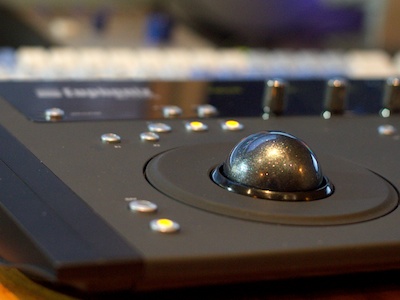
The trackwheels are very well made; nice and heavy. They feel great to spin.
There’s two things you’ll notice when you begin to drive the MC Color. First might be the trackwheels that surround the trackballs. They’re very smooth and very well weighted. A real pleasure to use. Second might be the lack of a jog/shuttle controller. There are 5 buttons for transport controls on the right side of the unit. Visually those button feel a bit tacked on but there’s really no other place to put them without making the whole thing bigger. But the MC Color does actually have a jog/shuttle dial. It’s the right-most trackwheel and can be engaged with a function key. If you really need the dedicated job/shuttle you could add the MC Transport to the mix which is another Euphonix product that is a dedicated jog/shuttle controller with programmable softkeys. It’s right at $400. While affordable it would add another piece of hardware to your desk. On the one hand, if you aren’t running a dedicated grading suite you might not want more controls littering your space. On the other, this transport control can be used with Final Cut Pro as well. It’s Euphonix’s EuCon control software makes it possible to add the MC Transport (as well as other hardware tools) to the mix. EuCon is also how you customize the MC Color. I’ll go into deeper detail on this software in the full review.
The buttons are pretty much all of a similar design and nearly the same size. There’s a lot of buttons on the unit itself so space feels a bit cramped, especially in the upper right quadrant, but with more buttons comes more functionality. The 9 function keys, or soft keys, (3 above each trackwheel) can change depending on what Color room you are working in. Add the Shift key into the mix and that makes 18 soft keys. There’s also 8 buttons dedicated to the copying/pasting of grades (4 each). I’m not sure why the Shift key doesn’t work with the copy/pastes grades in order to double their number. Other buttons include Page and Bank buttons (not located together) for moving between various functions and tabs in rooms and the Shift keys located on each side near the bottom of the unit. There’s a single Navigation button on the lower left side as well for moving to the different Color rooms. (Check out the MC Color online tour and this page in particular for an explication of the buttons.) Push the Navigation button and the OLED display changes to the names of the Color rooms and then you push the rotary knob to enter that particular room. Since there’s more Color rooms than knobs you push the Page button to move to the next list of rooms. It can be several button pushes to get to a room and I found myself still using the mouse to click into the Still Store room and load a new reference still since I knew I’d have to grab the mouse anyway. It seemed faster.
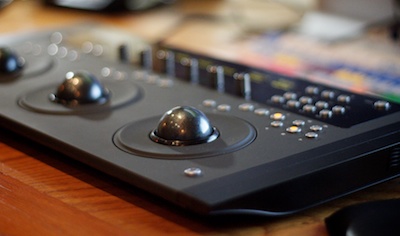
There’s a lot of buttons, especially on the right side, on the MC Color.
There are a lot of buttons on the unit so you do want them to feel right. Since they are small and often close together I’ve found myself looking at them quite a lot. I hope this goes away so I can operate it more on feel as I use it over the next few weeks. It’s important to note that the buttons aren’t a heavy, metal construction so they do feel somewhat plasticy. I point this out only because I’ve seen a lot of discussion on the Internet from potential buyers who have been waiting for the MC Color to ship instead of buying a Tangent Wave. They often seem to be going on photographs and think the MC Color includes more metal in its construction than it actually does. I thought this too. The plastic construction of the Wave seems to be a common compliant about that unit and while the MC Color doesn’t feel like a big, hollow shell it hasn’t been created from a big hunk of metal like your Macbook Pro. It’s mostly plastic so I would encourage a potential buyer to touch one before purchasing.
Those are my initial impressions after using the MC Color for just over a week. I also want to note that these impressions are coming from an editor who often has to do (and very much wants to do) grading work on a number of lower budgeted project that can’t afford to move into our DaVinci room. I think that’s the market this price point of Color control surface is targeting. I’ve pulled a lot of 3-Way Color Corrector and Colorista sliders over the years and I very much enjoy the freedom a control surface adds to the mix (it sure would be nice to use a surface like this with Colorista in Final Cut Pro). Those professional colorists who have spent a career using DaVincis or Pablos or systems with some of the high end Tangent or JL Cooper units might laugh at these baby surfaces like the MC Color or Wave. But these units won’t be replacing those system’s hardware controllers anytime soon. Now if those same colorists went to setup an Apple Color system at their homes they wold probably appreciate the under $1,500 price tag.


Filmtools
Filmmakers go-to destination for pre-production, production & post production equipment!
Shop Now