If this thing can connect properly to our desktop applications it will be killer

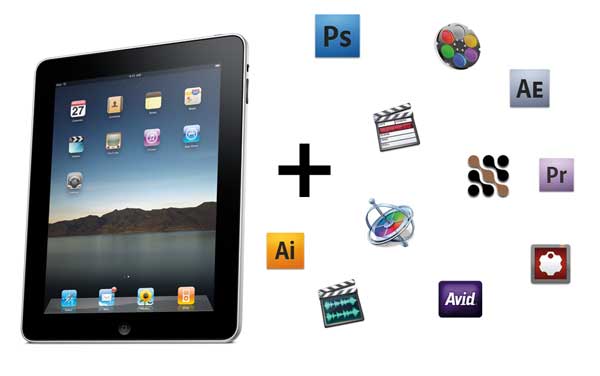
With Apple’s announcement of the iPad there’s been tons of articles, tweets and blog posts about this upcoming piece of hardware. There’s also been tons of ink spilled about just how this little device could be useful in the filmmaking process as well, some right here on this site. I had decided not to write anything at all about the iPad since pretty much everything had already been said. But I got to thinking how this device might integrate more with the post-production side of the filmmaking process while on a flight the other day … so I made some notes.
First off I will say that I plan to buy an iPad when it ships. My family owns an old Macbook that I find myself rarely using other than occasional surfing on the couch or to pay household bills. Laptops in general are too big and bulky for my tastes so I rarely lug the thing around. And it’s a Macbook so it’s not that big. I’ve often wanted an ultra-portable computer that could surf the net and access Google docs. That’s really all I want in one. If the iPhone had a physical keyboard then it would work well. If the iPhone was bigger with a physical keyboard even better. A Macbook Air is too expensive so an iPad seems just about right.
I think there’s two general categories of apps that would make the iPad useful to those of us in post-production.
Stand alone filmmaking and post-production apps
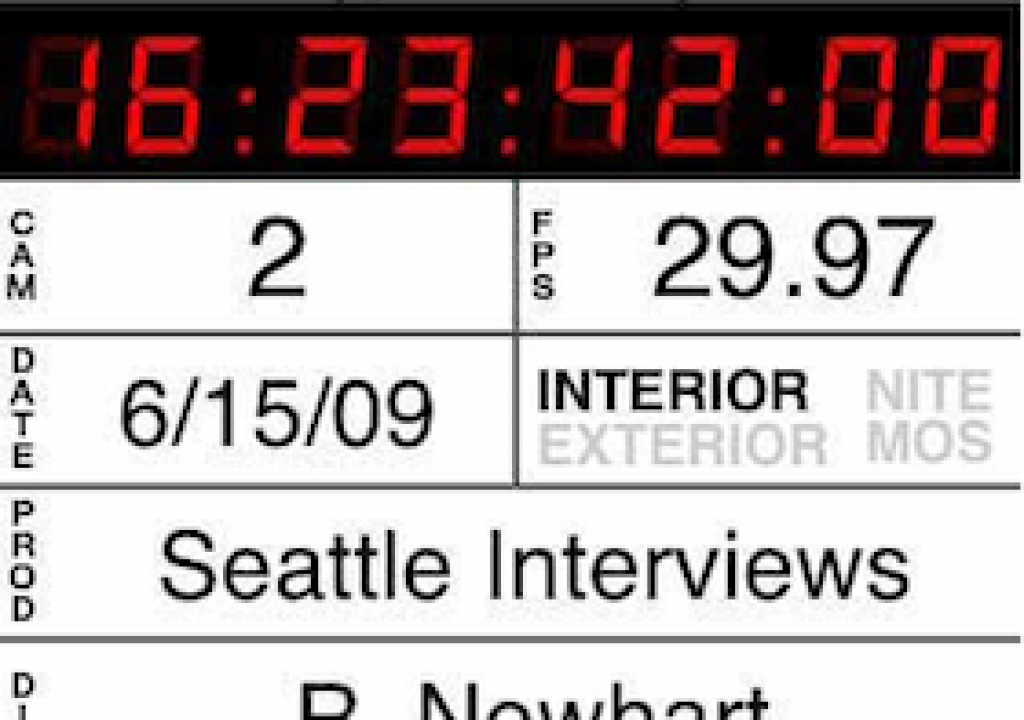
First, there’s the obvious things like using the iPad as a camera slate. iPhone apps like iSlate and Movie*Slate will most certainly be scaled to take advantage of the larger screen and if there is some type of dock connector that allows for timecode input and a timecode generator then this thing could become a serious competitor to a traditional smart slate. With smart slates going for over $1,000 new then it could compete on price as well. You just might need some type of matte screen protector for this application to reduce glare and it remains to be seen how it will work outdoors … in the rain. Of course you could always use the poor man’s timecode slate method on an iPad without any other accessories.
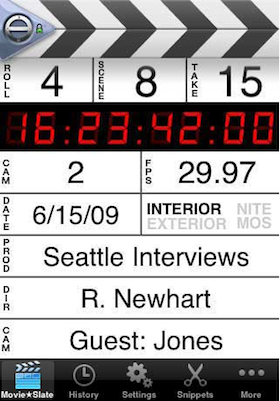
You know iPhone apps like Movie…Slate will be redesigned to take advantage of the iPad’s larger 4:3 screen size
The other on-set application of an iPad could be some type of logging system. It could be a video signal transmitted directly from the camera to the iPad with monitoring right on the device that would allow logging and marking of takes in realtime. If that could allow for the export of a batch list for digitizing or some type of XML list for relinking to file based media with metadata intact then you could begin an edit with some logging tasks already complete.
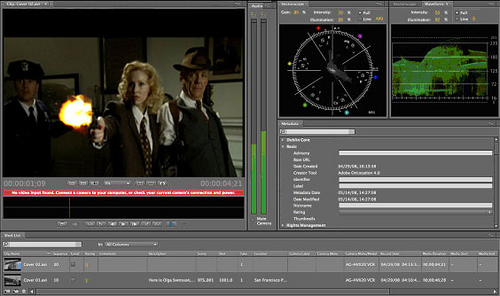
Imagine a tool like Adobe’s OnLocation running on the iPad
Taking that idea a step further would be an electronic script supervisor application that would let the script super line the script electronically and attach clips and thumbnails right to the page. This might look something like Avid’s script-based editing … and of course it would integrate with that feature.
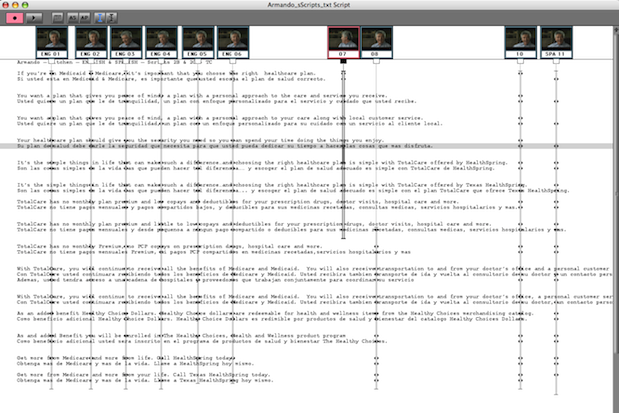
Imagine a script supervisor lining an electronic version of a script on the iPad.
The iPad also seems like a natural device for some type of client friendly review and approval process. It could be the day’s rushes exported into an app that would allow the client to sit back at the end of the day and watch clips, makes notes and mark good takes. They could then email a file to the editor that would then link the data to the editor’s online clips for editing. It would also be a great way for clients to watch rough edits and make notes. Imagine a telestrator type device where messages and mark-ups could be drawn directly on-screen. These notes would have to sync back to the editor either by the complementary app on the desktop or (better yet) be imported directly into the editing application. It would be like taking Adobe’s Clip Notes to the next level. With great power comes great responsibility though as this type of interactive client review and approval process is ripe with potential abuses so it if does come along use it with caution.
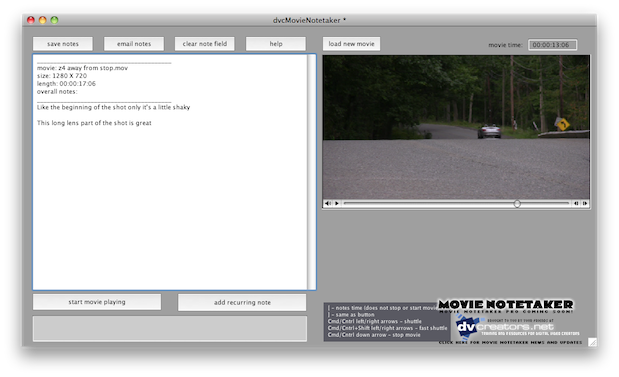
Imagine an application like QT Movie NoteTaker optimized for the iPad interface
Next Up: The real power will come when integrating with desktop applications
The real power will come when integrating with desktop applications
While it’s great to think about stand-alone possibilities of the iPad in the post process I see the real power of the device being some ability to compliment our existing desktop applications. I’ll preface this section by saying I know nothing about how this kind of thing might work or if it’s even possible to have an application like Photoshop interact with this type of external input device. I bet it would be possible if Adobe worked hard on it. Stu Maschwitz floated this idea over at ProLost and linked to a company that makes an iPhone app that can interact and control a number of audio applications over WiFi. The WiFi connectivity is what makes these ideas seem possible. I currently use an iPhone app called Keymote that allows the user to download application specific controls and control the computer with a WiFi connection. With Keymote I use the Final Cut Pro controls to sit at the back of the edit suite and watch cuts. I find sitting on the couch allows me to watch the edit with a different eye than sitting right in front of the machine.
Stu’s post mentioned using an iPad to control Magic Bullet Looks but I’d rather see it interact with Colorista.
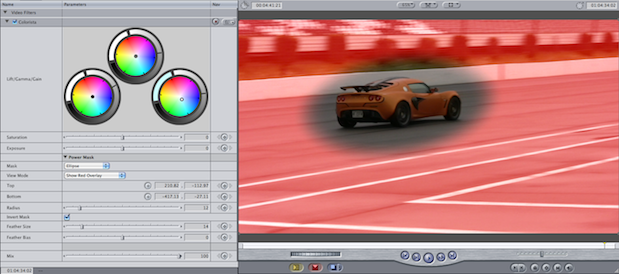
Imagine being able to operate the Colorista Power Mask via a touch interface … and the Lift/Gamma/Gain controls too
While the touch screen control of the color wheels seems like the obvious place to interact I think it would be equally important to be able to use the touch interface to radius, position and feather the Power Mask when you’re using Colorista as a secondary correction. Come to think of it, any of the color grading tools could probably benefit from using the touch screen-type input when dealing with secondaries. Any place where you’re clicking and dragging the mouse to draw or extend a mask would be a good candidate for the next generation of input device. That includes when working with B©zier masks or spline tools, like in Imagineer System’s mocha, when you need to isolate a shape or rotoscope. It’s time to think beyond a mouse or graphics tablet.
Talking about color grading … since most grading plug-ins and applications use either the color wheel or curves paradigm (or both), it would be great if there was a standard iPad grading interface that would interact with all grading applications. Just launch the iPad color grading interface app and you have 3 color wheels with rings as well as a curves editor. Imagine being able to take your iPad along to any edit suite and having your own touch-based color grading control surface regardless of the application. Of course this would probably require some unprecedented cooperation among software makers but it’s nice to dream.
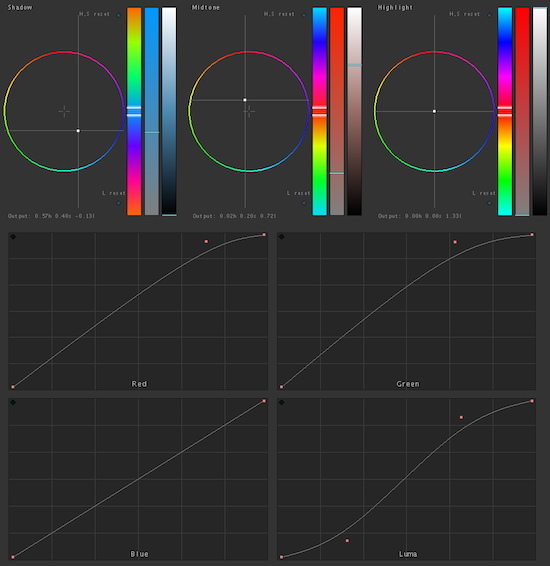
Imagine having these basic color grading controls available via touch screen in all your grading applications
As another idea for some sort of “standard” interaction between an iPad and existing applications would be using the device as a way to have the various palettes that many modern applications require on a monitor other than your main desktop monitor. Imagine all of your Motion or Photoshop pallets always living on your iPad. Tap one palette on the menu bar and it scales to full screen. Besides the fact this would allow you to devote extra screen real estate to your canvas or timeline, application palettes like Motion’s inspector often consist of many sliders that require a click and drag. It seems only natural that these could live on a touch screen device and the editor could drag more than one slider at a time.
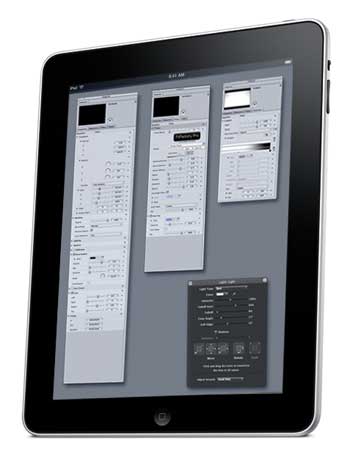
Imagine all of your Motion palettes residing and operating on the iPad
If it’s as simple as dragging any application window to an iPad and saving the layout then the customization possibilities are endless. Maybe one motion graphics artist would like the After Effects Composition window to reside on an iPad for direct manipulation with her fingers while another would prefer the myriad of AE windows and palettes to always appear on the iPad leaving as much screen space as possible devoted to the Composition window and timeline. With customization this could be possible.
Imagine being able to hand an iPad to an agency art director and have them be able to scale, position and design a spot’s ending art card to their liking right on your desktop. No more having to hand a USB stick back and forth. And even better if your version of Photoshop that they would be working on is running on your machine, in the background, while you continue working in the editor.
And maybe a Lite version of our editing application could reside on the iPad as well
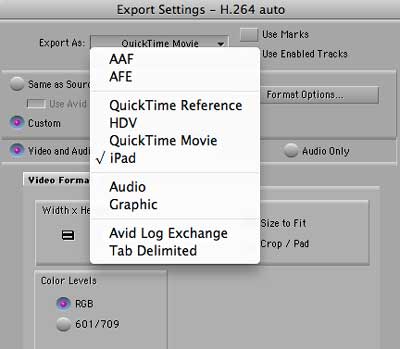
Imagine a function that would export an edit right to a small, light iPad friendly format
But the ultimate place than a human editor might want an iPad is as an extension of the non-linear editing application of choice. Imagine an Export to iPad preset that could take an entire project, media and all, re-compress it into some ultra-small and ultra-light format that the editor could load onto the device and edit away. There’s probably way too many features crammed into the modern NLE but a scaled back app that has a way to audition clips, edit into a timeline with cuts and a few transitions, add some titles and then send the rough cut back to the desktop editor is an intriguing possibility.
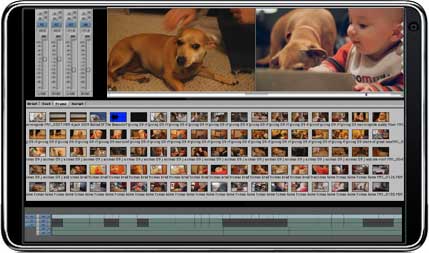
Imagine your favorite NLE scaled down to a simple iPad editor
The controls for the iPad NLE could be dragging a single finger along the timeline or Source/Record monitor for scrubbing; a single tap to play; two finger tap to set an IN point, three finger tap to set an OUT point; swipe with a single finger for the equivalent of a JKL scrub back and forth; drag a clip with two or three fingers to insert or overwrite an edit. The possibilities are there for a totally new experience when editing video. I once was able to work on a small edit on a Wacom Cintiq graphics tablet and it was a very interactive and unique experience. It would be even more fun to replicate that on-screen working experience with an iPad.
Of course there are laptops that allow for much of this interaction that I have mentioned above. And a laptop can somewhat allow that lean back experience that the desktop editing system does not allow. But IMHO, if I’m going to work on a laptop then I might as well sit at the desktop if at all possible as the laptop editing experience isn’t nearly as satisfying, with small screens, a cramped keyboard and a trackpad in place of a mouse or tablet. An iPad might allow for a totally new editing experience … at least for part of the job. I for one would welcome some type of revolution in the way we put edits together and interact with our software. It’s not very often we get them.


Filmtools
Filmmakers go-to destination for pre-production, production & post production equipment!
Shop Now