(Page 1 of 1 pages for this article )

Thursday, June 25, 2009

Filed under: EditingPost ProductionProductionTipsTraining

Please label tapes and disks: An open letter to DPs, camera ops, DITs

Scott Simmons | 06/25

Just a simple label of format and frame rate will tell the editor a lot about what is on the tape or disk

image

Man, there are a lot of high definition formats out in the world today. Just to spell them out would be a dizzying array of letters and numbers. 720p, 1080i, 23.98, 30p ... this list could literally go on and on so I won’t even attempt a partial list other that what I have above. Just take a look at this HD format chart. That’s a lot of different formats and it doesn’t even take into account the different flavors of a particular format that camera manufacturers often come up with on their own.

With that in mind this PVC post is an open letter to all DPs, ACs, camera ops, DITs, anyone and everyone associated with the camera department to please label their tapes and hard drives with the usable, relevant information of shooting format and frame rates, codecs and cameras so post-production will at least have an idea of what is being handed to them.

Post-production professionals and post houses in general are in a much different position than those dedicated solely to acquisition, camera rental houses not included. A director of photography / camera owner / production company who chooses to own their own camera will most often have to choose just one format when they buy that camera. Sure there is the option of shooting 1080 or 720, 23.98 or 59.94 on a lot of hi-def cameras but for the most part you can choose one format for a camera and stick with it. A Panasonic HVX200 is DVCPRO HD (unless you use the DV tape but who shoots that anymore?). An HDV camera is HDV, though there are dedicated flavors of HDV say for Canon, Sony and JVC ... sorry that’s “ProHD” for some of those JVC cameras. RED is REDCODE, though you do have the choice of REDCODE 28 or REDCODE 36, frame rates and aspect ratios. So even with the RED format there are a lot of variations on it as well.

My point is that camera owners often have to choose just one format to purchase and support while editors and post houses have to support many, most, if not all of the formats out there. It can be a tough and expensive proposition to be sure we can properly and efficiently work with all of the different formats that clients are shooting. And inevitably each year when NAB rolls around there will be a new format introduced. But we aren’t complaining (much) as it is important to support our clients with every job they shoot.
image

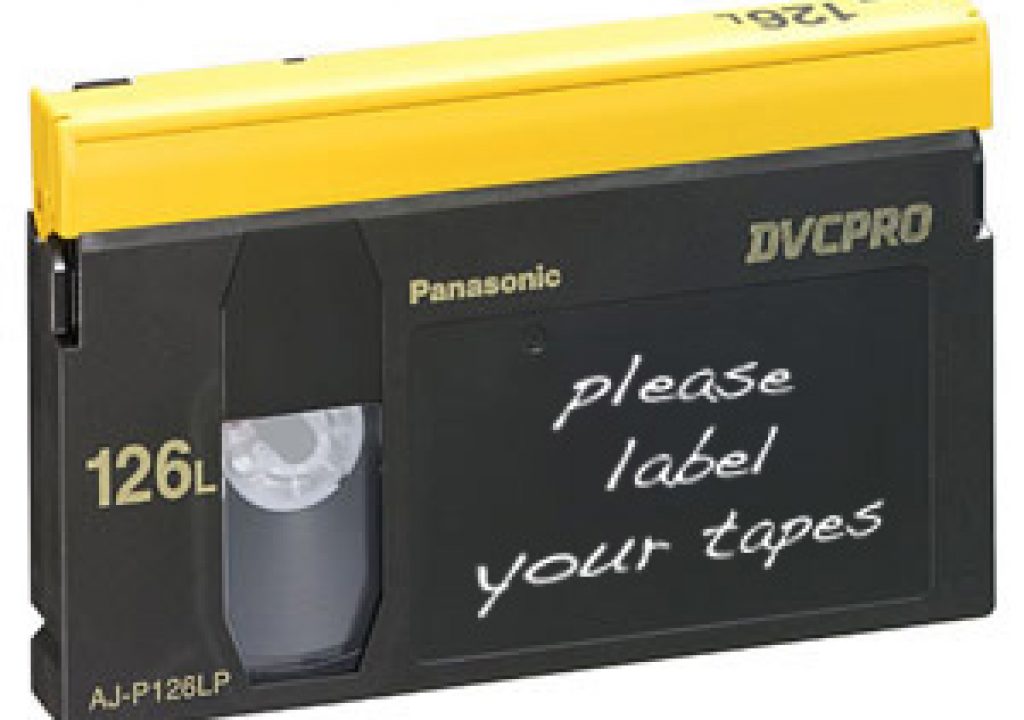
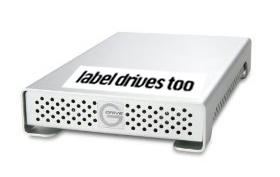
One thing that can make the post-production job easier is to always, ALWAYS, label footage; be it tapes or hard drives or burned data DVDs, with the relevant technical information as to the format and frame rate that was shot. Let me repeat that again: One thing that can make the post-production job easier is to always, ALWAYS, label footage, be it tapes or hard drives, with the relevant technical information as to the format and frame rate that was shot.

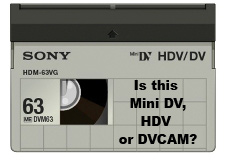
I know it can get hectic on the set and you never have as much time are you need in a shoot day but I can’t stress how important it is for the editor to have some kind of idea of what to expect out of that big box of mini-dv tapes (is it HDV or standard def DV?) or that hard drive (is it RED footage or P2 offloads?) The editor usually knows the bigger picture of what to expect from a shoot, as in is it VARICAM or XDCAM but what we often don’t know are the specifics such as resolution and frame rate. I say frame RATE as you don’t mix different frame rates in the same shoot right? It’s often not as easy as a camera op might think to pop a tape into a deck or mount a hard drive to check these details. And even when you can it’s often not entirely clear as to what was shot. If it is going to be a particularly stressful shoot then at least clearly label one tape or drive the night before and have a PA label the rest upon wrap or delivery of the acquisition materials. If you think about it in this way, what would a DP or camera operator do if they were handed a camera that was encased in a black box where you could only see the viewfinder and a start/stop button? You would hate to shoot that way without knowing what kind of camera and format you were shooting on. In essence that is what you are doing when you hand unlabeled acquisition materials over to an editor. And it only gets worse if we are handed a box of tapes that are of different form factors as that automatically means different formats and a greater possibility of mixed frame rates ... which is another difficult issue entirely. And an unlabeled hard drive is even worse as there’s absolutely no way of knowing what is contained on the platters inside.
image

So with that I’d like to propose a standard list for the labeling of acquisition media:

  • a descriptor of the project
  • date of acquisition
  • resolution w/ progressive or interlaced
  • frame rate
  • acquisition codec
  • camera used
  • contact information for questions
  • notes

So a tape label might look like this:

Fluffo corporate video
6/25/09
1080i
29.97
HDV
Canon HV20
Michael Bey cell 555-1212
director shot 24p

This type of detail would tell me that they were shooting 24p but the camera embeds the 24p in an interlace stream on the tape so it must be extracted to 24p.

A hard drive might look like this:

Bruce Springsteen - Born to Run Again
12/12/09
720p NATIVE
23.98
DVCPRO HD
HVX200 w/ Red Rock adapter
Michael Bey cell 555-1212
P2 cards backed up to drive with ShotPut Pro, drive also includes some Canon 5D b-roll

That tells me exactly about the shoot and immediately alerts me to the hurdle of mixed frame rates with the addition of the Canon 5D footage.

This may seem a bit overkill in the labeling department but the more information the editor has the faster and better he/she will be able to deal with incoming footage, especially if he/she wasn’t involved in the pre-production stage. If that is the case then proper labeling of acquisition footage is even more important.

So I ask, to all of the shooters and camera department personnel out there acquiring footage every day; do your editors a favor and label tapes and hard drives with enough information to make a good decision about your post. You client and their pocketbook may thank you too.


(Page 1 of 1 pages for this article )

                    Clip to Evernote


You must be registered to comment. This is an effort to reduce spam. Please REGISTER HERE.

Alas, Scott I fear you must be dreaming…

Most of the time I feel lucky if there is any label on the tape at all, when I get it!

Posted by John Burkhart  on  06/26  at  11:01 AM


I know what you mean John ... but we can all dream can’t we?

Posted by Scott Simmons  on  06/26  at  11:24 AM


Good letter, Scott, as always.

Maybe the next furtive request for the impossible should be for a comprehensive logging application, ideal FCP/Avid project setup (bins, color codes, clip naming) and then, why not the last of the holy grails of production - archiving.

Tongue firmly planted in cheek,

-J. Curtis


P.S. Oh, that phone number must for the Orange County Michael Bey, not the Malibu Michael Bay.

Posted by J. Curtis  on  06/26  at  11:41 AM


Excellent “open letter”, Scott.  Definitely an industry wide problem.

Here’s what we do to help combat “anonymous” tapes. 

1.  Preprint labels with spaces for the kinds of info you list above.
2. Designate a single person responsible for labeling (usually the lead AC), and let them know it’s a fireable offense to not label tapes.
3.  Have a “camera table” set up in Xcel and available on set for AC’s to log info per tape.
4.  Have a logical numbering system (628A01PVC: June 28th, A Camera, 1st load, PVC show)

Finally, you don’t mention audio configurations.  Sometimes that’s as important as anything else. 

Now that this discussion has started, can anyone from production explain/justify why this kind of labeling is so rare?

Mark

Posted by .(JavaScript must be enabled to view this email address)  on  06/26  at  09:43 PM


I am a cameraman and there have a few times where I did not get to label the tape - but with my background as camera assistant from the film world I know just how important that labeling is.

I think the problem with the small tapes is that there are times where you cannot label the tapes beforehand, partially because you do not know what will be shot, whether the client might bring their own tapes, and you don’t know how many tapes will be needed.

Then there are times where the client just pushes us to shoot a lot of footage in a short time frame. In that case I smack on a sticker with the number, to label the tape at a later point, where there might actually be time to do so. And that moment never appears, the client stresses us to hand over the tapes because there is a plane to catch, blabla. Client promises to do the labeling himself.

I would also suggest to add a category for ratio, and sound.

Your post actually inspired me to make a little .pdf file that cameracrew can print out and stick into the tape boxes. Useful when there is little time - one can siply circle the options. When no pen is at hand, one could even punch the paper, or make creases, or use the tape stickers to mark the option.

Finally I would also add that it would be great to get feed-back from you lovely editors, so that we camerapeople can learn how to shoot better footage for you guys.

Here’s to more co-operation smile

Link to the pdf file: http://visualnary.com/2009/06/28/label-your-tapes-sheet-download.html

I also wrote a little open letter to editors under the same link.

Best wishes and happy editing,

  Martin Weiss
  Cameraman
  visualnary.com

Posted by Martin Weiss  on  06/27  at  05:26 PM


And a tip to those of you who get R3D files from the RED one camera. Just download the excellent - and free - Clipfinder from http://www.daun.ch/software/ , which will give you a lot of meta-data, such as frame rate, frame size, build used, and which Redcode was used.

Posted by Martin Weiss  on  06/27  at  05:36 PM


Great comments. I often ask why tapes aren’t labeled and it’s always the “didn’t have time” excuse. I often find it hard to believe that there isn’t time at the end of a shoot to at least label ONE tape. Even if the client wants to take them away from the shooter would they really flat out refuse to let the shooter take 5 minutes to label one tape? I find that hard to believe too. Most often the shooters just admit they we tired and/or in a hurry and just missed labeling. I hope letter can be a reminder of how important it is.

Posted by Scott Simmons  on  06/28  at  03:15 PM


My motto: an unlabeled tape is a blank tape. If handed a stack of unlabeled tapes I just say, “Thanks ... I need so blank tapes for my project.”

Posted by Rob  on  06/30  at  01:21 PM


That may be the best line I’ve heard Rob .. I am going to use it if that’s okay?

Posted by Scott Simmons  on  06/30  at  09:08 PM


Finally!!!  As an editor, unlabeled and poorly labeled tapes has been the bane of my existence.  But as a former shooter I know how hectic it can get on set so I definitely empathize with the camera crew.  And it doesn’t help that miniDV tapes have so little real estate to write on either.  Hopefully, in the not too distant future they will be gone.  I really like Mike Raudonis’s steps on combating the problem.  I will tell as many people as possible about it.  Although we may never completely irradicate the problem his measures could go a long way towards minimizing the issue.

Posted by Eric Wise  on  07/06  at  09:59 AM


Name:

Email:

Location:

URL:

Smileys

Remember my personal information

Notify me of follow-up comments?

Submit the word you see below:


Q and A with Bunim/Murray’s Mark Raudonis about their recent Avid switch
Kicking the tires on the Final Cut Pro X 10.0.3 Multicam update
Update Alert: Final Cut Pro X goes to 10.0.3
Adobe teases Prelude at the San Francisco Supermeet, FCPUG changes its name
Tangent Element panels are now shipping
Avid Media Composer 6 review online
Update Alert: Magic Bullet Suite 11.2
Update Alert: FxFactory 3.0
The new Fotoshop by Adobé can change the way you look!
Did you know MPEG Streamclip could convert YouTube videos?
New That Post Show: Edit Pro Supergood
Clean those Adobe Media Cache Files
Christmas Gift Ideas for the Editor in Your Life
Kicking the Tires on Avid Media Composer 6
The Adobe Premiere Pro timeline for Final Cut Pro users
Avid Media Composer 6 is announced and it’s moving into the future
All of the Automatic Duck plug-ins are now free
A report on Walter Murch’s talk at the Boston SuperMeet
A lesson learned from my FCPX to Resolve roundtrips
Update Alert: DaVinci Resolve 8.1: FCPX support, lots of little things
A Few Recent Avid Media Composer Finds
A short Q and A with Automatic Duck about their Adobe move
Steve Jobs 1955 - 2011
$995 Final Cut Pro to Media Composer crossgrade ending very soon
Kicking the tires on the Final Cut Pro X 10.0.1 update
You may move your Get license to Boris Soundbite
Detailed demo of the Baselight for FCP7 plug-in
Phonetic dialog search returns as Soundbite from Boris
Some Avid Tools You Might Not Already Be Using
Update Alert: Avid Media Composer 5.5.3 for Lion


To be considered for listing, contact pr (at) provideocoalition (dot) com


Copyright © 2011, HD Expo, LLC a division of Diversified Business Communications. DBA Createasphere

All rights reserved. HD EXPO, High Def EXPO, Createasphere, E-Tech, Entertainment Technology Exposition, 3D Production Workshop, VariCamp, P2 Camp, ColorCamp 101, and Lighting, Filters & Gels for HD are all trademarks of HD Expo, LLC.

Terms of Use  |  Privacy Policy

Check PageRank