(Page 1 of 1 pages for this article )

Sunday, January 30, 2011

Filed under: EditingGentryMedia Sister SitesHDSLRMac CoalitionPost ProductionSoftwareVendor ChannelsAvid

PluralEyes for Avid Media Composer ships and syncs for you

Scott Simmons | 01/30

The must-own auto syncing software originally for Final Cut Pro comes to Avid

image

Singular Software made the announcement just the other day that their flagship product PluralEyes has been released for Avid Media Composer. As we all know PluralEyes is automagic software that “listens” to the audio of clips in an edit timeline and then attempts to automatically sync them. I say attempts but I’ve had great luck with it syncing some very difficult things and the Avid version seems to work quite well. PluralEyes for Media Composer is on sale for $119 until February 21.

If you’ve used PluralEyes for Final Cut Pro then you pretty much know the operation. Stack up all of the video and audio tracks you want to sync into a timeline, export a list, then import that list into PluralEyes and let it go to work. Where PluralEyes for Final Cut Pro uses an XML PluralEyes for Media Composer uses an AAF as its list of choice. It doesn’t roundtrip automatically so after PluralEyes completes its syncing operation you have to then reimport the new synced AAF back into Media Composer.

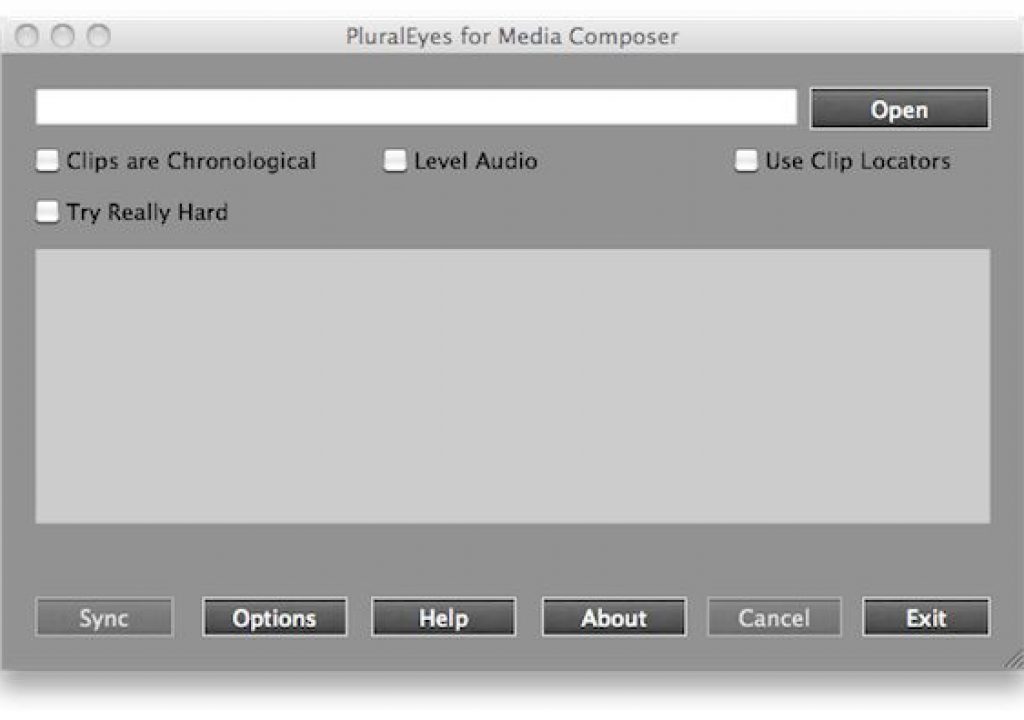
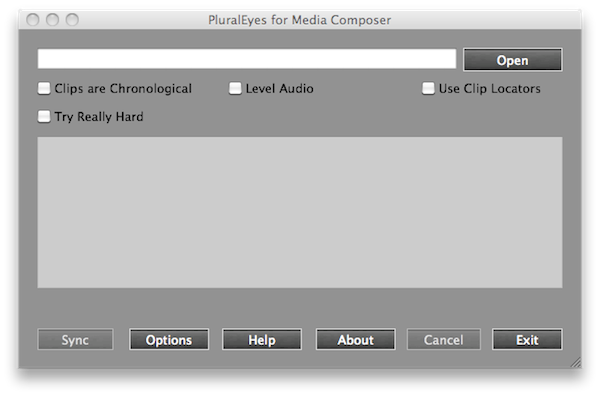
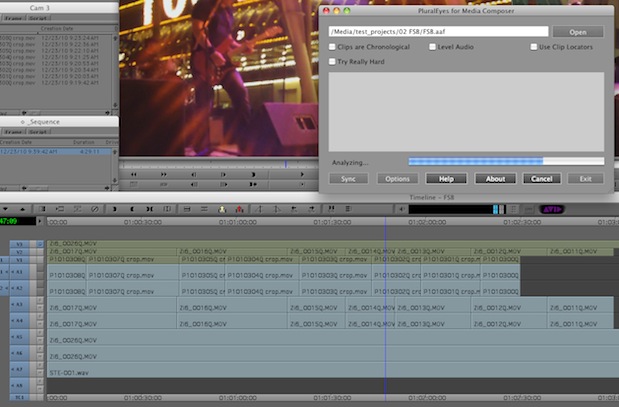
Actual operation within PluralEyes is almost the same as the FCP version. The first thing you’ll notice if you’ve been a user before is the Media Composer version has a larger, darker interface than the FCP version. Options are available in the main window without clicking a button to open a second pop-up window.
image

PluralEyes for Media Composer in the process is syncing a multicam shoot.

The usual options are there including Clips are Chronological (to alert PluralEyes when clips are placed in the order they were shot), Level Audio (helpful if you’ve got source clips of different audio levels), Use Clip Locators (for giving PluralEyes some extra help by placing sync locators in your clips be exporting) and “Try Really Hard” (which tells PluralEyes to … you know, try really hard). More exact details on all of these options are available on the manual page.
image

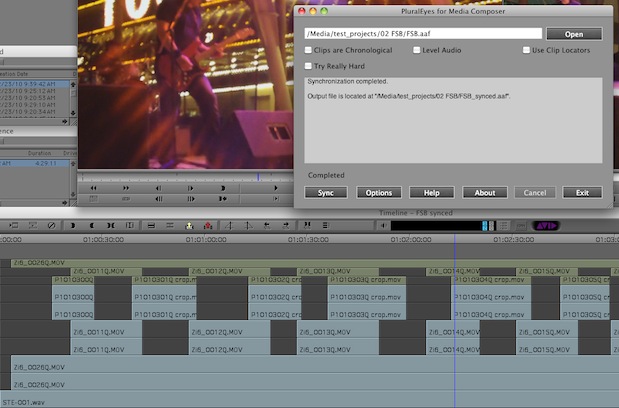
The synced Media Composer sequence after the PluralEyes operation and importing of the new synced AAF file.

What will be missing if you’ve used the FCP version of PluralEyes are options for Single Output Sequence and Replace Audio. I don’t think a single output sequence is relevant with Avid’s AAF protocol as PluralEyes is going to spit out a single AAF which will be a single edit timeline. Replace Audio, which creates new master clips with source video and audio from the double system sound source, would be nice too and that’s being looked at for a future release. This is a version 1.0 release of PluralEyes for Media Composer so hopefully we’ll see more bells and whistles as it gets updated. One great whistle would be for it to create an Avid group clip from your sources like the FCP version does.

It’s also worth noting a couple of “known issues” with the Media Composer version. First is that it won’t work with media that resides on a Unity system. That will be a deal breaker for some.

Second, it only works with native .mxf media. That means if you have all of your clips imported via Avid Media Access (AMA) then you can’t use PluralEyes as you can’t export an AAF from AMA linked media. This is no fault of PluralEyes and is currently an Avid limitation with AMA, which I hope they are going to resolve as AMA matures.

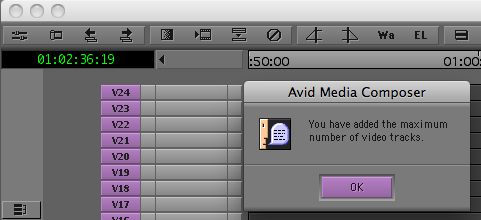
The other hitch I encountered was also not the fault of PluralEyes but rather Media Composer’s 24 video/audio track limit. I was cutting a music video and we had 42 takes of the song. The workaround there was to Pluralize two seperate sequences and then use Auxiliary Timecode to group the clips. This won’t be a limitation for most regular multicam shoots as you probably won’t have more than 24 cameras rolling.
image

Normally a 24 video track limitation probably wouldn’t be an issue but with music video syncing it could be.

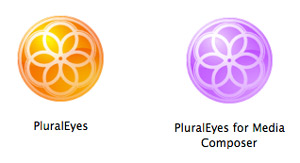
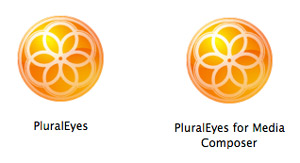
One little thing is that the Media Composer version has the exact same icon as the FCP version so it would be nice if Singular Software would differentiate the Media Composer version’s icon a bit so you’ll know which version is which without having to read the actual name. Seems silly maybe but if you have both applications in the dock (or have them both running at the same time for some reason) there’s no way to see the name without moving the mouse down to the icon itself.
image

Instead of this ...

image

Maybe this?

It’s really great to see Singular Software supporting all of the major non-linear editors. And I mean all as at this point there’s Media Composer, Final Cut Pro, Adobe Premiere Pro and Sony Vegas! There’s also DualEyes which will attempt to sync dual-system sound outside of the NLE. That really covers all the bases. I was asking Bruce Sharpe of Singular Software from the first time I used the FCP version of PluralEyes when they planned on supporting Media Composer so he may have created this version just to halt my nagging. I thank him for that and I think many other Media Composer users will too.

PluralEyes for Avid Media Composer is currently priced at $119 until February 21 (that’s $30 of the regular price).  There’s both a Mac OS version and a Windows version of PluralEyes for Media Composer.  I consider PluralEyes an essential tool in the editor’s toolkit, not because I think editors should be lazy (if you’re new to editing then do yourself a favor and learn to sync WITHOUT PluralEyes so you can do it efficiently when the need arises) but because it helps automate a time-consuming process and gets you to the creative much faster. That’s almost priceless.


 

(Page 1 of 1 pages for this article )

                    Clip to Evernote


The Editing of “Courageous” Part One

Steve Hullfish | 10/14

The off-line edit of a RED feature film

image

Last October, I had the rare opportunity to edit a feature film called “Courageous,” which is in theaters now. “Courageous” was the number one new movie the weekend it opened (September…

Check out a Number of Hardware and Software Options from B&H

Jeremiah Karpowicz | 05/16

Everything you need in one place

image

We grabbed Jerry Zorek, Manager of Business Development at B&H, to learn about what B&H was showing off at their studio booth.  He shows us a Resolve system with the…

Final Cut Pro X Multicam Editing webinar now available on-demand

Scott Simmons | 05/15

Plus a little screencast in this blog post on a topic we didn’t get to cover.

image

I had great fun last week presenting the Final Cut Pro X multicam editing webinar…


You must be registered to comment. This is an effort to reduce spam. Please REGISTER HERE.

I personally waited for DualEyes to come out—despite Bruce marketing it as somewhat of a “second best option”, I find it more useful to sync outside of the NLE. That way I can bring the media to any system I want without having to buy PluralEyes for each one, or to AE etc. which don’t have PluralEyes at all…

Posted by .(JavaScript must be enabled to view this email address)  on  01/31  at  06:04 AM


I’ve been using several beta versions of Plural Eyes on an Avid Unity ISIS system. The first couple of versions put the temporary files on Unity file space and that did not work. The system quarantined the temp files before Plural Eyes were done with them.
Now there’s an option to choose temp folder and since that Plural Eyes has worked fine for me.

Posted by .(JavaScript must be enabled to view this email address)  on  01/31  at  10:38 AM


Where is the option to choose to put the files in a temp folder?

Posted by .(JavaScript must be enabled to view this email address)  on  02/21  at  11:40 AM


It’s under Options -> Working Directory. At least i v2.0.0 (PC).

Posted by .(JavaScript must be enabled to view this email address)  on  02/23  at  11:45 AM


Name:

Email:

Location:

URL:

Smileys

Remember my personal information

Notify me of follow-up comments?

Submit the word you see below:


Final Cut Pro X Multicam Editing webinar now available on-demand
10 Final Cut Pro things FCP editors might be missing in Adobe Premiere Pro CS6
A collection of Avid Media Composer related links for my NAB Migrating to Avid class
An elegant iPhone timecode calculator
Random notes from my first “real world” Adobe Premiere Pro CS6 edit
NAB 2012: SpectraCal
NAB 2012: Apple and Final Cut Pro X
NAB 2012: Lightworks
NAB 2012: Baselight for Avid Media Composer
NAB 2012: Quantel new Pablo and Neo Nano
NAB 2012: Promise Technology’s portable Thunderbolt J4 and J2
NAB 2012: NewBlueFX Titler Pro
NAB 2012: PluralEyes 3.0 from Singular Software
NAB 2012: Technicolor CineLights from the GoPro booth
Autodesk Smoke 2013: it really changed for the better
My top 5 (or so) Adobe Premiere Pro CS6 features
How to preview Avid Media Composer’s MXF files for free without Media Composer
My NAB 2012 Post|Production World classes
Baselight for Final Cut Pro is one of the most powerful legacy FCP grading plugins ever
ARRI’s DNxHD Alexa update, Sorenson Squeeze Pro and OP this, OP that
What’s happening at NAB 2012?
The C300 short Hustle and some before and after images
Tip Tuesday: Disable a clip in the Avid Media Composer timeline
Testing the 7toX Final Cut Pro 7 to Final Cut Pro X conversion
Q and A with Bunim/Murray’s Mark Raudonis about their recent Avid switch
Kicking the tires on the Final Cut Pro X 10.0.3 Multicam update
Update Alert: Final Cut Pro X goes to 10.0.3
Adobe teases Prelude at the San Francisco Supermeet, FCPUG changes its name
Tangent Element panels are now shipping
Avid Media Composer 6 review online


The Editing of “Courageous” Part One

Steve Hullfish | 10/14

The off-line edit of a RED feature film

image

Last October, I had the rare opportunity to edit a feature film called “Courageous,” which is in theaters now. “Courageous” was the number one new movie the weekend it opened (September…

Check out a Number of Hardware and Software Options from B&H

Jeremiah Karpowicz | 05/16

Everything you need in one place

image

We grabbed Jerry Zorek, Manager of Business Development at B&H, to learn about what B&H was showing off at their studio booth.  He shows us a Resolve system with the…

Final Cut Pro X Multicam Editing webinar now available on-demand

Scott Simmons | 05/15

Plus a little screencast in this blog post on a topic we didn’t get to cover.

image

I had great fun last week presenting the Final Cut Pro X multicam editing webinar…

Editing and Effects Together in One Editor Part 2

Brian Mulligan | 05/15

The NLE revolution isn’t over… Enter Autodesk Smoke for Mac

image

Editing & Effects All-In-One
Autodesk has always been known for the strength of their effects and image processing tools. The tools in Smoke have been used in everything…

To be considered for listing, contact pr (at) provideocoalition (dot) com


Copyright © 2012, HD Expo, LLC a division of Diversified Business Communications. DBA Createasphere

All rights reserved. HD EXPO, High Def EXPO, Createasphere, E-Tech, Entertainment Technology Exposition, 3D Production Workshop, VariCamp, P2 Camp, ColorCamp 101, and Lighting, Filters & Gels for HD are all trademarks of HD Expo, LLC.

Terms of Use  |  Privacy Policy

Check PageRank