Preview can do a lot more than just open PDFs


Quicktip #20 (February 20, 2009) Using Preview to annotate images
As much as I love ImageWell for quick annotations of images without the overhead of a Photoshop launch, you can do a lot of the same stuff in Apple’s Preview application. Just right click on the top of a window and choose Customize Toolbar (or choose View > Customize Toolbar) and drag the Annotate bubble into the toolbar and you will now have rectangles, circle, arrows and text tools to annotate an image:
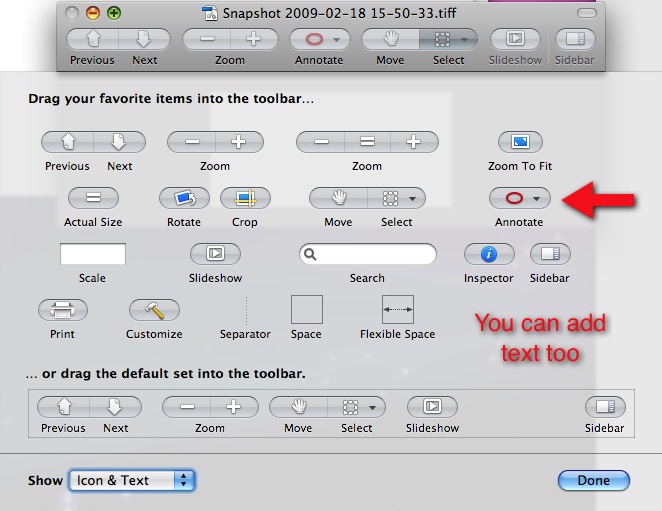
If you notice there are a lot of other tools in there as well like crop and rotate. .
Support ProVideo Coalition
Shop with


Filmtools
Filmmakers go-to destination for pre-production, production & post production equipment!
Shop Now