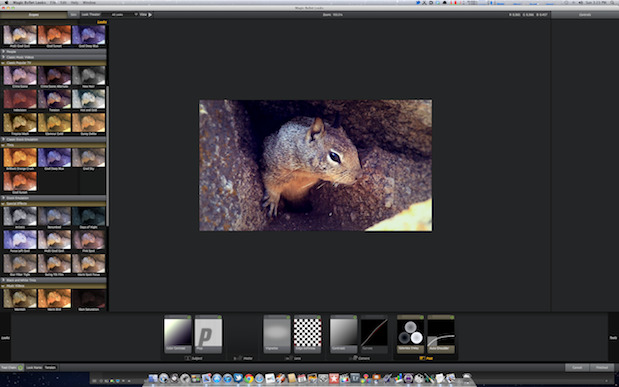
Avid Media Composer 6 support for Magic Bullet Looks is the big highlight

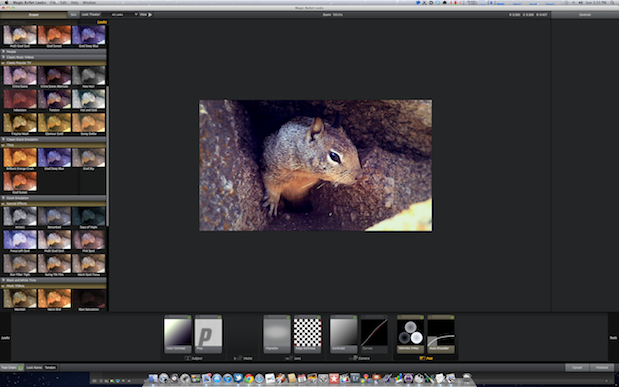
Red Giant Software must have been doing some work over the holidays (that or they’ve had a busy 2012 thus far) as just over week ago we saw an update to Magic Bullet Suite. Beside offering full Mac OS X Lion compatibility the big news is that Magic Bullet Looks now runs in Avid Media Composer 6.
For Avid users this is big news. Besides the fact it gives Media Composer 6 a great new supported plugin, first and foremost it’s at least one other color grading option inside Media Composer besides the built-in color tools.
You certainly can do some fine color correction work with Media Composer’s Color Correction mode as there’s a lot of shows you watch on tv that are graded right inside Avid (though they are often finished on Symphony). But there’s so many great 3rd party color tools it often feels like a limitation when there’s so few available for Media Composer.
Magic Bullet Looks is a stalwart of the post production plug-ins world. It has been around for a long time and provides unique tools with a unique interface to produce some really cool looks.
Media Composer operation is simple: Apply the effect from the Effects Browser, open Effects Mode and click Edit Look…
The Magic Bullet Looks application launches and the interface opens. I won’t get into how you use MBL (try some of Red Giant Software’s tutorials for that) other than to say it is a lot of fun and you can spend hours experimenting.
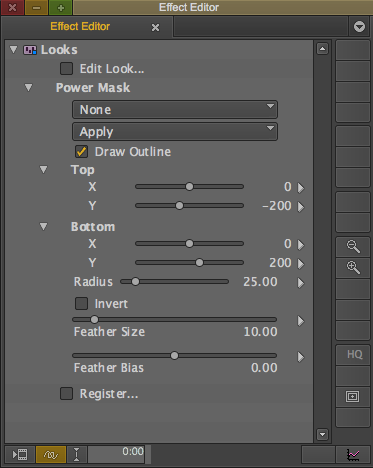
Once the look is built you can then use the different masking options in the Avid Effect Editor to further refine the correction and how it’s applied.
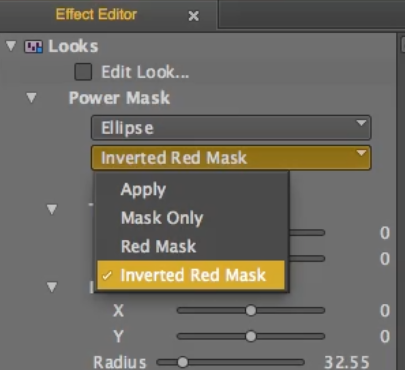
The Magic Bullet Looks masking controls allow for refinement of exactly how the effect is applied.
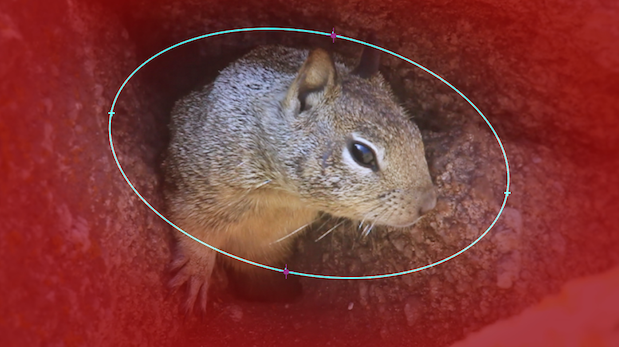
A red mask makes for easy setup of windows.
It is possible to keyframe the corners of the mask so you can animate a mask over the entire shot. It would be REALLY nice if Media Composer’s built-in Tracker was available within the Looks effect but it isn’t. That would be really, really nice come to think of it so maybe that can be added in the future.
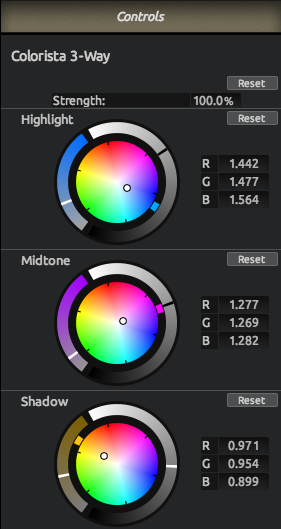
I really wish that Colorista II was supported on Media Composer but until it is I guess the Colorista 3-Way inside of Looks is as good as we’ll get:
It’s also worth noting there is a great assortment of scopes within Looks and they update interactively as you adjust parameters within the Looks interface.
t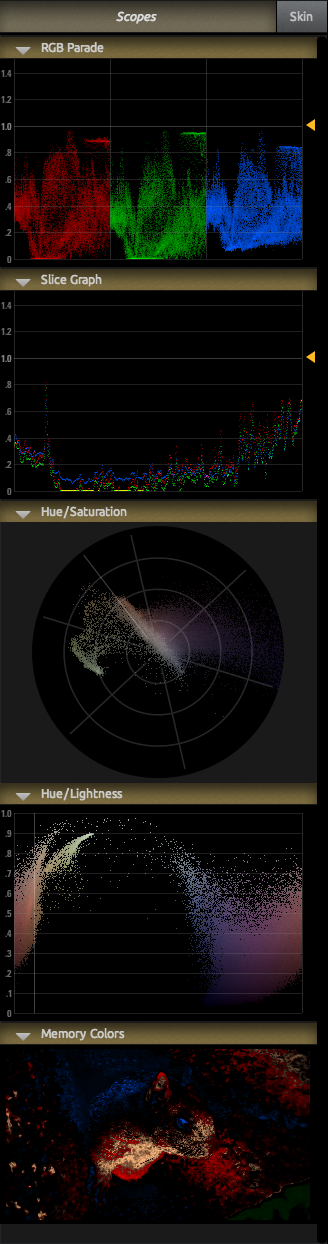
The only issue I noticed is that the Use External Video option still doesn’t work when Looks is launched from within a host application. This is most likely because the NLE has a hold on the video card and I guess Looks can’t wrestle that away. If you launch Looks on its own and import a still image the Use External Video does work but that doesn’t help very much because you want to use Looks within the NLE.
An installer for everything
Red Giant Software provides one installer for Magic Bullet Suite that supports pretty much every post-production tool you might have installed on your Mac (though every part of the Suite might not be available in all applications, like Looks in FCPX). Just take a look at this install option:
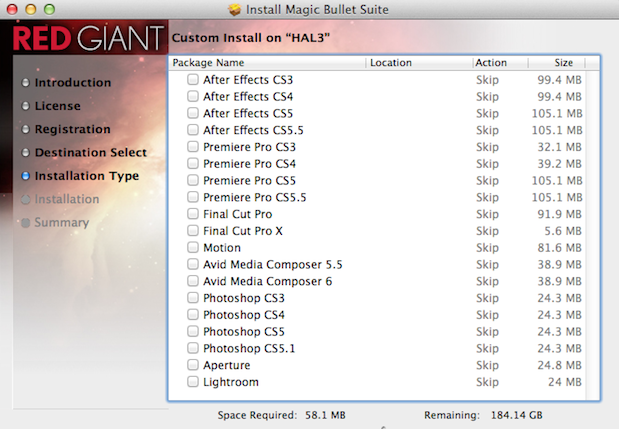
If you’re crazy enough to have that many applications installed on one partition then you can install them all with a single purchase / serial number. More than likely you’ve got separate boot partitions between something like Avid, Adobe and/or Apple. I’ve never read the fine print of Red Giant’s licensing agreement as far as boot drives go but installation between boot drives seems to work fine as well. It’s things like that that make me love a company like Red Giant Software a little bit more than others. Now if we can somehow just get Colorista II working inside Media Composer we’ll be all right 😉
Here’s the bullet-point list for Magic Bullet Suite 11.2:
- All Magic Bullet products are now fully compatible with OS X Lion.
- New 2011 releases include Cosmo cosmetic tool, full-featured Looks 2 upgrade, and Grinder 1.5 upgrade.
- Free MBS 11.1 update includes helpful fixes for Looks 2 and Colorista II, along with Looks 2 compatibility for Sony Vegas Pro.
- Already own MBS 10? Get a discounted upgrade to MBS 11, which is packed with more tools & greater savings. Upgrade details
- Easy installation! Save time and effort with a Single Suite installer that uses one serial number for all products.
- Looks 2 now features Red Giant Link, our new updater that notifies you of free updates and upgrade availability.
There’s 8 products included in the Magic Bullet Suite:
- Magic Bullet Colorista II
- Magic Bullet Cosmo
- Magic Bullet Frames
- Magic Bullet Grinder
- Magic Bullet Instant HD
- Magic Bullet Looks
- Magic Bullet Mojo
- Magic Bullet PhotoLooks
- Coming soon: Magic Bullet Denoiser II
You can get more details at the FAQ and even download a free trial. Price: $799. There’s also upgrade and academic pricing available
UPDATE 12-28-2012.

This little item was brought to my attention after I posted this update alert a few days ago. It’s called the Red Pledge from Red Giant Software and it’s a little pledge to their customers:
- 30 day money back guarantee, always!
- Get all host applications and operating systems versions for one price.
- Free phone, email and online chat support.
- A two-computer license – one for your workstation and one for your laptop.
- Rock solid products – we triple-check everything before shipping.
- Easy Upgrades – ALL previous versions qualify for an upgrade to the latest.
I think those bullet points are pretty self-explanatory. As a customer I like that kind of pledge.


Filmtools
Filmmakers go-to destination for pre-production, production & post production equipment!
Shop Now








