

Filmtools
Filmmakers go-to destination for pre-production, production & post production equipment!
Shop NowThese handy utilities can never be more than a click or tap away

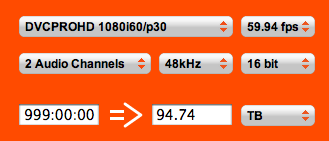
It’s one of the questions I get asked more often than most: How much drive space do I need to hold [insert media format and time here]? At one point I tried to keep some rough numbers in my head, as in way back when DV25 was about the only format and resolution to worry about, but these days with all of the different resolutions and frame rates it’s way more information than I care to remember. But fear not as there’s many different places in which to find video storage space calculators. Web based, widget based and iPhone based … read on for a round-up.
VideoSpace
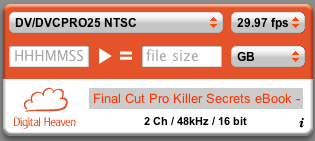
The first one that has to be mentioned is the grandaddy of them all (I say grandaddy as it’s the first one I discovered and seems to have been around longer than most) VideoSpace from Digital Heaven. VideoSpace is a dashboard widget for Mac OSX that calculates most all of the popular formats without needing an Internet connection. There’s also VideoSpace Online which does the same thing but via a web browser on your desktop and via Safari on your iPhone. Add VideoSpace Online to your iPhone home screen and get easy access. The one thing VideoSpace is missing is support for Avid DNxHD codecs but since Digital Heaven is more of a Final Cut Pro centric site we can let that one slide. I do hope they will be adding the new FCP 7 Pro Res codecs very soon.
Footage Calculator
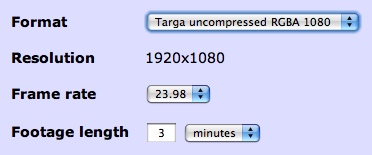
The other great web based footage calculator is Footage Calculator from Digital Rebellion. This is one of the best footage calculators on the web just from the sheer number of codecs and formats supported. The list is so long I put an image at the end of this post from the Footage Calculator pop-up. And there is an iPhone version too. I was looking for calculation for tiff sequences the other day and contacted Digital Rebellion’s Jon Chappell via Twitter and asked about this support. Tiff support has been added but I think we still need 2K and 4K sizes for the tiff (and DPX would be a nice addition too) sequences since they take up so much space.
AJA
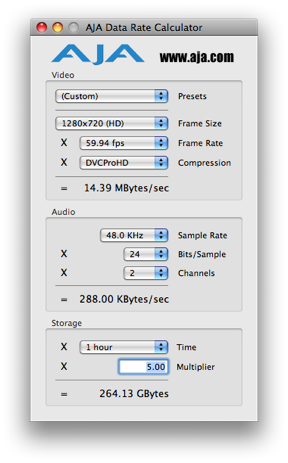
If you have an AJA card such as a Kona then you probably have the AJA Data Rate Calculator utility installed which is part of your driver package. This will reside in your AJA Utilities folder and features a decent number of codecs as well. I wonder of BlackMagic or Matrox supplies something similar with their products?
Codec Calc for FCP
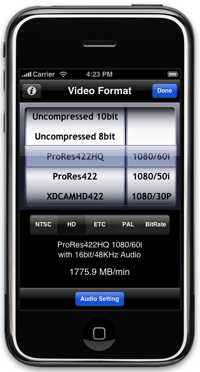
If you’d like an iPhone app that doesn’t require Internet access to operate (unlike the web-based solutions mentioned above) then Ptarmigan Designs makes one called Codec Calc for FCP. It has a nice elegant design and might save some frustration when trying to make a quick calculation when you are on the slower AT&T Edge network. The app is $1.99 (iTunes store link) and there is also a free version available as well (iTunes store link) that has a limited number of codecs.
iSee4K
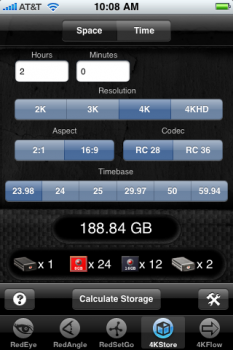
If the RED camera is your weapon of choice then you must have the iPhone app iSee4K. It’s the Swiss Army knife of all things RED. Of interest to this article is 4KStore – a storage calculator for REDCODE footage that allows the selecting of different resolutions, frame rates, aspect ratios and data rates. You also get utilities for depth of field, field of view and lens equivalence among other things. That’s quite a lot of stuff for free so if you use it to its fullest potential then consider donating.
These are all great (and mostly free) solutions to calculate how much hard drive storage you need for a given video format. And they are all Mac-based so it you have any good PC solutions (of course any operating system can use the web-based options) please link to them in the comments below. Also, if I’ve missed any others please comment on them below as well. I expect all of these tools will be adding support for the new ProRes codecs that were introduced with Final Cut Pro 7. This will be greatly appreciated as ProRes data rates now vary greatly from the offline ProRes 422 (Proxy) up to the new super-codec ProRes 4444. When working with these formats you might be using the codecs calcs more than ever.
Below is the format pop-up menu from Digital Rebellion’s Footage Calculator. That’s a lot of codecs: