If only through a hack or some money spent

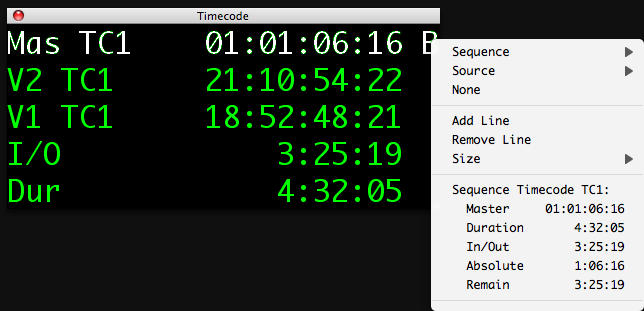
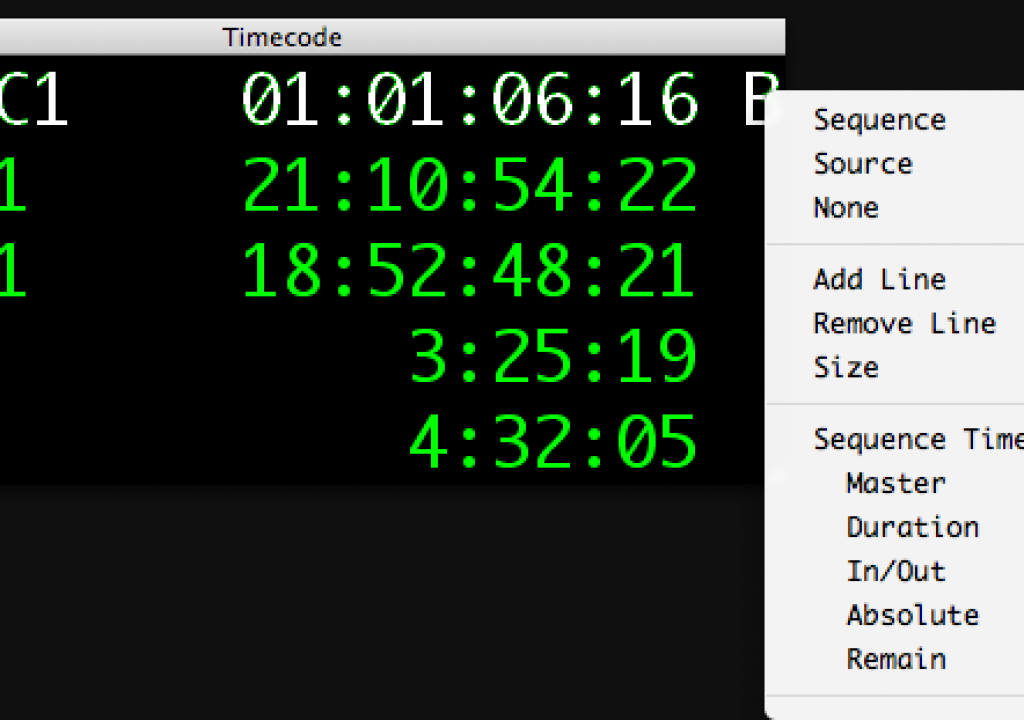
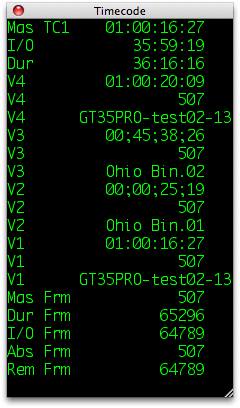
Avid Media Composer has long had a handy little tool called the Timecode Window. Accessed via Tools > Timecode Window it is a floating pallette with great customization capability. You can resize the font, position the window anywhere you want and most importantly, add many different types of data to each of the lines. You can also add line after line after line of info. I don’t know how many you actually add but when I got to 20 lines I stopped adding them. You are able to add information like the Master Timecode of the edit sequence, source timecode of any of your video layer, In to Out durations, time remaining, as well as footage and frames in any number of frame rates. It’s a very powerful tool that Final Cut Pro doesn’t have the equivalent to. But there are a couple of way to at least get a window with the running master timecode of the edit sequence.
The first method is through a bit of a hack, albeit a very clever hack, that popped up on the Station in the Metro blog the other day. It’s clever in the sense that it uses a little application called ARTIS Screen Loupe to magnify a selected portion of the screen in a floating window. Choose the sequence timecode and you have a large timecode window:
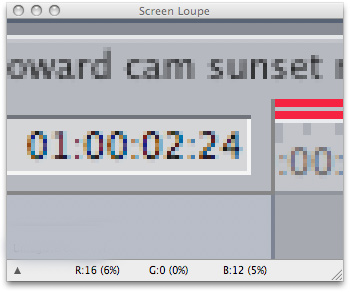
I don’t want to repost the whole blog post where I found this great tip so click over to the original post and read about it there. I will say that it’s nowhere near perfect a solution but it does work in a pinch. The biggest problems are that it’s a bit choppy on the updating and the little loupe app itself uses quite a lot of system resources. Second only to Final Cut Pro among open programs in the test I ran.
A more elegant, although more expensive, solution is an application from Digital Heaven called Big Time. Big Time has been around for a while but it is always worth a reminder that it is available. It cleverly uses FCP’s support for MIDI control surfaces and displays the floating window that reflects the timecode from the Viewer or Canvas. From the Digital Heaven website:
BigTime is a floating timecode display for Final Cut Pro (v5 or later). An indispensible tool for client viewings (and ex-Avid editors), BigTime displays the current timecode on a resizable window. No more squinting required!
Please note that due to Final Cut Pro limitations, BigTime only displays timecode from the Viewer or Canvas and not when capturing clips, printing to video or editing to tape.
This is what you get after installing Big Time:

As you can see Big Time is much easier on the eyes between the two solutions outlined above. But at $49.00 it’s not free. ARTIS Screen Loupe is shareware but you will get a lot of registration reminders so if you like it it’s worth paying the $9.95 for the whole Screen Tools suite just to get rid of the notices.
Now I am fully aware that you can press option + z to show Timecode overlays in Final Cut Pro but that’s not anywhere near as useful and professional tool as Avid’s Timecode Window. Maybe a future version of Final Cut Pro will add a truly functional timecode window where you can do something like this:


Filmtools
Filmmakers go-to destination for pre-production, production & post production equipment!
Shop Now