

Filmtools
Filmmakers go-to destination for pre-production, production & post production equipment!
Shop Now
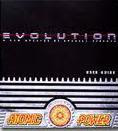
Most shattering in AE is done with Shatter, an older 8-bit per channel plug-in that ships with After Effects. Originally developed by Brian Maffitt under the Atomic Power banner, Shatter is mostly used for shattering glass, walls, puzzles, and so forth, but also used to generate 3D text or shape blocks.
 It’s fairly easy to generate text quickly with Shatter, as shown in numerous tutorials like Creating 3D Extruded Text by Aharon Rabinowitz and Extruding 3D Text & Shapes 2: The Shatter Method from Andrew Devis. The initial results are limited, though you can help to sell it with enhancements like adding subtle textures strategically, a stroke layer, Bevel Alpha (or some stylize or displace filter), lighting effects, or maybe a scale-down to smooth edges. For a survey of methods to generate text in AE, see Creating 3D Text in After Effects here on PVC.
AE Help has details and tips on using Shatter, but the mother lode was posted last year when Total Training opened the vault to free a comprehensive tour of the Shatter plug-in by Brian Maffitt. Although Shatter has been updated to use Comp Cameras, the interface of the plug-in is essentially the same.
The belly of the beast is custom Shatter Maps that allow user-defined fragments or particles, a topic covered by Brian in videos 4 and 5. Here’s Brian with a 45-minute intro; you can catch the other 5 parts in Favorite videos on the Total Training YouTube Channel:
 But wait, there’s more. It’s been a more than a dozen years since Shatter training appeared on VHS tape. Shatter has since been rediscovered in a way and integrated in more ambitious tutorial projects, probably because of the need to destroy vampires, zombies and other monsters.
Ok, not exactly, since Design a Breathtaking Body Shatter Effect by Lloyd Alvarez was inspired by Coldplay’s “Viva La Vida” (clarifying that the Shatter map sample is only frame 1). That in turn inspired After Effects: The Dark Knight by John Dickinson. Later, Rob Mize used the physics of Shatter to animate Shatter text, and Angie Taylor had two tutorials on Digital Arts Online. Andrew Kramer also used the Shatter plug-in in a unique way to build a Procedural Crumble to etch into stone.
Jesse Toula explored Custom Shatter Maps for the Shatter effect, finding that Shatter maps do not ignore black, they ignore transparency. He also discovered that Cyan, Magenta, Yellow, Blue, Green, Red, White, and Black are the only important colors to consider when making a Shatter map, and anything else will be “clamped” to those colors inside Shatter. You can turn off “interpolate palette” in Colorama to force the primaries in the shatter map, which will give you an excellent visual preview of the results. Here’s his tutorial:
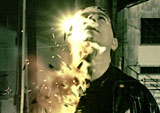 Some of the later tutorials don’t use the Shatter plug-in at all. Disintegration by Andrew Kramer uses humor, displacement, turbulence, and the built-in Particle World filter. Another Video Copilot tutorial, Shatterize, used CC Pixel Polly instead of Shatter, and in a more complicated way than Brian Maffitt did in his original Pixel Polly/Scatter demos using multiple instances of the filter.
More shattery tutorials have appeared, including Creating True 3D Text in After Effects with Shatter by VinhSon Nguyen. A newer non-Shatter-effect is Voronoi Shatter, an AE script.
Yet another method is using the Scatter and Displace properties in Video Copilot Element 3D to create real animated 3D fractured objects; see Andrew Kramer demo this feature in 128. Element Animation Engine. There’s free presets for this available from Aharon Rabinowitz in Free Shatter Object Presets for Element 3D (he has another tutorial showing you how to create your own objects). VFXer.com is offering free pre-shattered 3D models in How To Shatter Or Fracture 3D Models For Use In Element 3D. Here’s Andrew (skip to 20:50) and Aharon:
A new Shattered Glass Tutorial in Adobe After Effects was posted by Evan Abrams.
“Oh Yeah!” for some real-world shatters, here’s what shattering glass looks like at 10 million frames per second (size matters), Tempered and Plate Glass Breakage, and Pains of Glass – Guinness World Records® Gone Wild: