There’s a lot packed into the upgrade. It’s not perfect but it makes a big leap forward.

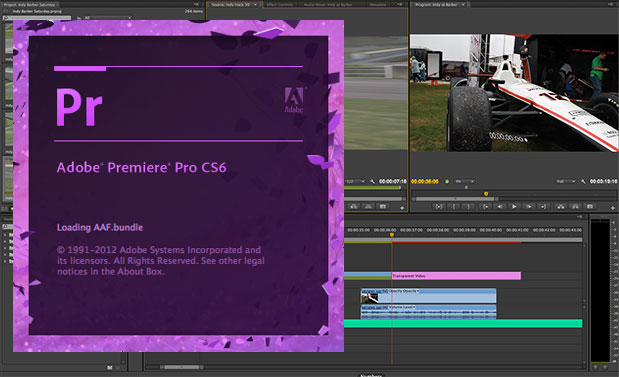
The cat is out of the bag on the Adobe CS6 Production Premium. It isn’t shipping yet but I’ve been able test out some of the CS6 products for a few weeks now. While there’s big additions and changes in the entire Creative Suite my first and main focus was to see just how Premiere Pro has changed, what new features have been added and what hasn’t been addressed as of yet. Overall, Adobe continues to make Premiere Pro a better product that will let you “edit your way“. It isn’t perfect (no NLE is perfect) but it’s a lot better than 5.5 … and 5.5 was pretty good itself. Here’s my top 5 (or so) features in Premiere Pro CS6 and a couple of comments on what is still missing. Please forgive some wonkieness on PVC if you’re not seeing certain images as we’ve been having some server issues recently that they are working to fix. A reload of the page might help.
What’s new in Premiere Pro CS6
There’s a couple of big additions that is going to make working with Premiere Pro much better. Not just things that will make life easier but big product improvements overall. Adobe is looking squarely at its competitors for some of these features. Adobe is also looking to make Premiere Pro the “Photoshop of video.” That’s a very lofty goal but one they now seriously focused on with Premiere Pro CS6. Some might call certain Premiere Pro CS6 features a rip off of its rivals. I think that’s fine as I want to see all the NLEs rip off and expand upon useful features from the others as long as they continue to innovate as well. It makes the editor’s life a bit easier. Oh, and things seemed pretty stable while I’ve been using it. So that’s a plus.
Better broadcast monitoring
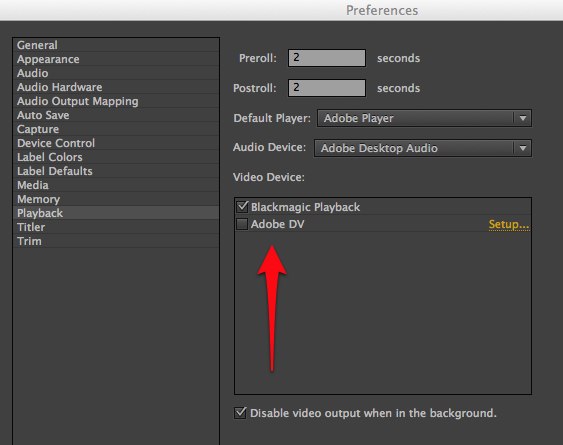
See that image above? That is a total revamp of how Premiere Pro CS6 handles broadcast monitoring and third party video hardware support. Gone are the days of having to pick a 3rd party sequence preset to view edits on an external client monitor and gone are the days when playback randomly stops and performance is such that it is unusable. This is now built into a universal preference that works for the application and not for a sequence. I was able to test both Blackmagic and AJA products and performance was quite good with the beta drivers (much better than broadcast monitoring in Final Cut Pro X).
Hover Scrub
Everyone is going to say that Premiere Pro CS6’s great Hover Scrub feature is just a rip-off of Final Cut Pro X’s skimming. I say it is not. Skimming is more than just a quick (and nice) way to scrub footage, it’s also designed into the new way you edit in an FCPX timeline. Adobe’s Hover Scrub idea has its roots in Avid Media Composer.
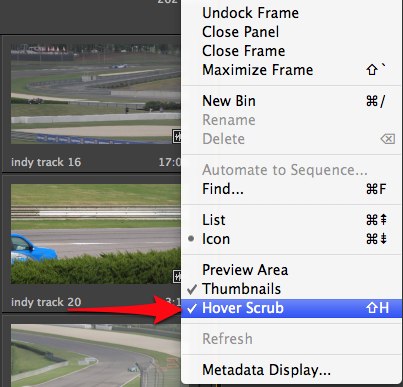
Hover Scrub can be toggled on and off in the bin via shift + h.
Avid has long had a little used feature called Edit from Bin as well as the ability to play and JKL scrub media from the thumbnail view in a bin. Adobe has added something similar with Hover Scrub. Set the view to Icon View and turn on Hover Scrub and as you scrub the mouse over thumbnails they will scrub to view what is in the clip. It is my understanding Premiere Pro CS6 isn’t writing lots of tiny thumbnail files but rather you are scrubbing the real media. A fast media drive is always helpful no?
Take that one step further: single click on a thumbnail and a yellow scrubber bar appears at the bottom. You can then drag the little playhead or JKL scrub the clip. There’s also the ability to mark IN and OUT points and edit directly to the thumbnail from the bin. Yes that is FCPX like in operation but Media Composer did this first. Overall I prefer Adobe’s way of doing it if I could have only one.
The above video shows Hover Scrub in action. Notice the little yellow timeline below the clips and the IN and OUT points being set. I look forward to using the Hover Scrub.
Trimming
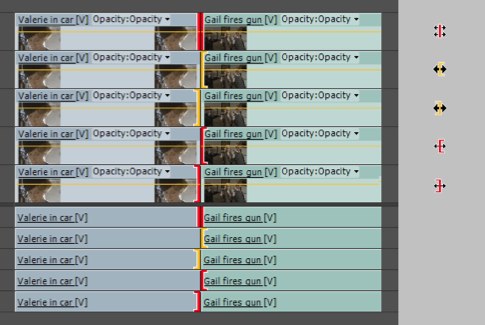
Above is a few of the new Trim icons from the documentation I have.
It’s clear Adobe has Media Composer editors square in its sites when you take a look at trimming. There’s yellow Ripple trims and red Roll trims and rather complex Asymmetrical trims all possible now right in the timeline. You can click and drag to make the trims happen or use a type of 2-up trim view playback window in the Program monitor. You don’t get Avid’s little white trim playhead in the timeline but you can do some fine trimming work in Premiere Pro CS6.
The above video from retooled.net goes into some trimming detail but there’s a LOT more to be learned.
Slip and slide trims are possible as well. Adobe’s new trimming is complex and can be difficult to master. You will get “Trim Blocked” warnings as you’re trying to understand it. You might get frustrated as you try to get how it works and figure out all it can do. FCP editors who stick with it will be rewarded with trimming techniques that were unheard of in FCP7. Avid editors will wonder what the fuss is about. I’m still trying to understand all it will do and how it will do it and I look forward to reading the documentation. And if you’re thinking this new trimming kinda acts like Media Composer’s Smart Tool then you’re kinda right. I thought the same thing but it’s not exactly like it. Many Avid editors didn’t welcome the Smart Tool. I can’t image Premiere Pro editors not welcoming this new way to trim.
Dynamic Trimming is there as well (as in JKL playback to make a trim). The documentation I have says “please note this features is currently ‘under construction’” so it should be better by the time Premiere Pro CS6 ships. As I mentioned you don’t get Avid’s timeline feedback while Dynamic Trimming but it is there and kinda working. We’ll all be watching to see how this improves.
Cleaner interface
The Source monitor in Premiere has gone from this in CS5.5:
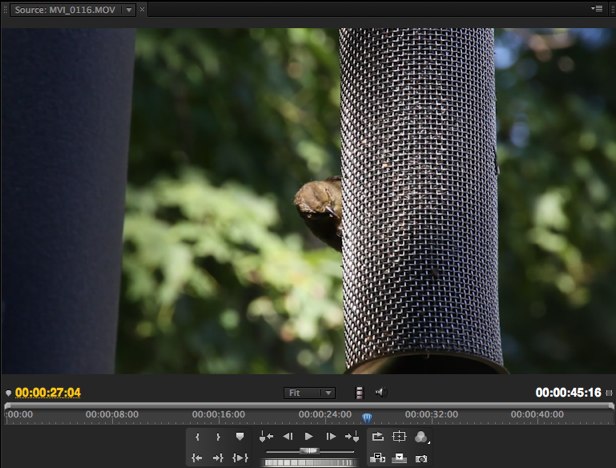
To this in Premiere Pro CS6:
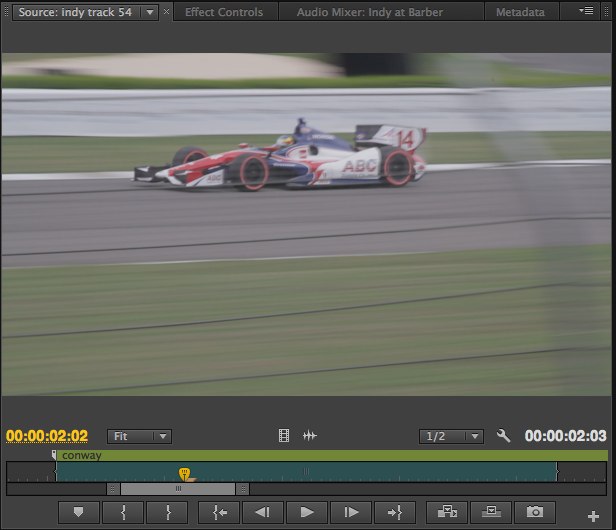
That is a much cleaner interface that’s easier on the eyes as well as the mouse. Gone is the dead space and those transport controls that very few people actually use on a regular basis.
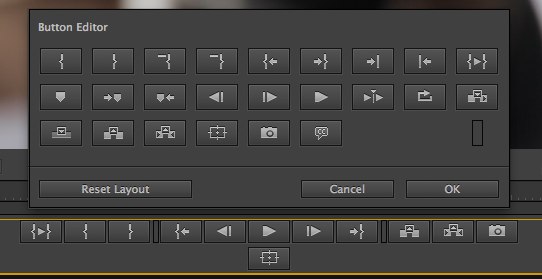
The buttons are now customizable via a Button Editor as well:
Effect improvements: Adjustment Layers and Warp Stabilizer
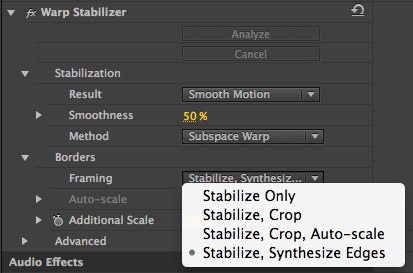
We’ve all come to love the Warp Stabilizer that was introduced in After Effects 5.5. Now that makes an appearance right in Premiere Pro CS6 under the Effects menu (plus you can double click to apply an effect instead of having to click and drag):
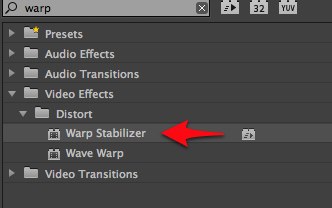
It works well, just like it does in After Effects. It will analyze the image in the background so you can keep working.
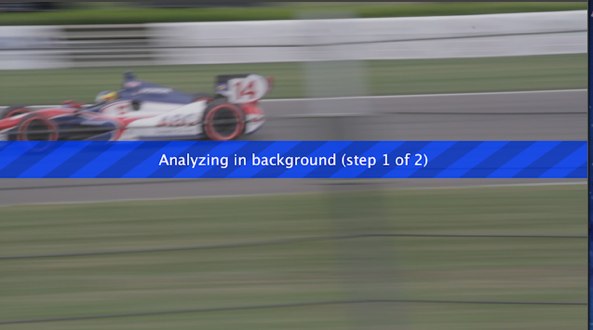
When it’s done there’s the usual smattering of options for tweaking the stabilization including those cool ones like Subspace Warp and Synthesize Edges. If you’ve used Warp Stabilizer in After Effects you’ll be right at home with it in Premiere Pro CS6.
Expanding on enhanced effects is a new Adjustment Layer option that can be added just like a clip in the timeline.
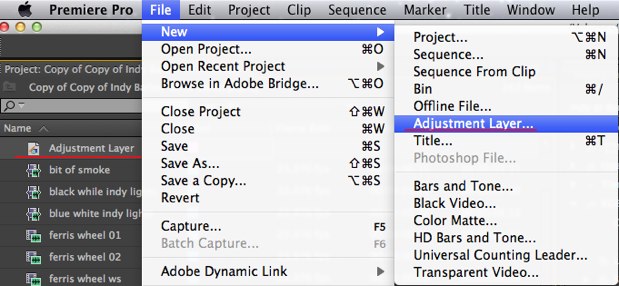
Edit that Adjustment Layer into the timeline and you’ve got a new clip that can affect everything under it with whatever effects you apply to the Adjustment Layer. Unlike a Transparent Video clip (that PPro has had for a while) the video under the layer is changed not just what is applied to that Transparent Video clip. If this sounds like adding effects to Filler in Avid Media Composer then you’re right … it’s very similar.
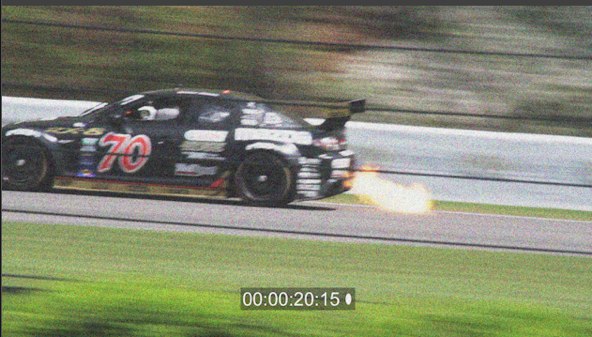
This whole edit used an Adjustment Layer to apply an RGB curve, noise and a timecode burn-in.
And here’s the Adjustment Layer in the timeline:
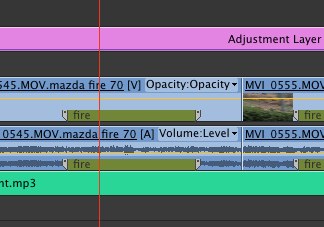
If you look closely at the clip above you’ll notice a marker in the clip called fire. Don’t get all excited that Premiere Pro CS6 has great new clip marker capabilities as that marker was added in Adobe’s new logging, ingesting and rough cutting app Prelude. It’s an interesting application to add to the suite and will probably find some real usefulness but it’s a tale for another blog post.
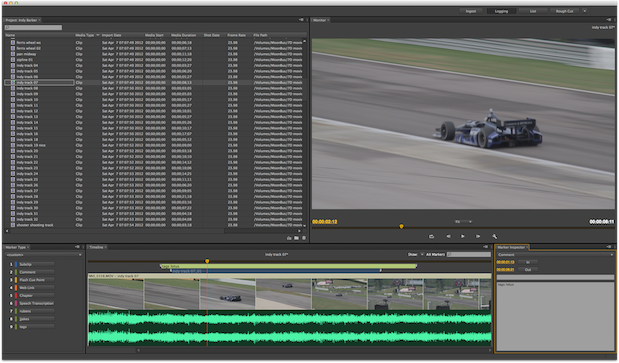
Adobe Prelude. A simple logging and transcoding and organizational application. Perfect for an assist or a director/producer.
Premiere Pro CS6 is a big upgrade with some fantastic features. Those engineers at Adobe have been listening. It’s not all wine and roses as media management hasn’t been addressed which means Premiere Pro CS6’s is still like that of Final Cut Pro 7: not very good. That reconnection dance sure can be a pain when wading through all the funky native media files names from things like XDCAM and AVCHD. Plus the Keyboard Shortcuts editor still sucks. How can you have a Keyboard Shortcuts editor that doesn’t provide a top down view of the keyboard? I would have thought that would be priority one when trying to win over other NLE converts. But thankfully CUDA acceleration still screams and Dynamic Linking is still there. I have yet to dig into audio improvements. For more information check out the Premiere Pro CS6: what’s new and changed document from Adobe. Hopefully we’ll get pricing and shipping info soon
Speaking of Dynamic Linking click over to page 2 for just a little bit of info on SpeedGrade.
Oh, and what about SpeedGrade? It’s there in the Production Premium suite. It’s not integrated with full Dynamic Linking so you have to use the Send to Adobe Speedgrade menu command.
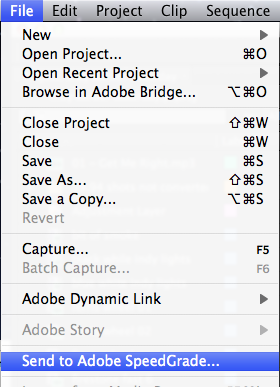
And then it’s off to the races.
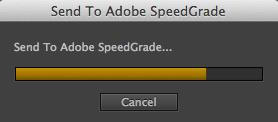
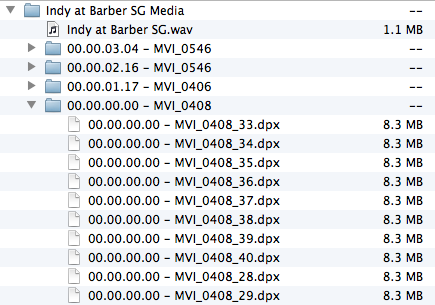
It does feel a bit tacked on right now as the suite will make a DPX sequence out of the edit for grading in SpeedGrade. But what little testing I was able to do saw it working for a very simple edit without anything tricky.
And then there’s the interface:
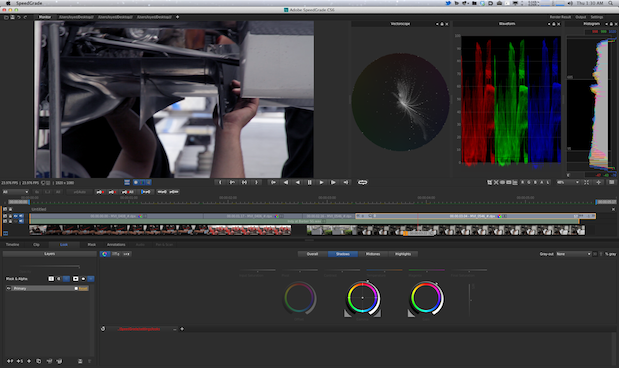
Yep, that’s an interesting interface. You can’t tell much from that small image above but it will take some learning. The comparisons to Apple Color are going to be quite common. Not because the applications are similar but because they both feel (felt) quickly integrated into the suite with a very non-Apple, non-standard interface and integration that isn’t too terribly tight with their companion NLE. The biggest difference being we can expect Adobe to actually upgrade and improve SpeedGrade, both in operation and compatibility. Hopefully SpeedGrade will one day be just a Dynamic Link away!


Filmtools
Filmmakers go-to destination for pre-production, production & post production equipment!
Shop Now