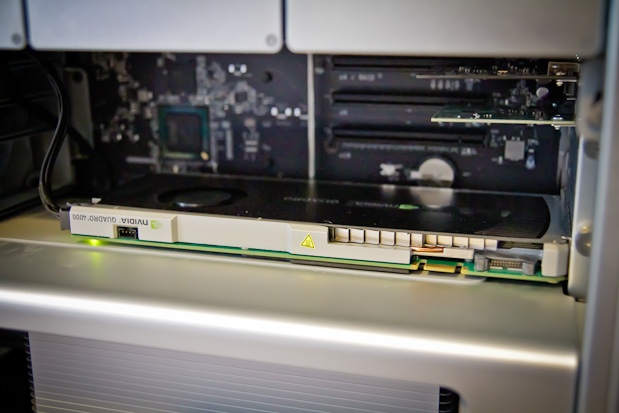
Cheaper and smaller than the Quadro FX 4800, the 4000 can greatly compliment the right application.

It’s been several months since NVIDIA released their newest graphics card for the Macintosh. The Quadro 4000 for Mac uses their newest GPU architecture called Fermi. This card packs a whopping 256 cores onto a card that is half the physical size of the older Quadro FX 4800 (it had only 192 CUDA cores, the slacker). The other bit of news is that the 4000 has a smaller price than the FX 4800 had, coming in at just over $700 (street price) from an Amazon search. On top of all that there’s quite a few applications out there that are taking advantage of NVIDIA’s CUDA technology that lets apps harness all this GPU power. Read on for a look at several post-production tools and how they work with the 4000.
I received one of the Quadro 4000’s on loan from NVIDIA not long after the card shipped. As I had mentioned in a previous article on the FX 4800 I don’t really understand all this talk of cores and benchmaking and what benefit “GPU Tessellation with Shader Model 5.0” might have. I just want to know how all this GPU power can be harnessed to get my work done fast and better. Coincidentally there’s the usually long and detailed review of the Quadro 4000 for Mac that Ars Technica posted a few days ago. There you can find the standard benchmarking tests using 3D, CAD, gaming apps and lots of little fuel gauge bars. There’s also discussion of the overall implementation of OpenCL and the current driver situation on the Mac. There’s a little bit of discussion on the video post apps we use so if you’re considering this card definitely give the Ars review a read.
I’ll expand on the expansive Ars review by saying that I have not experienced a single kernel panic during my months using the card. I’m running only a single 30-inch cinema display so I can’t comment on the card resyncing dual displays. There’s some good reading in the comments of the Ars article too btw, if you can get past the section where the comments devolved into the usual Mac vs. PC debate.
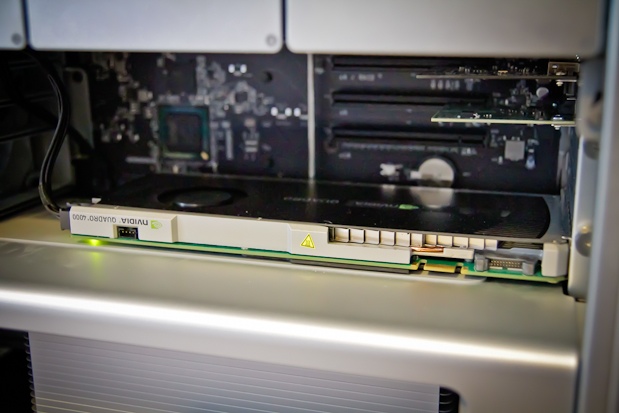
4000 is smaller than 4800
Before talk of the 4000’s power it’s worth noting that the size of the card is much smaller than the FX 4800. The FX 4800 is over twice as big as the 4000 and takes up more of the precious space in the ever shrinking innards of a Mac Pro.
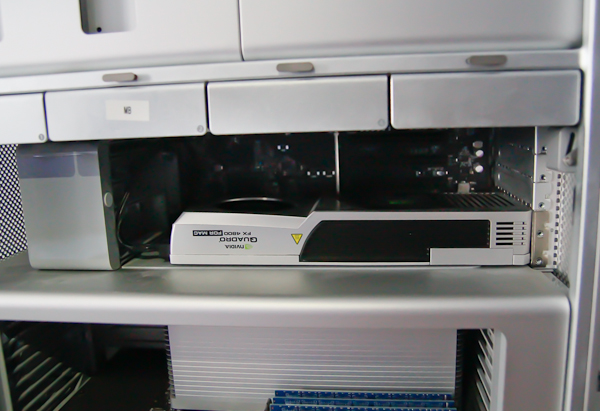
That would be a pretty tight fit with the Quadro FX 4800 and other PCI cards.
It feels downright roomy inside after installing the 4000 and plugging it into one of the available power ports.
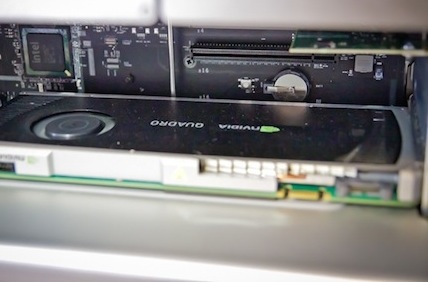
The 4000 is much smaller.
Connectors on the back include a dual link DVI connection and a DisplayPort connector:
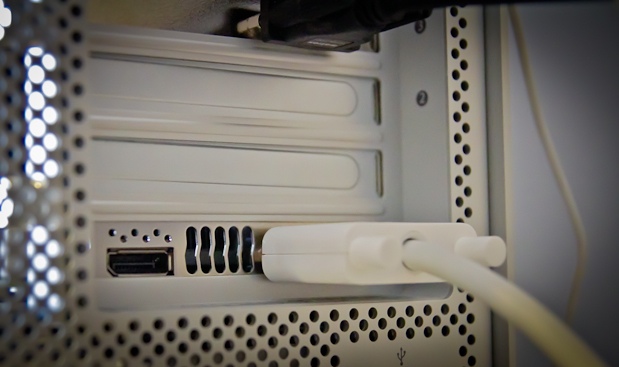
Adapters can be used to take the DisplayPort to DVI or Mini DisplayPort. If you look along the edge of the card you can see several connectors. They are used to connect the 4000 to other NVIDIA cards but are not implemented on the Mac OS. That too bad as one of those connectors is to the NVIDIA Quadro SDI Capture which could bring another option for video I/O to the Mac.
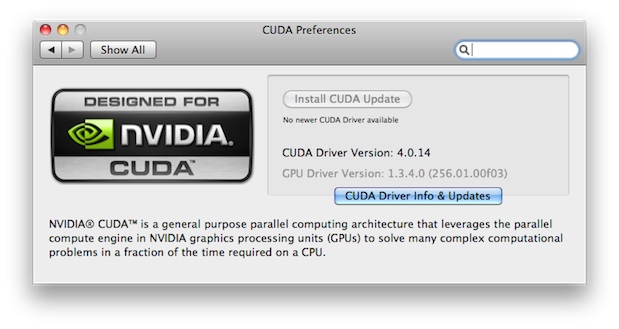
There’s two drivers that need to be installed, the drivers for the card itself and then the CUDA drivers. For CUDA-enabled applications to be able to harness the card, the CUDA drivers must be kept up to date. That’s easy with the CUDA Preferences pane in the system preferences:
If you’re going to run this card in a Mac Pro make sure you’re running 10.6.5 or later as there were some issues with OSX versions older than that. There’s also the issue of Mac OSX not supporting the latest version of OpenGL, the “industrial-strength foundation for high-performance graphics in Mac OS X and the gateway technology for accessing the power of the graphics processor.” OSX currently supports 3.1 but the spec is at 4.1 and you can see on the NVIDIA product page that they require booting into Windows via Bootcamp to use 4.1. Then you’re not running a Mac. There is also the OpenCL spec which according to the Apple website is described as “a new technology in Mac OS X Snow Leopard called OpenCL [that] takes the power of graphics processors and makes it available for general-purpose computing.” Great. But if you do a little searching around the Internet it appears that Apple’s OpenCL might not be entirely recognized by the Quadro 4000.
So there currently seems to be a bit of a disconnect between Apple and NVIDIA with OpenCL and Apple’s lack of support for the latest OpenGL … it just makes my eyes glaze over trying to figure out who isn’t supporting what where and why not. There needs to be a simple graphic matrix to line all of this up.
But one thing we do know is that the NVIDIA CUDA technology is definitely supported in some very specific post-production applications. If any, many, or all of these tools are a part of your post workflow then you can see some very real benefits by investing in one of these Quadro 4000 cards.
Adobe Premiere Pro CS5.5
Performance is the key when you spend $700 + on a graphics card. The real showcase for NVIDIA cards in a digital video application has thus far been Adobe Premiere Pro, beginning with CS5. That brought us the Mercury Playback Engine which enabled realtime playback of many processor intensive codecs including accelerated effects. Add a supported NVIDIA graphics card and the GPU acceleration made the Mercury Playback Engine quite stunning.
With the 4000 and Premiere Pro 5.5, performance is nearly as good as the FX 4800. Adobe has rightly targeted DSLR users with their marketing for PPro and Mercury so all the testing I did was with native Canon H.264 files (running off an internal 2 disk RAID on a 2.66 GHz Quad-Core Mac Pro).
Load up some DSLR clips, create a sequence to match and you’re off to the races. Like with the FX 4800 card I was able to pile on a batch of accelerated effects without dropping frames during playback. And like the FX 4800 before it, performance worked best when dropping playback resolution to 1/2.
I replicated a similar clip stack that I did when testing the FX 4800, multiple streams of H.264 with RGB Curves, timecode, noise and a horizontal flip.
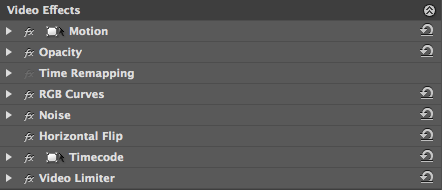
The effects stack that I applied to all of the clips in Adobe Premiere Pro CS5.5.
Then I would duplicate the clip and add it as a picture in picture. The performance was similar to that of the FX 4800.
When playing back at full resolution PPro would start drop frames at 4 streams:
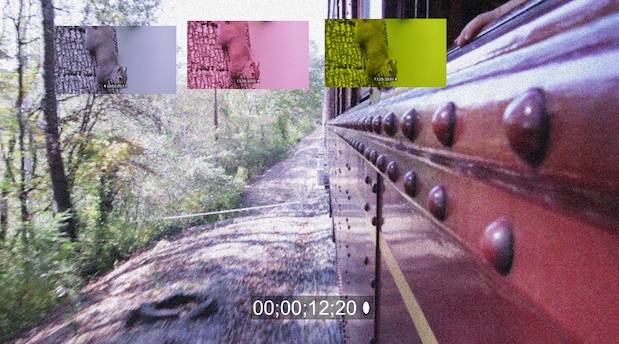
This was whether PPro was playing back only on the computer screen or outputting via the Matrox MXO2 Mini. I was surprised to see a Matrox dropped frame warning that I had never seen before which popped up as I was adding streams:
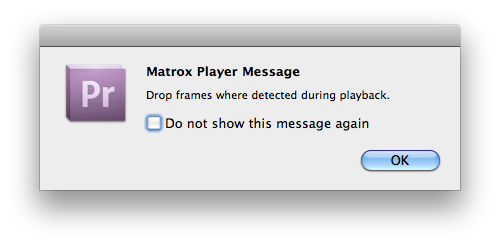
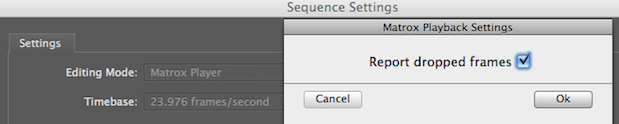
There’s a preference in the sequence settings for toggling this dropped frame warning on and off when you’re using a Matrox sequence preset:
As with the FX 4800 performance dramatically improved when dropping the playback resolution to 1/2. I was able to easily get 7 streams of playback.
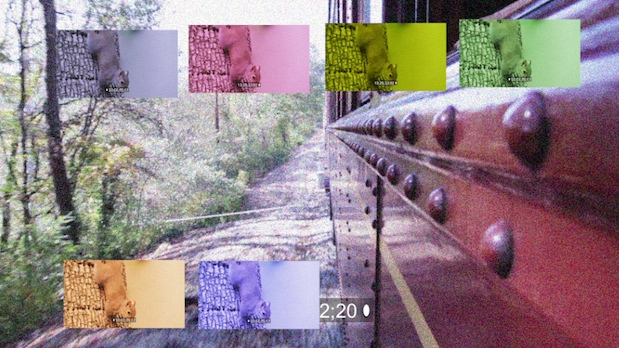
And as before the 1/2 resolution is very good. You can see the power of Mercury and the CUDA card at work as turning PPro back to software only Mercury Playback would barely give two streams before it dropped frames.
One question that always has to be asked when trying to max-out a video (or something similar) card’s playback is how often will you be really needing that kind of extreme performance. I don’t often need 7 streams of realtime with all of those effects added on all 7 clips, so in everyday use, I would rarely hit the ceiling of performance with the 4000 card. While a bit slower in Premiere Pro performance than the FX 4800, it’s still a very nice addition to PPro CS5 and 5.5.
And one more note on Premiere Pro and CUDA, this article from Adobe talks about how a CUDA card will allow PPro to do better scaling. There’s some techo-babble in there about Lanczos 2 low-pass sampled with bicubic and stuff like that but it’s good to know a CUDA card can do more with PPro than just allow for realtime playback of multiple video streams and effects.
DaVinci Resolve for Mac
Another of the big uses of NVIDIA’s CUDA technology for post-production comes in the form of DaVinci Resolve for Mac. Its ability to provide multiple nodes of realtime color grading (at quite an unbelievable price) comes mostly from its use of NVIDIA hardware. With the introduction of the 4000 card that’s yet another option for Resolve. While the upcoming Resolve 8.0 will use Open CL to get better performance out of non-NVIDIA cards (like the built-in graphics cards of an iMac as was being demoed at NAB) the best performance will be had when Resolve can harness CUDA.
I’ve seen some reports online that Resolve gets a bit better performance when using the older FX 4800 card even though the 4000 uses newer NVIDIA technology. Again, this moves into the super-geeky realm of understanding exactly what those differences in the cards are … something that I don’t really want to pour into my brain but the slightly better performance of the FX 4800 in the Premiere Pro test means that’s probably true for Resolve as well.
With an earlier update to Resolve, Blackmagic Design added the ability for Resolve to use multiple GPU cards as well as an expansion chassis to house all the hardware. So now there’s the ability to use multiple 4000 GPUs and build quite the powerhouse of DaVinci Resolve on a Mac.
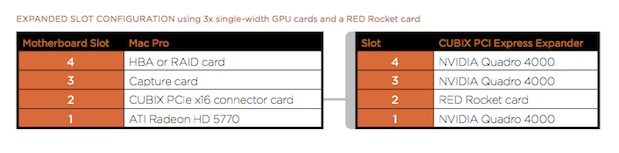
Sure there’s going to be some cost when you buy three 4000s and the expansion chassis (besides the Mac Pro) but that’s giving you some grading power that was previously unheard of at that cost.
On my particular system I have only the 4000 card. Blackmagic recommends, as the most basic configuration, running the interface of Resolve using a smaller ATI graphics card and using the Quadro to do all the heavy lifting. In other words hook your monitor to the ATI card and put the Quadro in the 2nd PCI slot.
This won’t work if you might also want to run Premiere Pro (there’s a whole other debate about whether Resolve deserves its own dedicated system) so in my test system I was running only the 4000 with a 30 inch Apple Cinema Display hooked to the card.
Performance was great with five nodes of grading playing back in realtime on 1920×1080 H.264. A few more when working on ProRes. As a reminder this is really an “unsupported” Resolve system running a single Quadro 4000 card. A tweet from earlier in the year on a system running two NVIDIA GeForce GTX 285s yielded some 22 nodes at 720p. Multiple GPUs for Resolve can be a good thing.
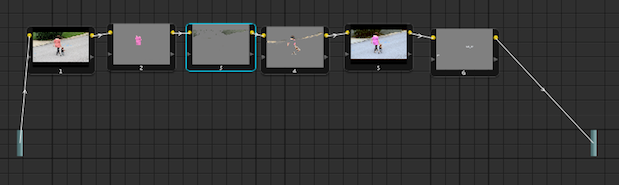
If I was building a dedicated color grading suite I would look to the multiple GPU option for Resolve as that would pretty much guarantee your realtime playback without Resolve even breaking a sweat when working on compressed HD formats like ProRes and DNxHD. For the smaller shop or one-man-band operations, then the single NVIDIA card doing a Premiere Pro / Resolve workflow will probably be plenty of horsepower. I’ve also run Final Cut Pro and Avid Media Composer quite extensively using the NVIDIA graphics cards and haven’t seen any problems whatsoever.
Next Up: Squeeze 7, Kronos and others that can utilize the GPU for big speed gains.
Sorenson Squeeze 7
Another post-production application using NVIDIA CUDA technology is Sorenson Squeeze 7. This took me by surprise when I installed the Squeezer 7 update. Check the preferences in version 7 and you’ll see a tab for GPU settings. Squeeze 7 will use a supported NVIDIA GPU to accelerate H.264 encoding by up to three times.
Sorenson has designed the GPU preference very well as it looks at the installed card and all the software drivers and identifies exactly what they are. If certain versions aren’t up to snuff for Squeeze 7 it will note exactly what those are in the preferences.
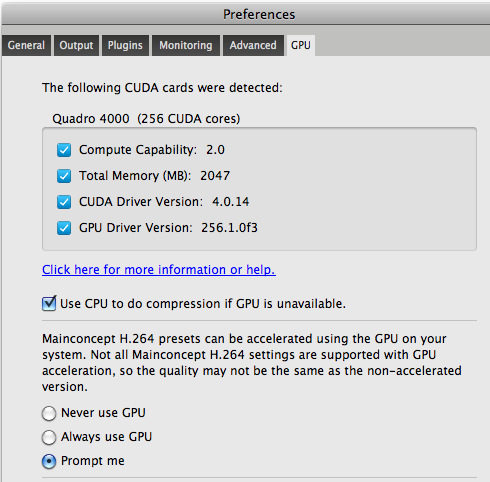
To get accelerated H.264 encoding there’s certain codecs that must be used. If you’re using the CUDA acceleration and you go to apply a preset that can use the acceleration Squeeze will alert you that you can speed that up with the GPU.
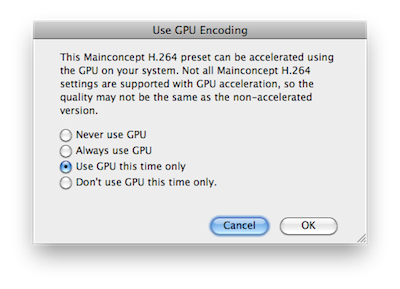
These alerts settings can be tweaked in the Squeeze preferences where Squeeze 7 will always use the GPU when it’s available.
How much faster is this CUDA accelerated encoding?
I took a 4:36 music video and these were the encode times using a default iPhone preset:
GPU accelerated codec – 6:14
No CUDA GPU acceleration – 17:16
That’s a huge difference for Squeeze. By using the GPU, Squeeze 7 also takes less passes through the clip overall as it did only two passes using the GPU and four passes when not using the GPU.
The Foundry Kronos
While researching for this article I came across a plug-in from The Foundry called Kronos. It’s used for “retiming, speed-ramping, time-remapping and slow-motion effects” and uses technology from the Foundry called Blink. From The Foundry’s website:
KRONOS 5.0 is the first product to use our ground breaking Blink technology. Blink is the framework which translates our algorithms to run on your GPU, in this case, utilising NVidia’s CUDA technology. For more information on Blink, including an exclusive look at it running faster than real-time on NVidia’s Fermi generation of hardware, check out the articles at CGSociety and Vizworld.
That seems right up the 4000’s alley. I downloaded the Kronos trial and it is indeed very fast. I would say stunningly fast when using the GPU. I was wanting to slow down a piece of a three second shifter cart clip. After Effects 5.0 RAM Preview times were around 8 seconds without GPU and 2 seconds with it! That would really pay off if you were using Kronos on long clips.
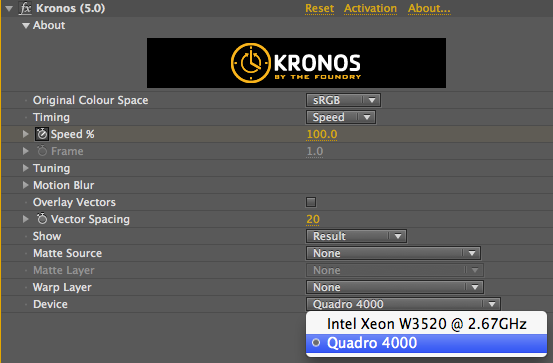
The GPU is selected in the Kronos Effect Controls tab
I was thinking the best way to illustrate this was a screen grab of the actual RAM preview. Click the play button to watch AE render the RAM preview and then playback the clip at 30 fps:
Kronos After Effects CS5 RAM preview using only the CPU
Kronos After Effects CS5 RAM preview using the GPU
Even on longer uses of Kronos it really screams when using GPU accelerations. Imagine that kind of acceleration in all of the post applications you might use and the future looks quite bright if your application gets some kind of CUDA acceleration … and you have a CUDA video card.
GenArts Sapphire
One very popular high-end effects package that supports GPU acceleration is GenArts Sapphire. It’s the “gold standard for the silver screen” but also sports a gold standard price (at least in the Final Cut Pro world) at $1,699 for a non-floating license. I downloaded the FCP demo and performed a render test.
The Sapphire documentation addresses the GPU acceleration directly:
Many effects can use the GPU to speed up rendering. This requires an NVIDIA graphics card which supports CUDA, such as a GeForce 280 or 285, or Quadro FX 5600 or 5800. If a suitable GPU is found, a GPU Enable button will appear in the Help dialog. GPU acceleration is enabled by default if it’s available, but if you experience performance or stability problems, you can turn it off by deselecting the GPU Enable button.
If a plug-in is unable to render on the GPU, it will automatically fall back to the CPU and continue processing. The GPU status, including the type of error, is displayed in the Help dialog.
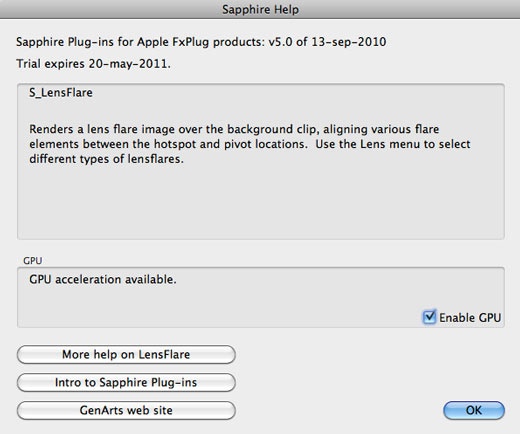
When you apply a Sapphire plugin there’s a Help button available in the Filters tab for each effect that describes the effects and has an Enable GPU toggle switch:
I took a 22 second ProRes LT clip and applied both a Warp Fish Eye and a Lens Flare and rendered with and without the GPU acceleration:
GPU accelerated Sapphire render – 2:15
No CUDA GPU accelerated Sapphire render – 2:53
While that isn’t a super dramatic improvement in FCP render speed it could really add up over the long haul.
Digital Anarchy Beauty Box
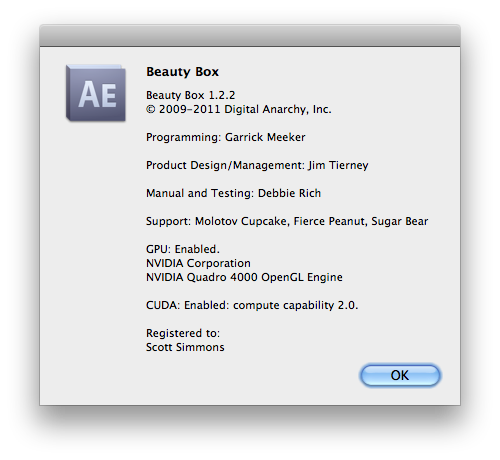
Not every GPU accelerated tool was wine and roses. The amazingly cool skin smoothing plug-in Beauty Box gave me rendering issues in both Final Cut Pro and After Effects. There was a recent update that took Beauty Box to version 1.2.2 and after the update the apps did recognize the 4000 card:
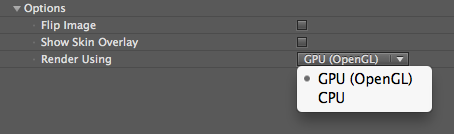
But when I turned on the Use GPU setting in After Effects, Beauty Box rendered a strange noise pattern in stripes across parts of the image:

But turn off GPU acceleration and it did its usual amazing job of smoothing out the subject’s skin:

When trying the same thing in FCP it just failed to render:

This is probably just a bug with the 4000 card that needs updating. I remember Beauty Box getting a minor update last year that really improved render speeds by offloading some of that to the GPU and will be even better if you’re rendering a job that had a lot of skin smoothing.
Magic Bullet Colorista II
Finally there’s the old favorite Colorista II. It’s GPU enabled so I wanted to give it a render test as well.
I tried it in Final Cut Pro, Premiere Pro and After Effects on a 22 second ProRes LT clip.
FCP:
GPU render: 14 seconds
CPU render: 39 seconds
Premiere Pro:
GPU render: 22 seconds
CPU render: 40 seconds
After Effects:
GPU RAM preview: 26 seconds
CPU RAM preview: 48 seconds
That’s a very nice render speedemup with Colorista II’s GPU acceleration. Imagine if you’re doing a whole show that had been color corrected with Colorista II and not just a 22 second clip. Also imagine how much faster something like Colorista II might be able to render if Apple’s OpenGL drivers were current. Maybe that will be fixed in the next OS upgrade.
Wrap Up
Overall the NVIDIA Quadro 4000 for Mac could be a nice timesaving tool depending on the post-production applications you are using. By far the biggest performance advantages come from applications that are specifically written to take advantage of NVIDIA’s CUDA technology. It seems that the hope is that the next version of the Mac OS (10.7 Lion) will allow for better GPU acceleration no matter which graphics card you use. With the street price of the Quadro 4000 beating the previous Mac NVIDIA card, the FX 4800, by over $500 the 4000 is some relatively affordable speed, again for the right application. While I’ve seen reports that the FX 4800 might be a bit faster overall running Resolve I did a few (quite unscientific) side-by-side tests (as side-by-side as they can be when the cards were installed in different machines) with a Squeeze encode and a Colorista II render and the 4000 card beat the FX 4800 quite handily. That’s a topic that might be worth exploring further.
In the meantime, the Quadro 4000 for Mac is a good, affordable option for getting the most out of your CUDA supported applications. It’s currently not a build-to-order option in the Apple store so if you’re buying a new Mac Pro shop for it away from the Apple store as you’ll definitely be able to find a better price than Apple is offering.


Filmtools
Filmmakers go-to destination for pre-production, production & post production equipment!
Shop Now